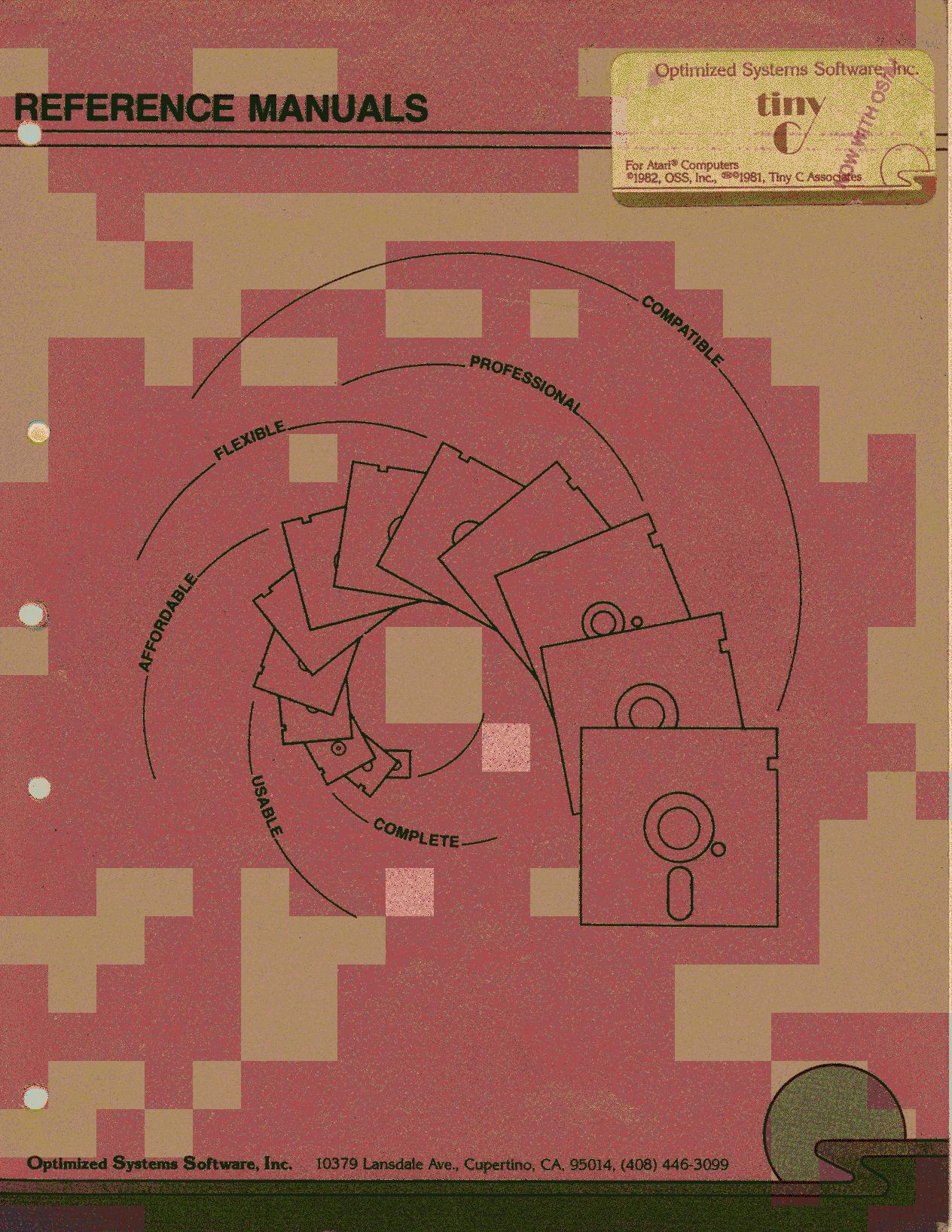
The project found this little manual instructive. You could say it is a kind of C flavour that is inspired by BASIC!
https://archive.org/details/tiny-c_manual
Preface
The sources of ideas that went into tiny-c are many. First there is BASIC [Kemeny & Kurtz 1967]. BASIC has become the de facto standard training language in the United States. It industry, is popular in high schools, universities, even in where it is used for some production work. Although BASIC has its faults, its one big strength is that it is easy to learn. This is largely because it offers a single computing environment. You can enter new program lines, change old ones, and start a program running all from one command environment. You do not have to remember the environment you are in, i.e., you edit mode, compile mode, link mode, system mode, run mode, etc., when giving a command. There are no commands to shift from mode to mode. There no relocatable object modules, link editors, and all the other paraphernalia of “real” computers. Is is very simple and very adequate. Thus a focus is made on the essential elements of computing, as opposed to the elements of “wrestling” with a computer.
The LOGO language [Feurzeig 1975] is in many ways similar to tiny-c. It offers a well-structured language based on BASIC, as well as a single environment for programming and execution. LOGO was used experimentally in public schools with very young children. The experiment showed that children could grasp simple computer concepts and work through a prepared set of exercises, and then do creative work of their own.
C [Ritchie, Kernighan, & Lesk 1975] is a computer language designed by Dennis Ritchie, at Bell Telephone Laboratories, tiny-c borrows its overall structure from C. C is broadly used in universities and in industry. It has been used to program a very advanced and powerful computer operating system, called UNIX [Ritchie & Thompson 1974]. At yet it is a very simple language. C has no native input/output, e.g., read or print statements. Input/output is done using functions. Thus C concentrates on COMPUTING facilities, and allows external development or elaborations of input/output. tiny-c has adopted this idea.
The command environment for tiny-c is written in tiny-c. It needs no translation to the micro-processor’s machine language. This corresponds somewhat to the idea of using C as the programming language to implement UNIX. So, although intended as a training language for structured programming, tiny-c is a powerful language.
The tiny-c OWNER’S MANUAL is trying to reach four audiences at the same time. For those new to structured programming we have a brief tutorial and program walk-through so they can get the gist of it without getting bogged down in details. Experienced users of structured programming will find that the references sections let them quickly discover the features of tiny-c. For those who want to know how the tiny-c interpreter works, we have described its operation. And, finally, for those who want to install tiny-c on their home computer, we have included a complete installation guide.
Introduction
What is tiny-c? tiny-c is
- a language, plus
- a standard library, plus
- a program preparation system.
Without any other software aids, you can prepare tiny-c programs, run them, edit them, store them on a cassette or floppy disk, and read them back later.
tiny-c is a structured programming language which has if-then-else, while-loops, functions, global and local variables, and character and integer data types, pointers, and arrays.
tiny-c is independent of operating systems. You can interface it easily to the input/output routines on your computer.
tiny-c can invoke your own machine language subroutines so the tiny-c programming language can be fitted to your system and your system can be reflected in and extend the language.
A tiny-c Program Walk-Through
Figure 1-1 is a complete tiny-c program consisting of two functions.
FIGURE 1-1
/* guess a number between 1 and 100
/* T. A. Gibson, 11/29/76

guessnum [
    int guess, number
    number = random (1,100)
    pl "guess a number between 1 and 100"
    pl "type in your guess now"
    while (guess != number) [
        guess = gn
        if (guess == number) pl "right !!"
        if (guess > number) pl "too high"
        if (guess < number) pl "too low"
        pl""; pl""
    ] /* end of game loop
]     /* end of program

/*
/* random-generates a random number

int seed, last /* globals used by random
random int little, big [
    int range
    if (seed == 0) seed = last = 99
    range = big - little + 1
    last = last * seed
    if (last < 0) last = -last
    return little + (last/8) % range
]
End of FIGURE 1-1
How does this program work? Let’s do a program walk-through:
Starting at the top, the first two lines are COMMENTS. A comment start with /* and goes to the end of the line.
“guessnum” is the name of a FUNCTION which is called to start the program.
Following “guessnum” is a COMPOUND STATEMENT, which is 12 lines long, the last line being:
] /* end of programA compound statement is everything between balanced left-right brackets.
The first SIMPLE STATEMENT in guessnum is:
int guess, numberThis declares two INTEGER VARIABLES named “guess” and “number”. All variables in tiny-c must be declared. When executed, the int statement will create the variables, and given them an initial value of zero.
The second simple statement in guessnum is
number = random (1,100)This sets number equal to the value of the tiny-c program function random executed with its first ARGUMENT equal to 1 and its second argument equal to 100. In our program the function random returns a random number between 1 and 100.
On the next line, pl is a tiny-c LIBRARY FUNCTION which prints a line. In prints the quoted string which is its argument.
while sets up a LOOP. The general form of while is:
while (expression) statementIn this instance, the EXPRESSION part is
guess != numberwhere != means not equal to. This expression is evaluated, and if it is true, the statement is done, and then the expression is evaluated again. If it is false, the statement is skipped. Initially, guess is 0 and number cannot be less than `, so the expression is initially true. Therefore the statement is executed.
The statement is compound, and is composed of six simple statements. The first of these statements is
guess = gngn, which stands for “get number” is another standard library function. It reads a number types in by the user at the terminal, and returns that value. So here the program waits until the user types a number and a carriage return, and then guess is assigned the number typed.
The next three simple statements are if statements. The general form of the if statement used here is
if (expression) statementwhere statement is executed if the expression is true.
Statements five and six of the while’s compound statement are pl"". pl"" goes to a new line, and prints nothing. The semicolon allows you to write more than one simple statement on the same program line. So
pl"" ; pl""prints two blank lines.
Now we are at the end of the while loop. Since the expression part of the while was true, the while statement is executed again. This starts with another evaluation of the expression to see if it is true or false. If the first guess is not equal to number, the compound statement is executed again. Another guess is read, the appropriate remark is made, and two more blank lines are printed; the while is done yet again. Eventually, the user gets the right number and guess is equal to number. This will cause a “right!!” and two blank lines to be printed. The while condition is then tested again. The expression guess != number is evaluated and found to be false, so the entire compound statement of the while is skipped, which brings us to the end of guessnum. The game is over. The program stops because the end (the last ]) of guessnum is reached.
Before we walk through random, notice the integers seed and last are declared outside of both guessnum and random. They are called GLOBAL VARIABLES. They will be created once when the program is started. They are initially zero, and are known and usable by both guessnum and random. On the other hand, guess, number, and range are LOCAL VARIABLES. guess and number are known and usable only within guessnum, while range is local to random.
The first line of random gives the function name. And, before the [, it declares two integer arguments, little and big. A VALUE must be supplied for each argument when a function is called. The call in the sixth line of guessnum sets little to 1, and big to 100. Now we enter the BODY of the function random.
range is declared an integer and is initially zero. On the first call, seed is zero. Now seed and last are both set to 99. range is calculated, and is 100. last is set to the product of the last and seed which is 9801. This is not less than 0, so the statement part of the if is not evaluated.
We next come to the return statement. It does two things. First, it evaluates the expression. The result is made the VALUE OF THE FUNCTION. Second, it returns control to the program that called the function. tiny-c expressions are similar to algebraic expressions. The symbol + means add, / means divide, and - means subtract (or take the negative). To indicate multiplication, a * is used. An unusual symbol is %, which means divide the left side by the right side and take the REMAINDER (not the quotient). So, for example,
1225 % 100is 25.
Thus the return statement calculates the expression:
little + (last/8) % range

= 1 + (9801/8) remainder 100

= 1 + 1225 remainder 100

= 1 + 25

= 26
The value 26 is returned as the value of function random. It also leaves 9801 in last, and 99 in seed. Since these are global variables, their values are retained between function calls. This is not true of local variables like range. Their values are retained only during the execution of the function in which they are defined. When that function is left their values are lost.
On a second call to random, range is recreated, and reinitialised to zero. seed is not zero, so seed and last are not set to 99, but remain 99 and 9801 respectively. range is recalculated as 100. Then
last = last * seed

     = 9801 * 99

     = 970299
This number is too big for tiny-c. Any computer has a limit on the size of the numbers that can be computed. tiny-c numbers must be in the range
-32768 <= number <= 32767.last OVERFLOWS this range. It will be assigned the value -12741! (We explain this more completely in Section 2.11.) This is less than 0, so the next statement assigns last the value 12741. Then the return statement calculates:
  1 + (12741/8) remainder 100

= 1 + 1592 remainder 100

= 93
This is returned as the second value of random.
REVIEW OF THE WALK-THROUGH
The purpose of the walk-through is to get a feeling for programming in tiny-c. We have seen that
- A tiny-c program is a set of functions.
- Some functions are standard library functions, line
gnandpl. - Global variables stay around and hold their values. Local variables come and go.
- Function and variable names can be as long as you want.
- A group of statements enclosed in brackets makes a compound statement which can be treated just like a simple statement.
Structured Programming – What tiny-c Is All About
Perhaps you have heard structured programming described as “go-to-less” programming. Or programming with just if-then-else and do-while control statements. Such remarks oversimplify what structured programming is all about. The essence of structured programming is PROGRAM CLARITY. You can write programs in small, modular parts, with easy-to-follow program flow. You can use well-chosen, descriptive variable names. This leads to clear, understandable programs. Program clarity is what structured programming is all about.
We discuss here four principle ideas that make program clarity possible. These are: modularity, predictable program flow, local variables, and the simple idea of meaningful variable names.
MODULARITY in software is just as important as modularity in hardware. It makes it humanly possible to deal with complexity. A module is a brick or atom used for building bigger modules. Seen from within, a module may be very complex but from the outside it is an indivisible whole. Software modularity is achieved through the use of FUNCTIONS.
PROGRAM FLOW is predictable if you can point to any statement and easily answer the question “under what conditions is this statement executed?” This is particularly important if the program is 20 or 30 pages long, and still has bugs. Scanning the whole program and drawing arrows is no fair. That’s not considered an easy way to answer the question. Predictable program flow can be achieved in many ways. In tiny-c, it is done with COMPOUND STATEMENTS.
Compound Statements
Functions also make it possible to hide variables used in a strictly local context. The variable n is very popular; it’s used frequently to count things. Have you ever had a program blow up because you were using n in two places for two purposes? The fix was to change one of them to n1. A better idea is in the concept of LOCAL and GLOBAL variables.
As for long, MEANINGFUL NAMES for variables and functions — just look at the sample programs to see the improvement.
David Gries suggests structured programming be called “simplicity theory”, and characterizes it as “an approach to understanding the complete programming process” [Gries 1974]. As a pleasant dividend, structured programming is more enjoyable than monolithic programming. It should certainly, therefore, be a part of personal computing. To begin our look at tiny-c as a structured programming language, let’s look at the foundation of functions and predictable program flow — the compound statement.
When you write a program, you write a list of statements:
x = x-1
a = b+c
b = b*2-c
x = b-a
The idea behind a compound statement is to make one statement – a molecule – out of a set of statements – some atoms. This is done in tiny-c by
[x = x-1
 a - b+c
 b = b*2-c
 x = b-a]
Anywhere you can write a simple statement you can also write a compound statement. This sounds simple, but the effect is powerful. For example most programming languages have an if statement similar to this:
if (logical expression) statement So you can write
if (x>0) x = x-1 But make the statement part compound, and you have this capability:
if (x>0) [
    b = b*2-c
    a = b+c
    X = x-1
]
This multiline if is not some special kind of if. It is still:
if (logical expression) statementBut the statement part is compound. The compound statement is treated as an indivisible unit. It is either all done or all not done depending on the value of the logical expression.
The compound statement also is a natural for LOOPS. There is a big difference among the various programming languages in how you write loops, but they all have one thing in common. A loop has a beginning and an end. A compound statement can be used to express this. The looping statement is:
while (logical expression) statementNotice the similarity with the if. Only the keyword has changed. Here’s how while works. The logical expression is evaluated. If it is true, then the statement is executed, and then the while is done again. The effect is a repeated if, i.e., a loop. As long as the logical expression remains true, the statement is done again and again. Eventually something in the statement causes the logical expression to become false, and the loop terminates. Of course, the statement can be compound, as in:
while (x>0) [
    a = b+c
    b = b*2-c
    x = x-1
]
The compound statement is a natural way to delimit the beginning and end of loops.
With one simple idea, the compound statement, two things are achieved. The if statement is more powerful than is common in non-structured programming languages. The concept of a loop collapses to a simple repeated if or while statement. In both situations you are stating conditions under which the statement — whether simple or compound – is to be executed.
Nesting Compound Statements
ANYWHERE YOU CAN WRITE A SIMPLE STATEMENT, YOU CAN WRITE A COMPOUND STATEMENT.
That is a fundamental rule. A compound statement contains simple statements. Therefore a compound statement can contain compound statements. Figure 1-2 illustrates this.
FIGURE 1-2
[ x = x-1
  a = b*c
  b = b*2-a
  x = b-a
a=b+c is a simple statement. The rule says a compound statement can be written here. For example:
[ x = x-1
    [ a=b+c
      w = y+2*x+w
      y = 17
    ]
  b = b*2-a
  x = b-a
]
End of FIGURE 1-2
The substitution of a compound for a simple shown in Figure 1-2 is certainly allowable, but is of no practical value.
The real utility in nested compounds is in writing nested if and while statements. Figure 1-3 is therefore a more realistic example of the use of compound statements.
FIGURE 1-3
if (x>0) [
    while (x<limit) [
        if (case==1) [
            y = 0; w = 99
        ]
        if (case==2) [
            y = 99; w = 0
        ]
        nextaction
        x = x+1
    ]

]
End of FIGURE 1-3
In Figure 1-3, if you remove everything except the brackets, you have this:
[ [ [ ] [ ] ] ] This is what is meant by compound statements. Brackets are used to form program units the same way parentheses are used to create arithmetic statements. The main difference is that a pair of brackets is preceded by a function name, or a logical expression. In the first case you’re naming the contents of the brackets and in the second you’re stating the conditions under which the contents are to be executed.
Readable Program Flow
In Figure 1-3, look at the “y=0” in the fourth line. How can it be reached? Only if case is 1, and x is less than limit. No go-to can lead here, either accidentally or on purpose.
How can “nextaction” be reached? Only if x is less than limit, and then only after possible changes to y and w. This program has simple, predictable flow. The only way a statement other than a while can be reached is from directly above, whiles can also be reached from their matching ] below.
Indenting and the Placement of Brackets in Compound Statements
The brackets alone define the “structure” of a program. Indenting means nothing. But one of the purposes of structured programming is to make programs more readable and, hence, more understandable. A good choice of indenting style is very important to program readability. There are several styles to choose from. The actual choice is not too important. But once you choose a style, stick to it. Consistency IS important.
One easily explained style is to align matching brackets vertically. This looks like:
if (x<0)
[   statement
    statement
        "
        "
        "
]
A problem with this is that when editing the first statement, care must be taken to keep the [ intact. So some use this style:
if (x<0)
[

    statement
    statement
        "
        "
        "
]
This takes an extra line. Also there is a visual break between the if and its statements. So some take the left bracket and move it to the end of the preceding line:
if (x<0) [
    statement
    statement
        "
        "
        "
]
The right bracket is now vertically aligned with the if or while that preceded the compound statement.
You may pick one of these, or invent a style of your own. But, we repeat, whatever you decide to do, do it consistently.
Functions
A large software project can usually be broken into natural parts, and each part programmed and debugged as a separate unit. Each of these units then becomes a reliable building block for the construction of still larger parts of the project. Sometimes units can be designed to be useful in many projects.
In various programming languages these building blocks are called subprograms, subroutines, or, as in tiny-c, FUNCTIONS. Here is a tiny-c function for any computer versus human game:
game [
    getready
    while ( stillplaying ()) [
       humanturn
       if (stillplaying ()) computerturn
    ]
    gameover
]
The name of the function is “game”. The compound statement that follows is called the body of the function. Each [ can be read as “do all of this”, and its matching ] read as “end of this”, game divides the design of a game program into five parts:
getready (which initializes things, and
          prints instructions if
          requested),

stillplaying (which determines if the
              game is still going, and
              returns true if it is,
              otherwise false),

humanturn (which conducts the human's
           turn),

computerturn (which conducts the
              computer's turn) ,

gameover (which computes and prints
          scores, makes remarks about
          the human's skill, promotes
          the human, or whatever).
The game function is the first step in divide-and-conquer or top-down program development. Let’s carry this development one step further. The getready function can be expanded this way :
getready [
    ps "Do you want instructions?"
    if (gc()=='y') instructions
    setupboard
]
getready divides the initialization into two parts: instructions, and setupboard.
(Note: ps prints a character string, gc() reads a character, and == 'y' tests if the character is a y.)
Notice that both game and getready are universal. They can be used in many game programs. Programming in this fashion eventually leads to a library of useful, general purpose functions. These can be pulled off the shelf into a software project. You know they work because they were used before. Your programming becomes more productive, and more pleasant.
The next time you’re programming a sizable project, i.e., anything more than a page, try to identify subsets of the logic usable in other projects. Capture these as functions. It is gratifying to discover a general purpose function where none was suspected.
Local and Global Variables
A LOCAL VARIABLE is one that is known only inside a function. It can be used and changed only within the body of the function. Even its name is unknown outside the function. In fact, its name can be used in other functions without conflict. This is what makes local variables useful.
Take a look at Figure 1-4. There are four local variables in these two functions. The variables n and maximum are local to a function. The variables n and total are local to another function. If either of these functions calls the other, the values of n will not be confused since they only have meaning inside the body of their own functions. It helps to think of local variable names as being preceded by the possessive form of the function to which they are local. For example, a function’s n and another function’s n.
FIGURE 1-4
afunction [
    int n, maximum
    n=0
    while (n<maximum) [
          .
          .
          .
        n=n+l
    ]
]

anotherfunction [
    int n, total
          .
          .
          .
    n = n+2
    total = total+n
          .
          .
          .
]
End of FIGURE 1-4
The value of locals is obvious to anyone who has spent a nasty debugging session trying to find out where, in a huge program, some variable is getting changed.
Of course not all variables can be local. Some must be shared by many functions. These are called GLOBALS. They should be used infrequently, as they do cause debugging headaches. Choosing good, descriptive names for globals alleviates the problem, . A global named “k” is inviting disaster. Call it “klingonsleft” and you’re less likely to accidentally use it for two purposes. Also you’ve given a reader of your program a pretty good clue to the variable’s use.
Summary – And Where We Go From Here
We’ve walked through a simple program to get a feel for tiny-c, and we’ve discussed the virtues of structured programming. These are just the preliminaries. Now it’s time for the main events. First, a complete definition of the tiny-c language. Chapter II is devoted to this task. To prepare programs you need an editor and way of debugging. The Program Preparation System (PPS) is described in Chapter III. Examples are excellent learning tools: Chapter IV has several example programs. Maybe you want to make it bigger, better, or faster? Chapter V explains how tiny-c works. Finally, of course you’ll want to get tiny-c up and running on your own computer. Chapters VI and VII explain how to install tiny-c on an 8080 or PDP-11.
Leave a Reply