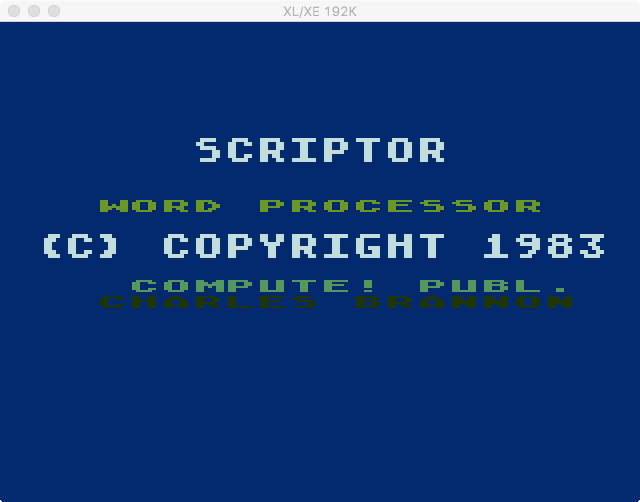

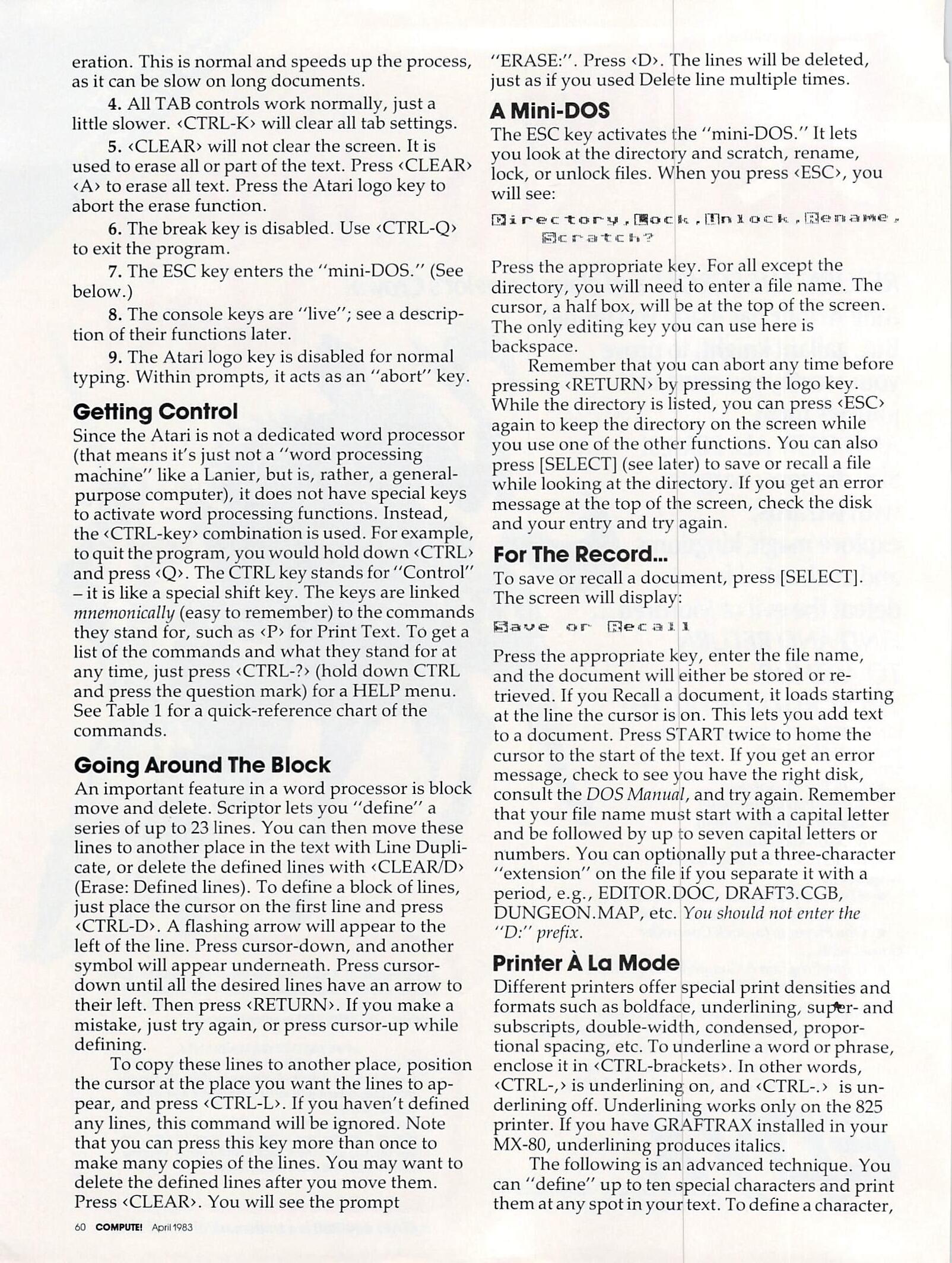
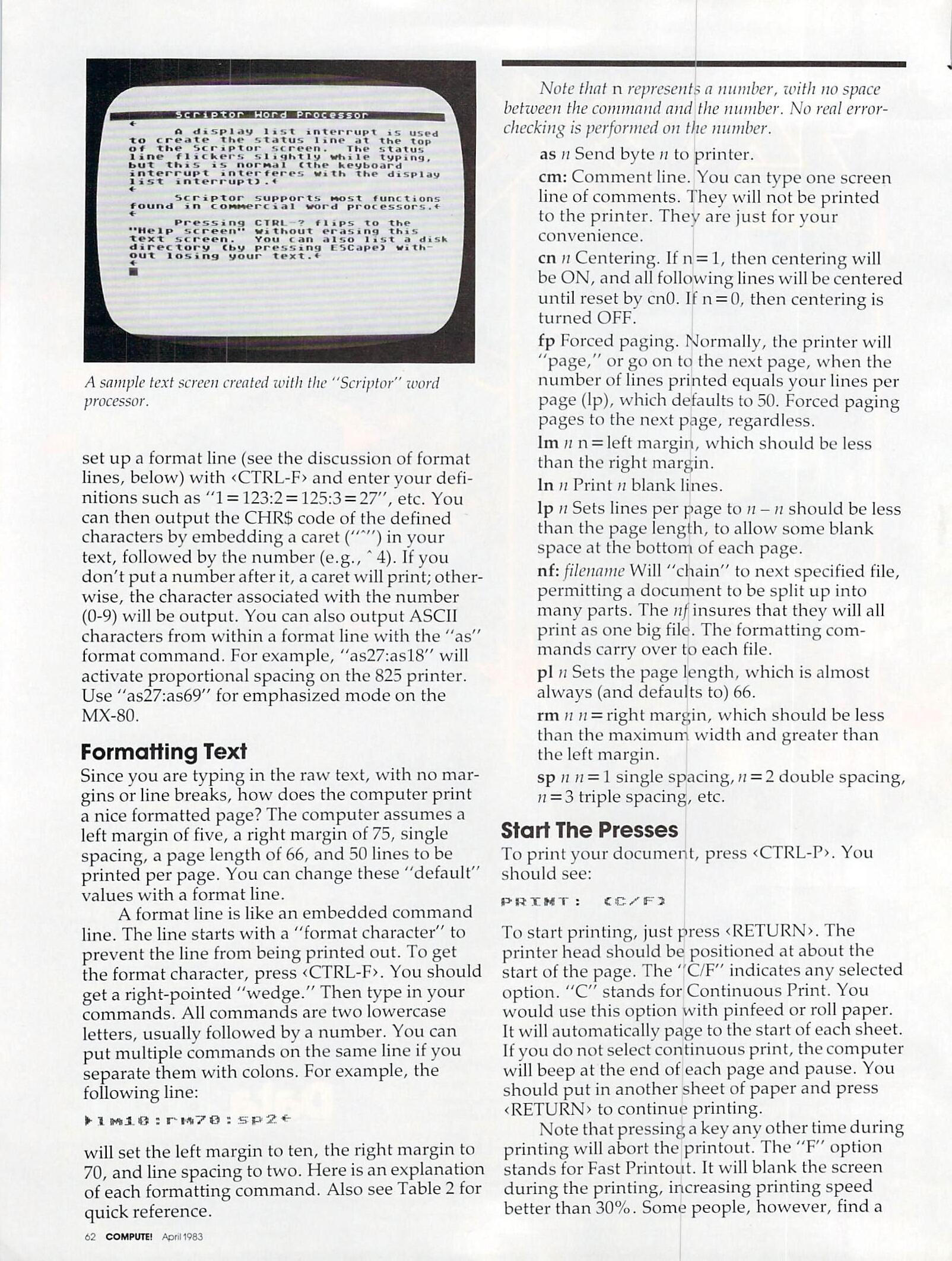
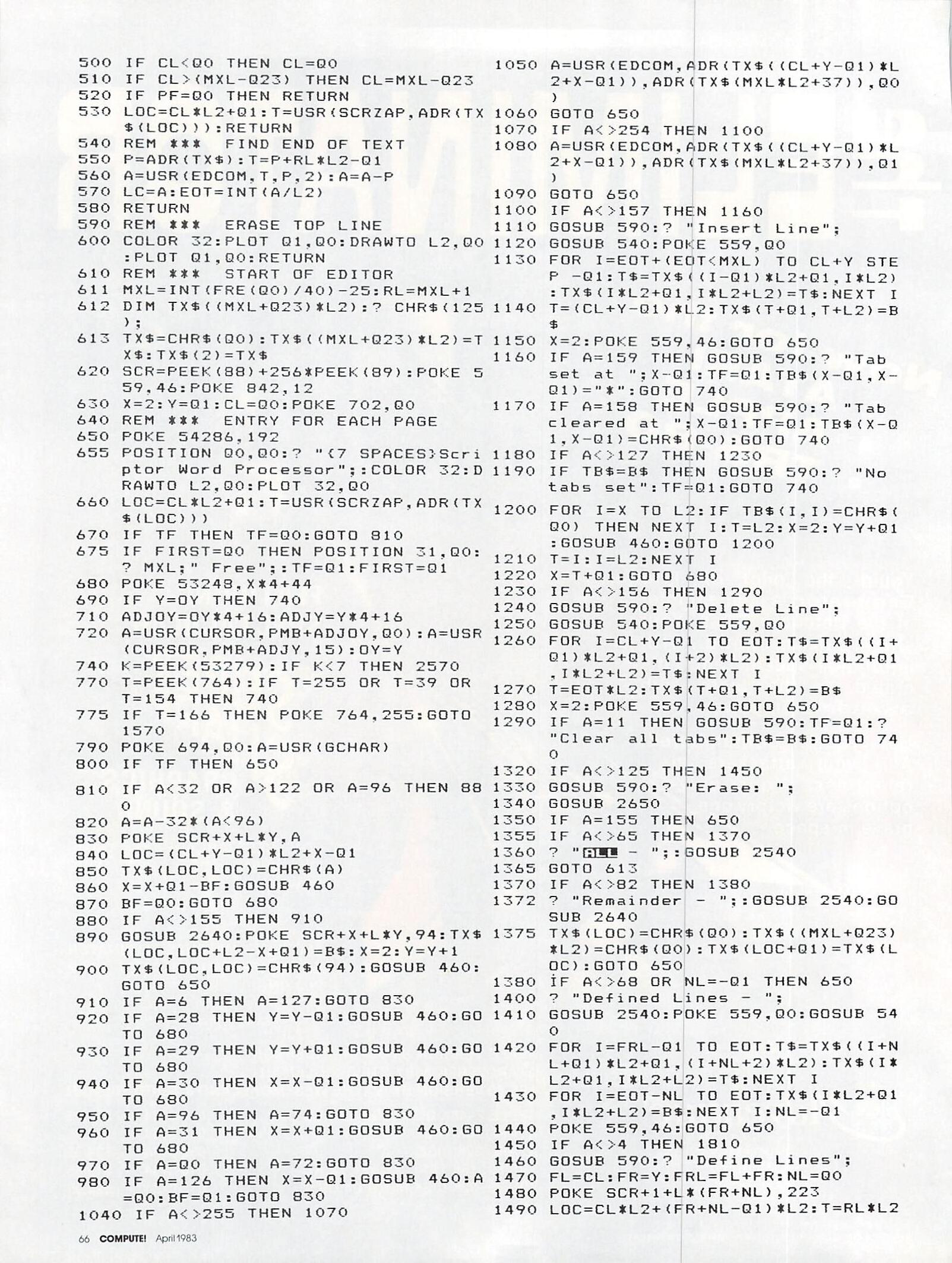
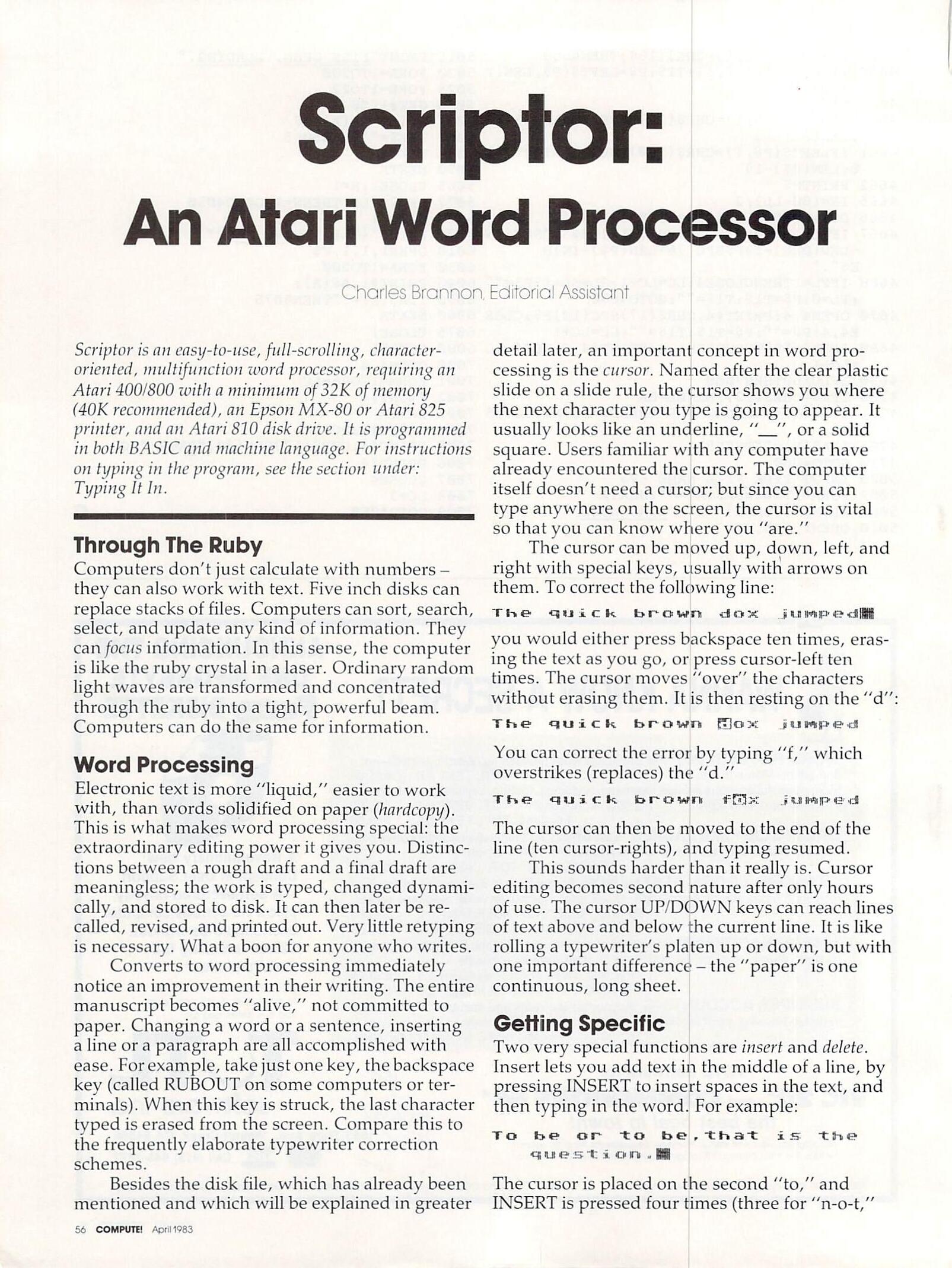
Scriptor is an easy-to-use, full-scrolling, character-oriented, multi-function word processor, requiring an Atari 400/800 with a minimum of 32K of memory (40K recommended), an Epson MX-80 or Atari 825 printer, and an Atari disk drive. It is programmed in both BASIC and machine language. For instructions on typing in the program, see the section under: Typing It In.
Computers don’t just calculate with numbers – they can also work with text. Five inch disks can replace stacks of files. Computers can sort, search, select, and update any kind of information. They can focus information. In this sense, the computer is like the ruby crystal in a laser. Ordinary random light waves are transformed and concentrated through the ruby into a tight, powerful beam. Computers can do the same for information.
Electronic text is more “liquid”, easier to work with, than words solidified on paper (hard copy). This is what makes word processing special: the extraordinary editing power it gives you. Distinctions between a rough draft and a final draft are meaningless; the work is typed, changed dynamically, and stored to disk. It can then later be recalled, revised, and printed out. Very little retyping is necessary. What a boon for anyone who writes.
Converts to word processing immediately notice an improvement in their writing. The entire manuscript becomes “alive”, not committed to paper. Changing a word or a sentence, inserting a line or a paragraph are all accomplished with ease. For example, take just one key, the backspace key (called RUBOUT on some computers or terminals). When this key is struck, the last character typed is erased from the screen. Compare this to the frequently elaborate typewriter correction schemes.
Besides the disk file, which has already been mentioned and which will be explained in greater detail later, an important concept in word processing is the cursor. Named after the clear plastic slide on a slide rule, the cursor shows you where the next character you type is going to appear. It usually looks like an underline, “__“, or a solid square. Users familiar with any computer have already encountered the cursor. The computer itself doesn’t need a cursor; but since you can type anywhere on the screen, the cursor is vital so that you can know where you”are”.
The cursor can be moved up, down, left, and right with special keys, usually with arrows on them. To correct the following line:
The quick brown dox jumped[]you would either press backspace ten times, erasing the text as you go, or press cursor-left ten times. The cursor moves “over” the characters without erasing them. It is then resting on the “d”:
The quick brown [d]ox jumpedYou can correct the error by typing “f”, which overstrikes (replaces) the “d.”
The quick brown f[o]x jumpedThe cursor can then be moved to the end of the line (ten cursor-rights), and typing resumed.
This sounds harder than it really is. Cursor editing becomes second nature after only hours of use. The cursor UP/DOWN keys can reach lines of text above and below the current line. It is like rolling a typewriter’s platen up or down, but with one important difference – the “paper” is one continuous, long sheet.
Two very special functions are insert and delete. Insert lets you add text in the middle of a line, by pressing INSERT to insert spaces in the text, and then typing in the word. For example;
To be or to be, that is the question.[]The cursor is placed on the second “to,” and INSERT is pressed four times (three for “n-o-t,” and one for a space):
To be or []   to be, that is
   the question.
The word “not” is then typed:
To be or not[]to be, that is
   the question.
Delete is used to erase text. As distinguished from mere backspacing or spacing over a word, delete closes up the space after the deleted word:
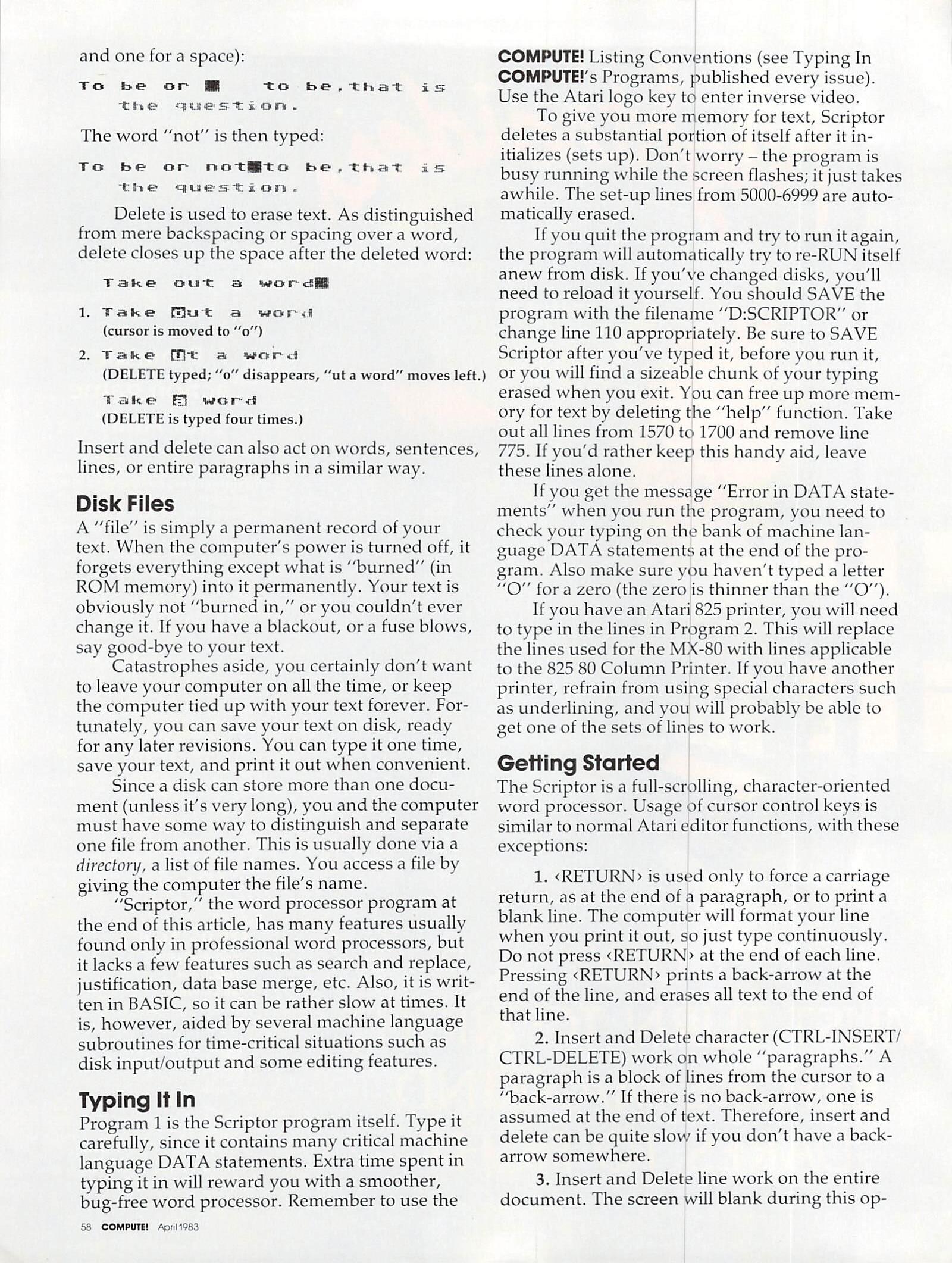
Take out a word[]Take [o]ut a word(cursor is moved to “o”)
Take [u]t a word(DELETE typed; “a” disappears, “ut a word” moves left.)
Take [a] word
(DELETE is typed four times.)
Insert and delete can also act on words, sentences, lines, or entire paragraphs in a similar way.
A “file” is simply a permanent record of your text. When the computer’s power is turned off, it forgets everything except what is “burned” (in ROM memory) into it permanently. Your text is obviously not “burned in,” or you couldn’t ever change it. If you have a blackout, or a fuse blows, say good-bye to your text.
Catastrophes aside, you certainly don’t want to leave your computer on all the time, or keep the computer tied up with your text forever. Fortunately, you can save your text on disk, ready for any later revisions. You can type it one time, save your text, and print it out when convenient.
Since a disk can store more than one document (unless it’s very long), you and the computer must have some way to distinguish and separate one file from another. This is usually done via a directory, a list of file names. You access a file by giving the computer the file’s name.
“Scriptor,” the word processor program at the end of this article, has many features usually found only in professional word processors, but it lacks a few features such as search and replace, justification, data base merge, etc. Also, it is written in BASIC, so it can be rather slow at times. It is, however, aided by several machine language subroutines for time-critical situations such as disk input/output and some editing features.
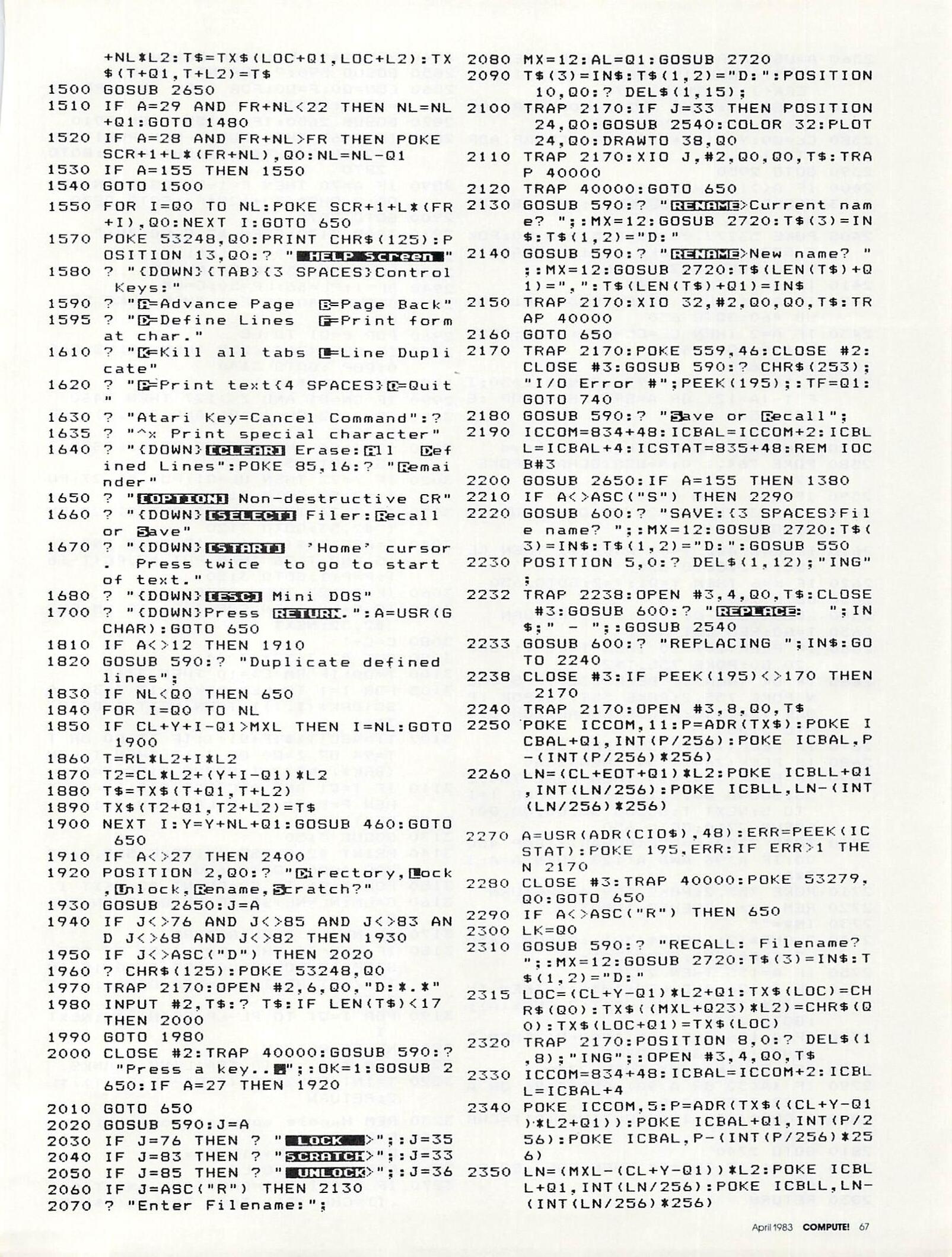
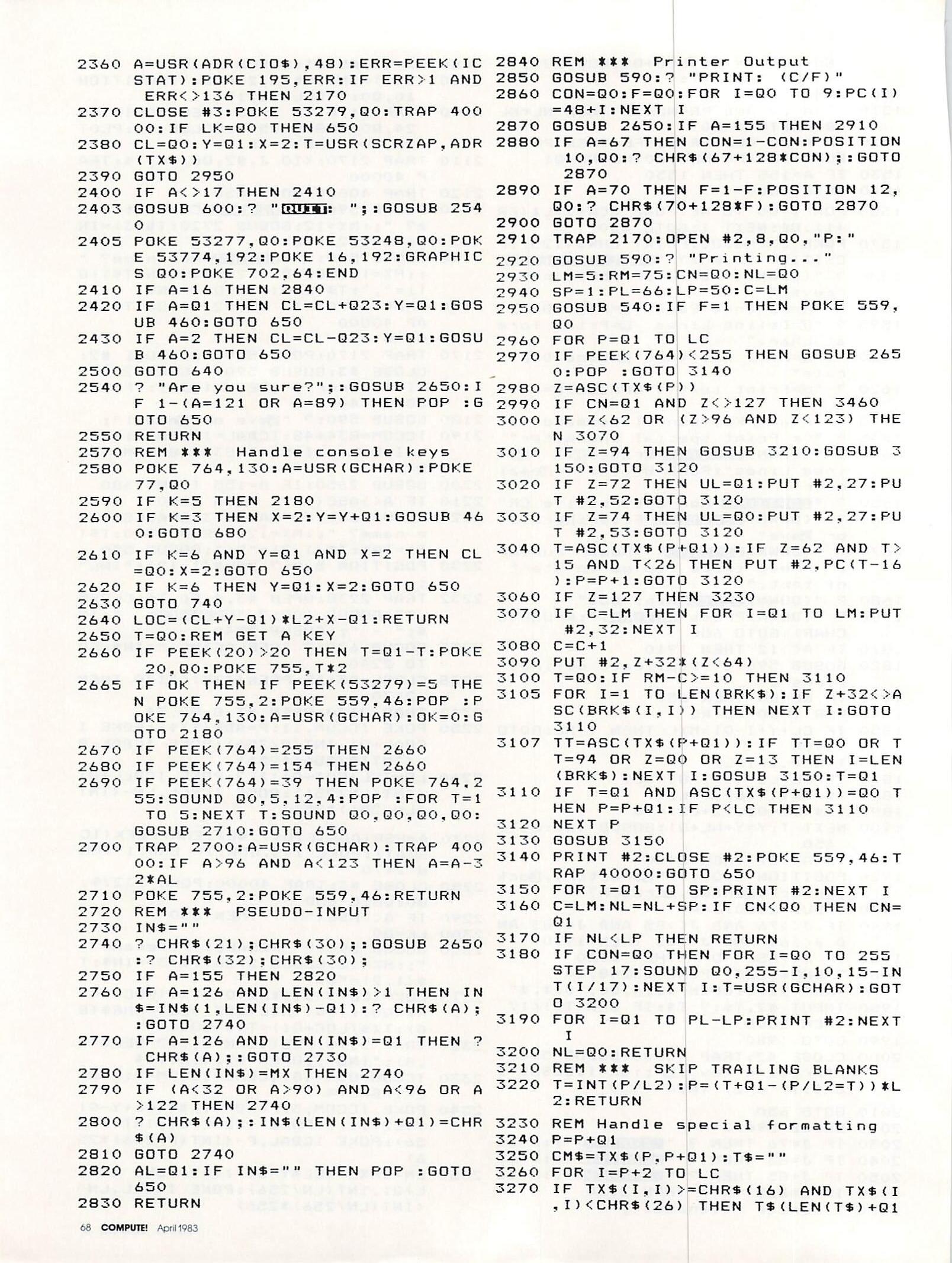
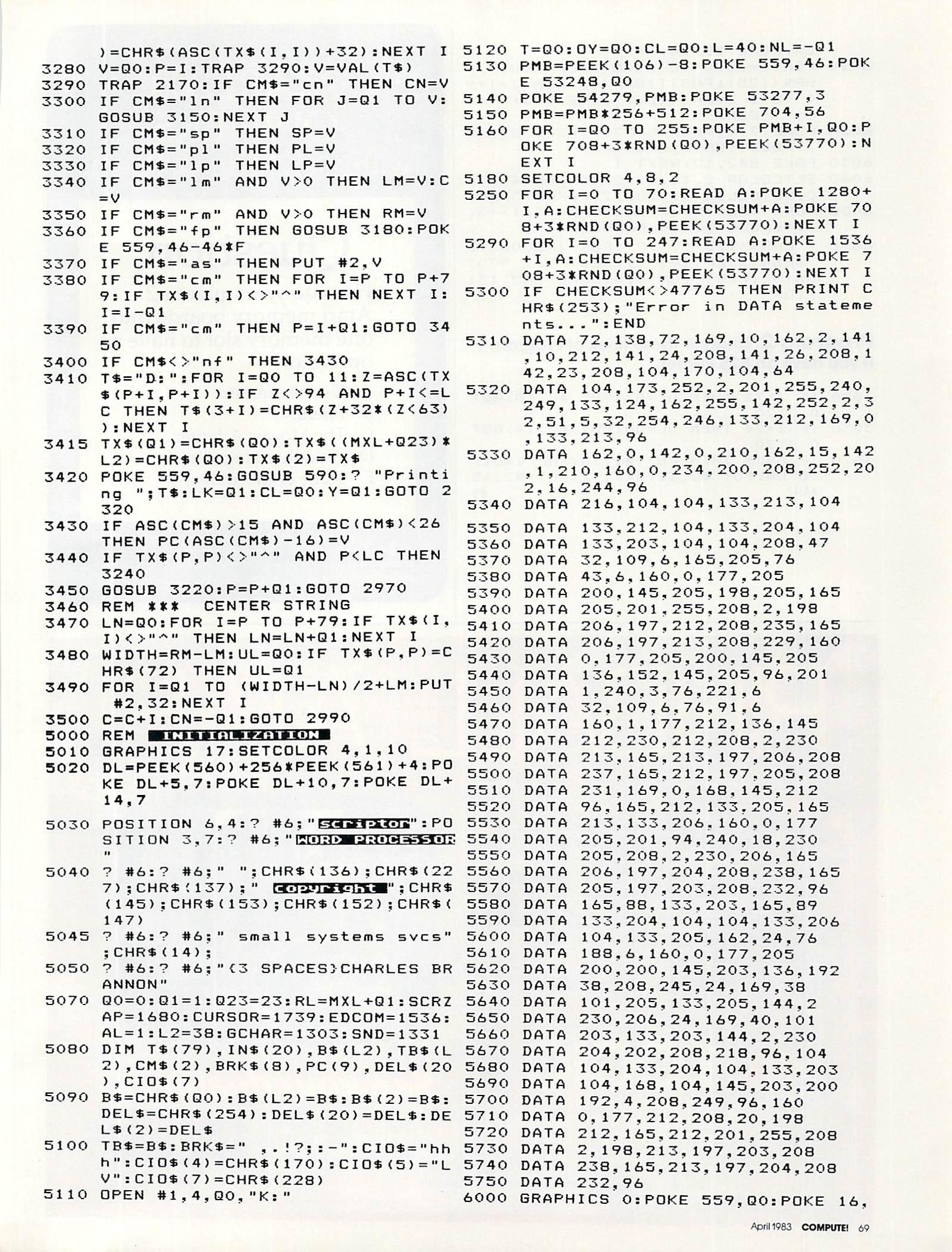
Program 1 is the Scriptor program itself. Type it carefully, since it contains many critical machine language DATA statements. Extra time spent in typing it in will reward you with a smoother, bug-free word processor. Remember to use the COMPUTE! Listing Conventions (see Typing In COMPUTE’s Programs, published every issue). Use the Atari logo key to enter inverse video.
To give you more memory for text, Scriptor deletes a substantial portion of itself after it initializes (sets up). Don’t worry – the program is busy running while the screen flashes; it just takes a while. The set-up lines from 5000-6999 are automatically erased.
It you quit the program and try to run it again, the program will automatically try to re-RUN itself anew from disk. If you’ve changed disks, you’ll need to reload it yourself. You should SAVE the program with the filename “D:SCRIPTOR” or change line 110 appropriately. Be sure to SAVE Scriptor after you’ve typed it, before you run it, or you will find a sizeable chunk of your typing erased when you exit. You can free up more memory for text by deleting the “help” function. Take out all lines from 1570 to 1700 and remove line 775. If you’d rather keep this handy aid, leave these lines alone.
If you get the message “Error in DATA statements” when you run the program, you need to check your typing on the bank of machine language DATA statements at the end of the program. Also make sure you haven’t typed a letter “O” for a zero (the zero is thinner than the “O”).
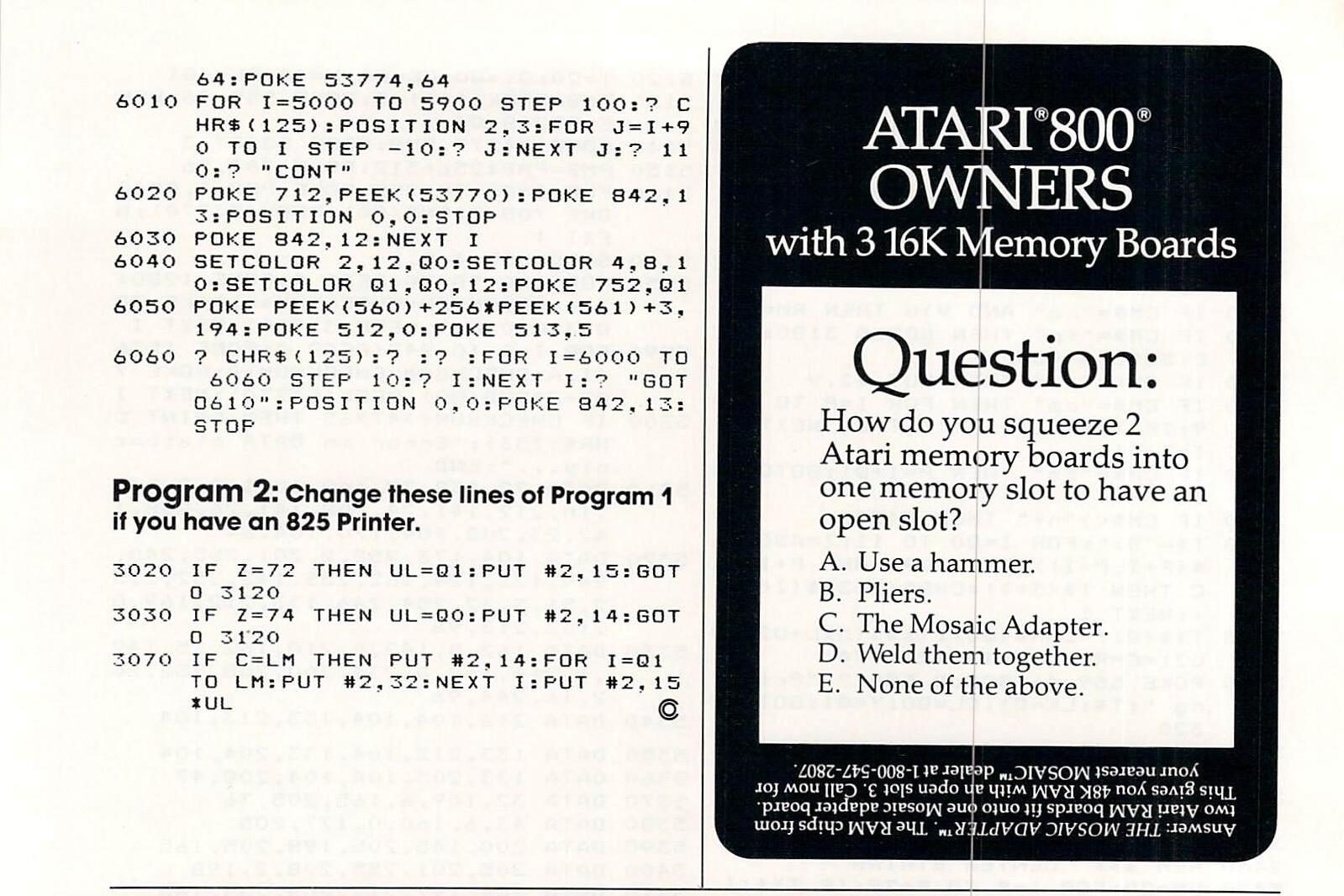
If you have an Atari 825 printer, you will need to type in the lines in Program 2. This will replace the lines used for the MX-80 with lines applicable to the 825 80 Column Printer. If you have another printer, refrain from using special characters such as underlining, and you will probably be able to get one of the sets of lines to work.
The Scriptor is a full-scrolling, character-oriented word processor. Usage of cursor control keys is similar to normal Atari editor functions, with these exceptions:
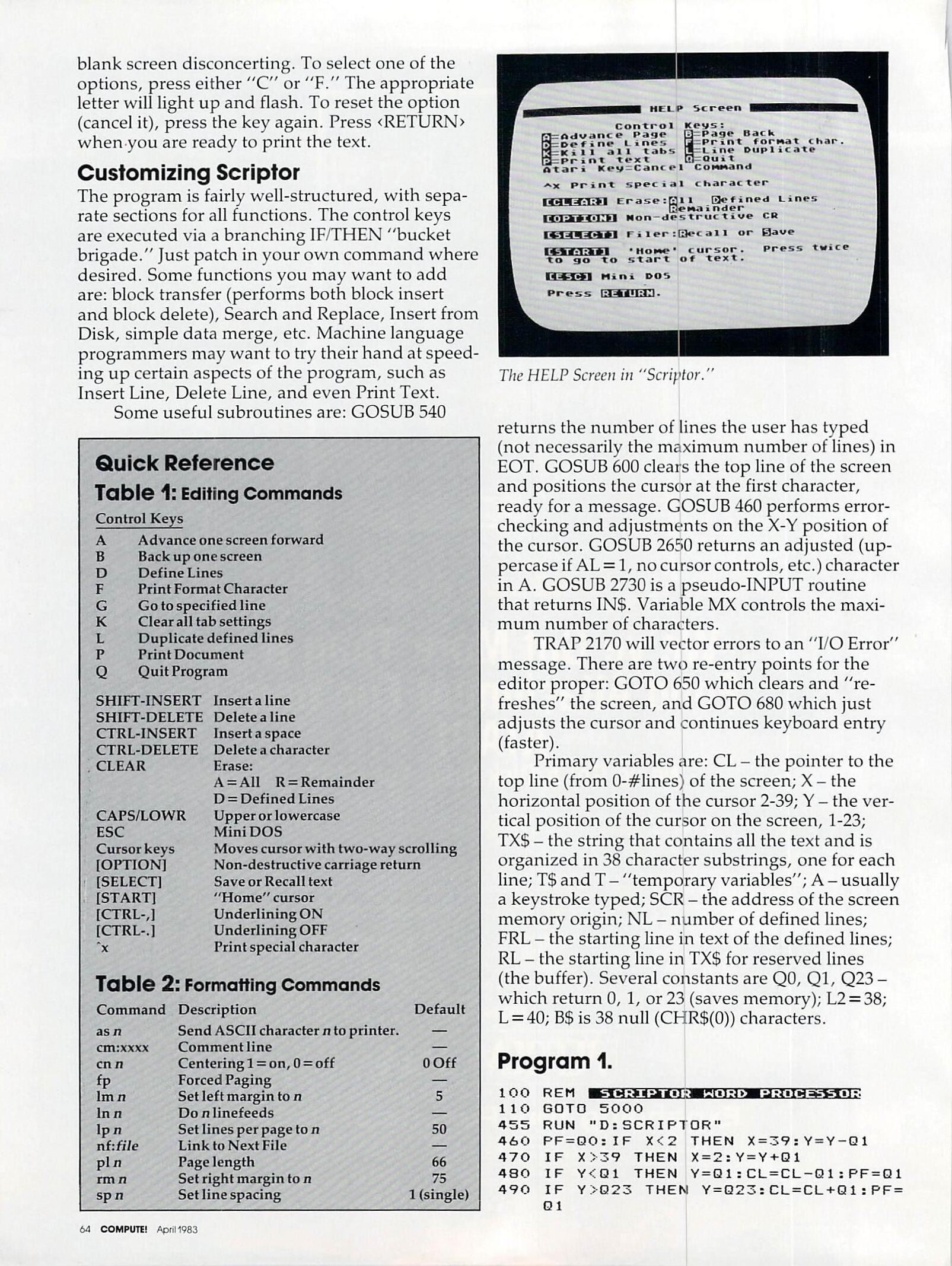
Since the Atari is not a dedicated word processor (that means it’s just not a “word processing machine” like a Lanier, but is, rather, a general-purpose computer), it does not have special keys to activate word processing functions. Instead, the combination is used. For example, to quit the program, you would hold down and press . The CTRL key stands for “Control” – it is like a special shift key. The keys are linked mnemonically (easy to remember) to the commands they stand for, such as <P> for Print Text. To get a list of the commands and what they stand for at any time, just press <CTRL-?> (hold down CTRL and press the question mark) for a HELP menu. See Table 1 for a quick-reference chart of the commands.
An important feature in a word processor is block move and delete. Scriptor lets you “define” a series of up to 23 lines. You can then move these lines to another place in the text with Line Dupli- cate, or delete the defined lines with (Erase: Defined lines). To define a block of lines, just place the cursor on the first line and press . A flashing arrow will appear to the left of the line. Press cursor-down, and another symbol will appear underneath. Press cursor- down until all the desired lines have an arrow to their left. Then press . If you make a mistake, just try again, or press cursor-up while defining.
To copy these lines to another place, position the cursor at the place you want the lines to ap- pear, and press . If you haven’t defined any lines, this command will be ignored. Note that you can press this key more than once to make many copies of the lines. You may want to delete the defined lines after you move them. Press . You will see the prompt “ERASE:”. Press . The lines will be deleted, just as if you used Delete line multiple times.
The ESC key activates the “mini-DOS.” It lets you look at the directory and scratch, rename, lock, or unlock files. When you press , you will see:
[D]irectory,[L]ock,[U]nlock,[R]ename,
     [S]cratch?
Press the appropriate key. For all except the directory, you will need to enter a file name. The cursor, a half box, will be at the top of the screen. The only editing key you can use here is backspace.
Remember that you can abort any time before pressing by pressing the logo key. While the directory is listed, you can press again to keep the directory on the screen while you use one of the other functions. You can also press [SELECT] (see later) to save or recall a file while looking at the directory. If you get an error message at the top of the screen, check the disk and your entry and try again.
To save or recall a document, press [SELECT]. The screen will display:
[S]ave or [R]ecallPress the appropriate key, enter the file name, and the document will either be stored or re- trieved. If you Recall a document, it loads starting at the line the cursor is on. This lets you add text to a document. Press START twice to home the cursor to the start of the text. If you get an error message, check to see you have the right disk, consult the DOS Manual, and try again. Remember that your file name must start with a capital letter and be followed by up to seven capital letters or numbers. You can optionally put a three-character “extension” on the file if you separate it with a period, e.g., EDITOR.DOC, DRAFT3.CGB, DUNGEON. MAP, etc. You should not enter the “D:” prefix.
Different printers offer special print densities and formats such as boldface, underlining, super- and subscripts, double-width, condensed, proportional spacing, etc. To underline a word or phrase, enclose it in , In other words, <CTRL-,> is underlining on, and <CTRL-.> is underlining off. Underlining works only on the 825 printer. If you have GRAFTRAX installed in your MX-80, underlining produces italics.
The following is an advanced technique. You can “define” up to ten special characters and print them at any spot in your text. To define a character, set up a format line (sec the discussion of format lines, below) with and enter your definitions such as “1 = 123:2 = 123:3 = 27”, etc. You can then output the CHR$ code of the defined characters by embedding a caret (“^”) in your text, followed by the number (e.g., ^ 4). If you don’t put a number after it, a caret will print; otherwise, the character associated with the number (0-9) will be output. You can also output ASCII characters from within a format line with the “as” format command. For example, “as27:as18” will activate proportional spacing on the 825 printer. Use “as27:as69” for emphasized mode on the MX-80.
Since you are typing in the raw text, with no margins or line breaks, how does the computer print a nice formatted page? The computer assumes a left margin of five, a right margin of 75, single spacing, a page length of 66, and 50 lines to be printed per page. You can change these “default” values with a format line.
A format line is like an embedded command line. The line starts with a “format character” to prevent the line from being printed out. To get the format character, press . You should get a right-pointed “wedge.” Then type in your commands. All commands are two lowercase letters, usually followed by a number. You can put multiple commands on the same line if you separate them with colons. For example, the following line:
>lm10:rm70:sp2<-will set the left margin to ten, the right margin to 70, and line spacing to two. Here is an explanation of each formatting command. Also see Table 2 for quick reference.
Note that n represents a number, with no space between the command and the number. No real error-checking is performed on the number.
as n
Send byte n to printer.
cm:
Comment line. You can type one screen line of comments. They will not be printed to the printer. They are just for your convenience.
cn n
Centering. If n = 1, then centering will be ON, and all following lines will be centered until reset by cnO. If n = 0, then centering is turned OFF.
fp
Forced paging. Normally, the printer will “page”, or go on to the next page, when the number of lines printed equals your lines per page (lp), which defaults to 50. Forced paging pages to the next page, regardless.
lm n
n = left margin, which should be less than the right margin.
ln n
Print n blank lines.
lp n
Sets lines per page to n – n should be less than the page length, to allow some blank space at the bottom of each page.
nf: filename
Will “chain” to next specified file, permitting a document to be split up into many parts. The nf ensures that they will all print as one big file. The formatting commands carry over to each file.
pl n
Sets the page length, which is almost always (and defaults to) 66.
rm n
n = right margin, which should be less than the maximum width and greater than the left margin.
sp n
n = 1 single spacing, n = 2 double spacing, n = 3 triple spacing, etc.
To print your document, press . You should see:
PRINT: (C/F)To start printing, just press . The printer head should be positioned at about the start of the page. The “C/F” indicates any selected option. “C” stands for Continuous Print. You would use this option with pinfeed or roll paper. It will automatically page to the start of each sheet. If you do not select continuous print, the computer will beep at the end of each page and pause. You should put in another sheet of paper and press to continue printing.
Note that pressing a key any other time during printing will abort the printout. The “F” option stands for Fast Printout. It will blank the screen during the printing, increasing printing speed better than 30%. Some people, however, find a blank screen disconcerting. To select one of the options, press either “C” or “F.” The appropriate letter will light up and flash. To reset the option (cancel it), press the key again. Press when you are ready to print the text.
The program is fairly well-structured, with separate sections for all functions. The control keys are executed via a branching IF/THEN “bucket brigade.” Just patch in your own command where desired. Some functions you may want to add are: block transfer (performs both block insert and block delete). Search and Replace, Insert from Disk, simple data merge, etc. Machine language programmers may want to try their hand at speeding up certain aspects of the program, such as Insert Line, Delete Line, and even Print Text.
Some useful subroutines are:
GOSUB 540 returns the number of lines the user has typed (not necessarily the maximum number of lines) in EOT. GOSUB 600 clears the top line of the screen and positions the cursor at the first character, ready for a message. GOSUB 460 performs error checking and adjustments on the X-Y position of the cursor. GOSUB 2650 returns an adjusted (uppercase if AL = 1, no cursor controls, etc.) character in A. GOSUB 2730 is a pseudo-INPUT routine that returns IN$. Variable MX controls the maxi- mum number of characters.
TRAP 2170 will vector errors to an “I/O Error” message. There are two re-entry points for the editor proper: GOTO 650 which clears and “refreshes” the screen, and GOTO 680 which just adjusts the cursor and continues keyboard entry (faster).
Primary variables are: CL – the pointer to the top line (from 0-#lines) of the screen; X – the horizontal position of the cursor 2-39; Y – the vertical position of the cursor on the screen, 1-23; TXS – the string that contains all the text and is organized in 38 character substrings, one for each line; T$ and T – “temporary variables”; A – usually a keystroke typed; SCR – the address of the screen memory origin; NL – number of defined lines; FRL – the starting line in text of the defined lines; RL – the starting line in TX$ for reserved lines (the buffer). Several constants are QO, Ql, Q23- which return 0, 1, or 23 (saves memory); L2 = 38; L = 40; B$ is 38 null (CHR$(0)) characters.
| A | Advance one screen forward |
| B | Back up one screen |
| D | Define Lines |
| F | Print Format Character |
| G | Go to specified line |
| K | Clear all tab settings |
| L | Duplicate defined lines |
| P | Print Document |
| Q | Quit Program |
| SHIFT-INSERT | Insert a line |
| SHIFT-DELETE | Delete a line |
| CTRL-INSERT | Insert a space |
| CTRL-DELETE | Delete a character |
| CLEAR | Erase: |
| A = All | |
| R = Remainder | |
| D = Defined Lines | |
| CAPS/LOWR | Upper or lowercase |
| ESC | MiniDOS |
| Cursor keys | Moves cursor with two-way scrolling |
| [OPTION] | Non-destructive carriage-return |
| [SELECT] | Save or Recall text |
| [START] | “Home” cursor |
| [CTRL-,] | Underlining ON |
| [CTRL-.] | Underlining OFF |
| ^x | Print special character |
| Command | Description | Default |
|---|---|---|
| as n | Send ASCII character n to printer. | – |
| cm:xxxx | Comment line | – |
| cn n | Centering 1 = on, 0 = off | 0 Off |
| fp | Forced Paging | – |
| lm n | Set left margin to n | 5 |
| ln n | Do n linefeeds | – |
| lp n | Set lines per page to n | 50 |
| nf: file | Link to Next File | – |
| pl n | Page length | 66 |
| rm n | Set right margin to n | 75 |
| sp n | Set line spacing | 1 (single) |
100 REM SCRIPTOR WORD PROCESSOR
110 GOTO 5000
455 RUN "D:SCRIPTOR"
460 PF=Q0:IF X<2 THEN X=39:Y=Y-Q1
470 IF X>39 THEN X=2:Y=Y+Q1
480 IF Y<Q1 THEN Y=Q1:CL=CL-Q1:PF=Q1
490 IF Y>Q23 THEN Y=Q23:CL=CL+Q1:PF=Q1
500 IF CL<Q0 THEN CL=Q0
510 IF CL>(MXL-Q23) THEN CL=MXL-Q23
520 IF PF=Q0 THEN RETURN
530 LOC=CL*L2+Q1:T=USR(SCRZAP,ADR(TX$(LOC))):RETURN
540 REM *** FIND END OF TEXT
550 P=ADR(TX$):T=P+RL*L2-Q1
560 A=USR(EDCOM,T,P,2):A=A-P
570 LC=A:EOT=INT(A/L2)
580 RETURN
590 REM *** ERASE TOP LINE
600 COLOR 32:PLOT Q1,Q0:DRAWTO L2,Q0:PLOT Q1,Q0:RETURN
610 REM *** START OF EDITOR
611 MXL=INT(FRE(Q0)/40)-25:RL=MXL+1
612 DIM TX$((MXL+Q23)*L2):? CHR$(125);
613 TX$=CHR$(Q0):TX$((MXL+Q23)*L2)=TX$:TX$(2)=TX$
620 SCR=PEEK(88)+256*PEEK(89):POKE 559,46:POKE 842,12
630 X=2:Y=Q1:CL=Q0:POKE 702,Q0
640 REM *** ENTRY FOR EACH PAGE
650 POKE 54286,192
655 POSITION Q0,Q0:? "{7 SPACES}Scriptor Word Processor";:COLOR 32:DRAWTO L2,Q0:PLOT 32,Q0
660 LOC=CL*L2+Q1:T=USR(SCRZP,ADR(TX$(LOC)))
670 IF TF THEN TF=Q0:GOTO 810
675 IF FIRST=Q0 THEN POSITION 31,Q0:? MXL;" Free";:TF=Q1:FIRST=Q1
680 POKE 53248,X*4+44
690 IF Y=OY THEN 740
710 ADJOY=OY*4+16:ADJY=Y*4+16
720 A=USR(CURSOR,PMB+ADJOY,Q0):A=USR(CURSOR,PMB,ADJY,15):OY=Y
740 K=PEEK(53279):IF K<7 THEN 2570
770 T=PEEK(764):IF T=255 OR T=39 OR T=154 THEN 740
775 IF T=166 THEN POKE 764,255:GOTO 1570
790 POKE 694,Q0:A=USR(GCHAR)
800 IF TF THEN 650
810 IF A<32 OR A>122 OR A=96 THEN 880
820 A=A-32*(A<96)
830 POKE SCR+X+L*Y,A
840 LOC=(CL+Y-Q1)*L2+X-Q1
850 TX$(LOC,LOC)=CHR$(A)
860 X=X+Q1-BF:GOSUB 460
870 BF=Q0:GOTO 680
880 IF A<>155 THEN 910
890 GOSUB 2640:POKE SCR+X+L*Y,94:TX$(LOC,LOC+L2-X+Q1)=B$:X=2:Y=Y+1
900 TX$(LOC,LOC)=CHR$(94):GOSUB 460:GOTO 650
910 IF A=6 THEN A=127:GOTO 830
920 IF A=28 THEN Y=Y-Q1:GOSUB 460:GOTO 680
930 IF A=29 THEN Y=Y+Q1:GOSUB 460:GOTO 680
940 IF A=30 THEN X=X-Q1:GOSUB 460:GOTO 680
950 IF A=96 THEN A=74:GOTO 830
960 IF A=31 THEN X=X+Q1:GOSUB 460:GOTO 680
970 IF A=Q0 THEN A=72:GOTO 830
980 IF A=126 THEN X=X-Q1:GOSUB 460:A=Q0:BF=Q1:GOTO 830
1040 IF A<>255 THEN 1070
1050 A=USR(EDCOM,ADR(TX$((CL+Y-Q1)*L2+X-Q1)),ADR(TX$(MXL*L2+37)),Q0)
1060 GOTO 650
1070 IF A<>254 THEN 1100
1080 A=USR(EDCOM,ADR(TX$((CL+Y-Q1)*L2+X-Q1)),ADR(TX$(MXL*L2+37)),Q1)
1090 GOTO 650
1100 IF A<>157 THEN 1160
1110 GOSUB 590:? "Insert line";
1120 GOSUB 540:POKE 559,Q0
1130 FOR I=EOT+(EOT<MXL) TO CL+Y STEP -Q1:T$=TX$((I-Q1)*L2+Q1,I*L2):TX$(I*L2+Q1,I*L2+L2)=T$:NEXT I
1140 T=(CL+Y-Q1)*L2:TX$(T+Q1,T+L2)=B$
1150 X=2:POKE 559,46:GOTO 650
1160 IF A=159 THEN GOSUB 590:? "Tab set at ";X-Q1:TF=Q1:TB$(X-Q1,X-Q1)="*":GOTO 740
1170 IF A=158 THEN GOSUB 590:? "Tab cleared at ";X-Q1:TF=Q1:TB$(X-Q1)=CHR$(Q0):GOTO 740
1180 IF A<>127 THEN 1230
1190 IF TB$=B$ THEN GOSUB 590:? "No tabs set":TF=Q1:GOTO 740
1200 FOR I=X TO L2:IF TB$(I,I)=CHR$(Q0) THEN NEXT I:T=L2:X=2:Y=Y+Q1:GOSUB 460:GOTO 1200
1210     T=I:I=L2:NEXT I
1220 X=T+Q1:GOTO 680
1230 IF A<>156 THEN 1290
1240 GOSUB 590:? "Delete Line";
1250 GOSUB 540:POKE 559,Q0
1260 FOR I=CL+Y-Q1 TO EOT:T$=TX$((I+Q1)*L2+Q1,(I+2)*L2):TX$(I*L2+Q1,I*L2+L2)=T$:NEXT I
1270 T=EOT*L2:TX$(T+Q1,T+L2)=B$
1280 X=2:POKE 559,46:GOTO 650
1290 IF A=11 THEN GOSUB 590:TF=Q1:? "Clear all tabs":TB$=B$:GOTO 740
1320 IF A<>125 THEN 1450
1330 GOSUB 590:? "Erase: ";
1340 GOSUB 2650
1350 IF A=155 THEN 650
1355 IF A<>65 THEN 1370
1360 ? "ALL - ";:GOSUB 2540
1365 GOTO 613
1370 IF A<>82 THEN 1380
1372 ? "Remainder - ";:GOSUB 2540:GOSUB 2640
1375 TX$(LOC)=CHR$(Q0):TX$((MXL+Q23)*L2)=CHR$(Q0):TX$(LOC+Q1)=TX$(LOC):GOTO 650
1380 IF A<>68 OR NL=-Q1 THEN 650
1400 ? "Defined Lines - ";
1410 GOSUB 2540:POKE 559,Q0:GOSUB 540
1420 FOR I=FRL=-Q1 TO EOT:T$=TX$((I+NL+Q1)*L2+Q1,(I+NL+2)*L2):TX$(I*L2+Q1,I*L2+L2)=T$:NEXT I
1430 FOR I=EOT-NL TO EOT:TX$(I*L2+Q1,I*L2+L2)=B$:NEXT I:NL=-Q1
1440 POKE 559,46:GOTO 650
1450 IF A<>4 THEN 1810
1460 GOSUB 590:? "Define Lines";
1470 FL=CL:FR=Y:FRL=FL+FR:NL=Q0
1480 POKE SCR+1+L*(FR+NL),223
1490 LOC=CL*L2+(FR+NL-Q1)*L2:T=RL*L2+NL*L2:T$=TX$(LOC+Q1,LOC+L2):TX$(T+Q1,T+L2)=T$
1500 GOSUB 2650
1510 IF A=29 AND FR+NL<22 THEN NL=NL+Q1:GOTO 1480
1520 IF A=28 AND FR+NL>FR THEN POKE SCR+1+L*(FR+NL),Q0:NL=NL-Q1
1530 IF A=155 THEN 1550
1540 GOTO 1500
1550 FOR I=Q0 TO NL:POKE SCR+1+L*(FR+I),Q0:NEXT I:GOTO 650
1570 POKE 53248,Q0:PRINT CHR$(125):POSITION 13,Q0:? " HELP Screen "
1580 ? "{DOWN}{TAB}{3 SPACES}Control Keys:"
1590 ? "A=Advance Page B=Page Back"
1595 ? "D=Define Lines F=Print form at char."
1610 ? "K=Kill all tabs L=Line Duplicate"
1620 ? "P=Print text{4 SPACES}Q=Quit"
1630 ? "Atari Key=Cancel Command":?
1635 ? "^x Print special character"
1640 ? "{DOWN}[CLEAR] Erase:All Defined Lines":POKE 85,16:? "Remainder"
1650 ? "[OPTION] Non-destructive CR"
1660 ? "{DOWN}[SELECT] Filer:Recall or Save"
1670 ? "{DOWN}[START] 'Home' cursor. Press twice to go to start of text."
1680 ? "{DOWN}[ESC] Mini DOS"
1700 ? "{DOWN}Press RETURN.":A=USR(GCHAR):GOTO 650
1810 IF A<>12 THEN 1910
1820 GOSUB 590:? "Duplicate defined lines";
1830 IF NL<Q0 THEN 650
1840 FOR I=Q0 TO NL
1850     IF CL+Y+I-Q1>MXL THEN I=NL:GOTO 1900
1860     T=RL*L2+I*L2
1870     T2=CL*L2+(Y+I-Q1)*L2
1880     T$=TX$(T+Q1,T+L2)
1890     TX$(T2+Q1,T2+L2)=T$
1900 NEXT I:Y=Y+NL+Q1:GOSUB 460:GOTO 650
1910 IF A<>27 THEN 2400
1920 POSITION 2,Q0:? "Directory,Lock,Unlock,Rename,Scratch?"
1930 GOSUB 2650:J=A
1940 IF J<>76 AND J<>85 AND J<>83 AND J<>68 AND J<>82 THEN 1930
1950 IF J<>ASC("D") THEN 2020
1960 ? CHR$(125):POKE 53248,Q0
1970 TRAP 2170:OPEN #2,6,Q0,"D:*.*"
1980 INPUT #2,T$:? T$:IF LEN (T$)<17 THEN 2000
1990 GOTO 1980
2000 CLOSE #2:TRAP 40000:GOSUB 590:? "Press a key...";:OK=1:GOSUB 2650:IF A=27 THEN 1920
2010 GOTO 650
2020 GOSUB 590:J=A
2030 IF J=76 THEN ? " LOCK  >";:J=35
2040 IF J=83 THEN ? "SCRATCH>";:J=33
2050 IF J=ASC("R") THEN 2130
2070 ? "Enter Filename:";
2080 MX=12:AL=Q1:GOSUB 2720
2090 T$(3)=IN$:T$(1,2)="D:":POSITION 10,Q0:? DEL$(1,15);
2100 TRAP 2170:IF J=33 THEN POSITION 24,Q0:GOSUB 2540:COLOR 32:PLOT 24,Q0:DRAWTO 38,Q0
2110 TRAP 2170:XIO J,#2,Q0,Q0,T$:TRAP 40000
2120 TRAP 40000:GOTO 650
2130 GOSUB 590:? "RENAME>Current name? ";:MX=12:GOSUB 2720:T$(3)=IN$:T$(1,2)="D:"
2140 GOSUB 590:? "RENAME>New name? ";:MX=12:GOSUB 2720:T$(LEN(T$)+Q1)=",":T$(LEN(T$)+Q1)=IN$
2150 TRAP 2170:XIO 32,#2,Q0,Q0,T$:TRAP 40000
2160 GOTO 650
2170 TRAP 2170:POKE 559,46:CLOSE #2:CLOSE #3:GOSUB 590:? CHR$(253);"I/O Error #";PEEK(195);:TF=Q1:GOTO 740
2180 GOSUB 590:? "Save or Recall";
2190 ICCOM=834+48:ICBAL=ICCOM+2:ICBLL=ICBAL+4:ICSTAT=835+48:REM IOCB#3
2200 GOSUB 2650:IF A=155 THEN 1380
2210 IC A<>ASC("S") THEN 2290
2220 GOSUB 600:? "SAVE:{3 SPACES}File name? ";:MX=12:GOSUB 2720:T$(3)=IN$:T$(1,2)="D:":GOSUB 550
2230 POSITION 5,0:? DEL$(1,12);"ING";
2232 TRAP 2238:OPEN #3,4,Q0,T$:CLOSE #3:GOSUB 600:? "REPLACE:  ";IN$;" - ";:GOSUB 2540
2233 GOSUB 600:? " REPLACING ";IN$:GOTO 2240
2238 CLOSE #3:IF PEEK(195)<>170 THEN 2170
2240 TRAP 2170:OPEN #3,8,Q0,T$
2250 POKE ICCOM,11:P=ADR(TX$):POKE ICBAL+Q1,INT(P/256):POKE ICBAL,P-(INT(P/256)*256)
2260 LN=(CL+EOT+Q1)*L2:POKE ICBLL+Q1,INT(LN/256):POKE ICBLL,LN-(INT(LN/256)*256)
2270 A=USR(ADR(CIO$),48):ERR=PEEK(ICSTAT):POKE 195,ERR:IF ERR>1 THEN 2170
2280 CLOSE #3:TRAP 40000:POKE 53279,Q0:GOTO 650
2290 IF A<>ASC("R") THEN 650
2300 LK=Q0
2310 GOSUB 590:? "RECALL: Filename? ";:MX=12:GOSUB 2720:T$(3)=IN$:T$(1,2)="D:"
2315 LOC=(CL+Y-Q1)*L2+Q1:TX$(LOC)=CHR$(Q0):TX$((MXL+Q23)*L2)=CHR$(Q0):TX$(LOC+Q1)=TX$(LOC)
2320 TRAP 2170:POSITION 8,0:? DEL$(1,8);"ING";:OPEN #3,4,Q0,T$
2330 ICCOM=834+48:ICBAL=ICCOM+2:ICBLL=ICBAL+4
2340 POKE ICCOM,5:P=ADR(TX$((CL+Y-Q1)*L2+Q1)):POKE ICBAL+Q1,INT(P/256):POKE ICBAL,P-(INT(P/256)*256)
2350 LN=(MXL-(CL+Y-Q1))*L2:POKE ICBLL+Q1,INT(LN/256):POKE ICBLL,LN-(INT(LN/256)*256)
2360 A=USR(ADR(CIO$),48):ERR=PEEK(ICSTAT):POKE 195,ERR:IF ERR>1 AND ERR<>136 THEN 2170
2370 CLOSE #3:POKE 53279,Q0:TRAP 40000:IF LK=Q0 THEN 650
2380 CL=Q0:Y=Q1:X=2:T=USR(SCRZAP,ADR(TX$))
2390 GOTO 2950
2400 IF A<>17 THEN 2410
2403 GOSUB 600:? "QUIT: ";:GOSUB 2540
2405 POKE 53277,Q0:POKE 53248,Q0:POKE 53774,192:POKE 16,192:GRAPHICS Q0:POKE 702,64:END
2410 IF A=16 THEN 2840
2420 IF A=Q1 THEN CL=CL+Q23:Y=Q1:GOSUB 460:GOTO 650
2430 IF A=2 THEN CL=CL-Q23:Y=Q1:GOSUB 460:GOTO 650
2500 GOTO 640
2540 ? "Are you sure?";:GOSUB 2650:IF 1-(A=121 OR A=89) THEN POP :GOTO 650
2550 RETURN
2570 REM ***  Handle console keys
2580 POKE 764,130:A=USR(GCHAR):POKE 77,Q0
2590 IF K=5 THEN 2180
2600 IF K=3 THEN X=2:Y=Y+Q1:GOSUB 460:GOTO 680
2610 IF K=6 AND Y=Q1 AND X=2 THEN CL=Q0:X=2:GOTO 650
2620 IF K=6 THEN Y=Q1:X=2:GOTO 650
2630 GOTO 740
2640 LOC=(CL+Y-Q1)*L2+X-Q1:RETURN
2650 T=Q0:REM GET A KEY
2660 IF PEEK(20)>20 THEN T=Q1-T:POKE 20,Q0:POKE 755,T*2
2665 IF OK THEN IF PEEK(53279)=5 THEN POKE 755,2:POKE 559,46:POP :POKE 764,130:A=USR(GCHAR):OK=0:GOTO 2180
2670 IF PEEK(764)=255 THEN 2660
2680 IF PEEK(764)=154 THEN 2660
2690 IF PEEK(764)=39 THEN POKE 764,255:SOUND Q0,5,12,4:POP :FOR T=1 TO 5:NEXT T:SOUND Q0,Q0,Q0,Q0:GOSUB 2710:GOTO 650
2700 TRAP 2700:A=USR(GCHAR):TRAP 40000:IF A>96 AND A<123 THEN A=A-32*AL
2710 POKE 755,2:POKE 559,46:RETURN
2720 REM ***  PSEUDO-INPUT
2730 IN$=""
2740 ? CHR$(21);CHR$(30);:GOSUB 2650:? CHR$(32);CHR(30);
2750 IF A=155 THEN 2820
2760 IF A=126 AND LEN(IN$)>1 THEN IN$=IN$(1,LEN(IN$)-Q1):? CHR$(A);:GOTO 2740
2770 IF A=126 AND LEN(IN$)=Q1 THEN ? CHR$(A);:GOTO 2730
2780 IF LEN(IN$)=MX THEN 2740
2790 IF (A<32 OR A>90) AND A<96 OR A>122 THEN 2740
2800 ? CHR$(A);:IN$(LEN(IN$)+Q1)=CHR$(A)
2810 GOTO 2740
2820 AL=Q1:IF IN$="" THEN POP :GOTO 650
2830 RETURN
2840 REM ***  Printer Output
2850 GOSUB 590:? "PRINT: (C/F)"
2860 CON=Q0:F=Q0:FOR I=Q0 TO 9:PC(I)=48+I:NEXT I
2870 GOSUB 2650:IF A=155 THEN 2910
2880 IF A=67 THEN CON=1-CON:POSITION 10,Q0:? CHR$(67+128*CON);:GOTO 2870
2890 IF A=70 THEN F=1-F:POSITION 12,Q0:? CHR$(70+128*F):GOTO 2870
2900 GOTO 2870
2910 TRAP 2170:OPEN #2,8,Q0,"P:"
2920 GOSUB 590:? "Printing..."
2930 LM=5:RM=75:CN=Q0:NL=Q0
2940 SP=1:PL=66:LP=50:C=LM
2950 GOSUB 540:IF F=1 THEN POKE 559,Q0
2960 FOR P=Q1 TO LC
2970     IF PEEK(764)<255 THEN GOSUB 2650:POP :GOTO 3140
2980     Z=ASC(TX$(P))
2990     IF CN=Q1 AND Z<>127 THEN 3460
3000     IF Z<62 OR (Z>96 AND Z<123) THEN 3070
3010     IF Z=94 THEN GOSUB 3210:GOSUB 3150:GOTO 3120
3020     IF Z=72 THEN UL=Q1:PUT #2,27:PUT #2,52:GOTO 3120
3030     IF Z=74 THEN UL=Q0:PUT #2,27:PUT #2,53:GOTO 3120
3040     T=ASC(TX$(P+Q1)):IF Z=62 AND T>15 AND T<26 THEN PUT #2,PC(T-16):P=P+1:GOTO 3120
3060     IF Z=127 THEN 3230
3070     IF C=LM THEN FOR I=Q1 TO LM:PUT #2,32:NEXT I
3080     C=C+1
3090     PUT #2,Z+32*(Z<64)
3100     T=Q0:IF RM-C>=10 THEN 3110
3105     FOR I=1 TO LEN(BRK$):IF Z+32<>ASC(BRK$(I,I)) THEN NEXT I:GOTO 3110
3107     TT=ASC(TX$(P+Q1)):IF TT=Q0 OR TT=94 OR Z=Q0 OR Z=13 THEN I=LEN(BRK$):NEXT I:GOSUB 3150:T=Q1
3110     IF T=Q1 AND ASC(TX$(P+Q1))=Q0 THEN P=P+Q1:IF P<LC THEN 3110
3120 NEXT P
3130 GOSUB 3150
3140 PRINT #2,CLOSE #2:POKE 559,46:TRAP 40000:GOTO 650
3150 FOR I=Q1 TO SP:PRINT #2:NEXT I
3160 C=LM:NL=NL+SP:PRINT #2:NEXT I
3160 C=LM:NL=NL+SP:IF CN<Q0 THEN CN=Q1
3170 IF NL<LP THEN RETURN
3180 IF CON=Q0 THEN FOR I=Q0 TO 255 STEP 17:SOUND Q0,255-I,Q0,15-INT(I/17):NEXT I:T=USR(GCHAR):GOTO 3200
3190 FOR I=Q1 TO PL-LP:PRINT #2:NEXT I
3200 NL=Q0:RETURN
3210 REM ***  SKIP TRAILING BLANKS
3220 T=INT(P/L2):P=(T+Q1-(P/L2=T))*L2:RETURN
3230 REM Handle special formatting
3240 P=P+Q1
3250 CM$=TX$(P,P+Q1):T$=""
3260 FOR I=P+2 TO LC
3270     IF TX$(I,I)>=CHR$(16) AND TX$(I,I)<CHR$(26) THEN T$(LEN(T$)+Q1)=CHR$(ASC(TX$(I,I))+32):NEXT I
3280 V=Q0:P=I:TRAP 3290:V=VAL(T$)
3290 TRAP 2170:IF CM$="cn" THEN CN=V
3300 IF CM$="ln" THEN FOR J=Q1 TO V:GOSUB 3150:NEXT J
3310 IF CM$="sp" THEN SP=V
3320 IF CM$="pl" THEN PL=V
3330 IF CM$="lp" THEN LP=V
3340 IF CM$="lm" AND V>0 THEN LM=V:C=V
3350 IF CM$="rm" AND V>0 THEN RM=V
3360 IF CM$="fp" THEN GOSUB 3180:POKE 559,46-46*F
3370 IF CM$="as" THEN PUT #2,V
3380 IF CM$="cm" THEN FOR I=P TO P+79:IF TX$(I,I)<>"^" THEN NEXT I:I=I-Q1
3390 IF CM$="cm" THEN P=I+Q1:GOTO 3450
3400 IF CM$<>"nf" THEN 3430
3410 T$="D:":FOR I=Q0 TO 11:Z=ASC(TX$(P+I,P+I)):IF Z<>94 AND P+I<=LC THEN T$(3+I)=CHR$(Z+32*(Z<63)):NEXT I
3415 TX$(Q1)=CHR$(Q0):TX$((MXL+Q23)*L2)=CHR$(Q0):TX$(2)=TX$
3420 POKE 559,46:GOSUB 590:? "Printing ";T$:LK=Q1:CL=Q0:Y=Q1:GOTO 2320
3430 IF ASC(CM$)>15 AND ASC(CM$)<26 THEN PC(ASC(CM$)-16)=V
3440 IF TX$(P,P)<>"^" AND P<LC THEN 3240
3450 GOSUB 3220:P=P+Q1:GOTO 2970
3460 REM *** CENTRE STRING
3470 LN=Q0:FOR I=P TO P+79:IF TX$(I,I)<>"^" THEN LN=LN+Q1:NEXT I
3480 WIDTH=RM-LM:UL=Q0:IF TX$(P,P)=CHR$(72) THEN UL=Q1
3490 FOR I=Q1 TO (WIDTH-LN)/2+LM:PUT #2,32:NEXT I
3500 C=C+I:CN=-Q1:GOTO 2990
5000 REM  INITIALISATION
5010 GRAPHICS 17:SETCOLOR 4,1,10
5020 DL=PEEK(560)+256*PEEK(561)+4:POKE DL+5,7:POKE DL+10,7:POKE DL+14,7
5030 POSITION 6,4:? #6;"scriptor":POSITION 3,7:? #6;"WORD PROCESSOR"
5040 ? #6:? #6;" ";CHR$(136);CHR$(227);CHR$(153);CHR$(152);CHR$(147)
5045 ? #6:? #6;" small systems svcs";CHR$(14);
5050 ? #6:? #6;"{3 SPACES}CHARLES BRANNON"
5070 Q0=0:Q1=1:Q23=23:RL=MXL+Q1:SCRZAP=1680:CURSOR=1739:EDCOM=1536:AL=1:L2=38:GCHAR=1303:SND=1331
5080 DIM T$(79),IN$(20),B$(L2),TB$(L2),CM$(2),BRK$(8),PC(9),DEL$(20),CIO$(7)
5090 B$=CHR$(Q0):B$(L2)=B$:B$(2)=B$:DEL$=CHR$(254):DEL$(20)=DEL$:DEL$(2)=DEL$
5100 TB$=B$:BRK$=" ,.!?;:-":CIO$="hhh":CIO$(4)=CHR$(170):CIO$(5)="LV":CIO$(7)=CHR$(228)
5110 OPEN #1,4,Q0,"K:"
5120 T=Q0:OY=Q0:CL=Q0:L=40:NL=-Q1
5130 PMB=PEEK(106)-8:POKE 559,46:POKE 53248,Q0
5140 POKE 54279,PMB:POKE 53277,3
5150 PMB=PMB*256+512:POKE 704,56
5160 FOR I=Q0 TO 255:POKE PMB+I,Q0:POKE 708+3*RND(Q0),PEEK(53770):NEXT I
5180 SETCOLOR 4,8,2
5250 FOR I=0 TO 70:READ A:POKE 1280+I,A:CHECKSUM=CHECKSUM+A:POKE 708+3*RND(Q0),PEEK(53770):NEXT I
5290 FOR I=0 TO 247:READ A:POKE 1536+I,A:CHECKSUM=CHECKSUM+A:POKE 708+3*RND(Q0),PEEK(53770):NEXT I
5300 IF CHECKSUM<>47765 THEN PRINT CHR$(253);"Error in DATA statements...":END
5310 DATA 72,138,72,169,10,162,2,141,10,212,141,24,208,141,26,208,142,23,208,104,170,104,64
5320 DATA 104,173,252,2,201,255,240,249,133,124,162,255,142,252,2,32,51,5,32,254,246,133,212,169,0,133,213,96
5330 DATA 162,0,142,0,210,162,15,142,1,210,160,0,234,200,208,252,202,16,244,96
5340 DATA 216,104,104,133,213,104
5350 DATA 133,212,104,133,204,104
5360 DATA 133,203,104,104,208,47
5370 DATA 32,109,6,165,205,76
5380 DATA 43,6,160,0,177,205
5390 DATA 200,145,205,198,205,165
5400 DATA 205,201,255,208,2,198
5410 DATA 206,197,212,208,235,165
5420 DATA 206,197,213,208,229,160
5430 DATA 0,177,205,200,145,205
5440 DATA 136,152,145,205,96,201
5450 DATA 1,240,3,76,221,6
5460 DATA 32,109,6,76,91,6
5470 DATA 160,1,177,212,136,145
5480 DATA 212,230,212,208,2,230
5490 DATA 213,165,213,197,206,208
5500 DATA 237,165,212,197,205,208
5510 DATA 231,169,0,168,145,212
5520 DATA 96,165,212,133,205,165
5530 DATA 213,133,206,160,0,177
5540 DATA 205,201,94,240,18,230
5550 DATA 205,208,2,230,206,165
5560 DATA 206,197,204,208,238,165
5570 DATA 205,197,203,208,232,96
5580 DATA 165,88,133,203,165,89
5590 DATA 133,204,104,104,133,206
5600 DATA 104,133,205,162,24,76
5610 DATA 188,6,160,0,177,205
5620 DATA 200,200,145,203,136,192
5630 DATA 38,208,245,24,169,38
5640 DATA 101,205,133,205,144,2
5650 DATA 230,206,24,169,40,101
5660 DATA 203,133,203,144,2,230
5670 DATA 204,202,208,218,96,104
5680 DATA 104,133,204,104,133,203
5690 DATA 104,168,104,145,203,200
5700 DATA 192,4,208,249,96,160
5710 DATA 0,177,212,208,20,198
5720 DATA 212,165,212,201,255,208
5730 DATA 2,198,213,197,203,208
5740 DATA 238,165,213,197,204,208
5750 DATA 232,96
6000 GRAPHICS 0:POKE 559,Q0:POKE 16,64:POKE 53774,64
6010 FOR I=5000 TO 5900 STEP 100:? CHR$(125):POSITION 2,3:FOR J=I+90 TO I STEP -10:? J:NEXT J:? 110:? "CONT"
6020 POKE 712,PEEK(53770):POKE 842,13:POSITION 0,0:STOP
6030 POKE 842,12:NEXT I
6040 SETCOLOR 2,12,Q0:SETCOLOR 4,8,10:SETCOLOR Q1,Q0,12:POKE 752,Q1
6050 POKE PEEK(560)+256*PEEK(561)+3,194:POKE 512,0:POKE 513,5
6060 ? CHR$(125):? :? :FOR I=6000 TO 6060 STEP 10:? I:NEXT I:? "GOTO610":POSITION 0,0:POKE 842,13:STOP
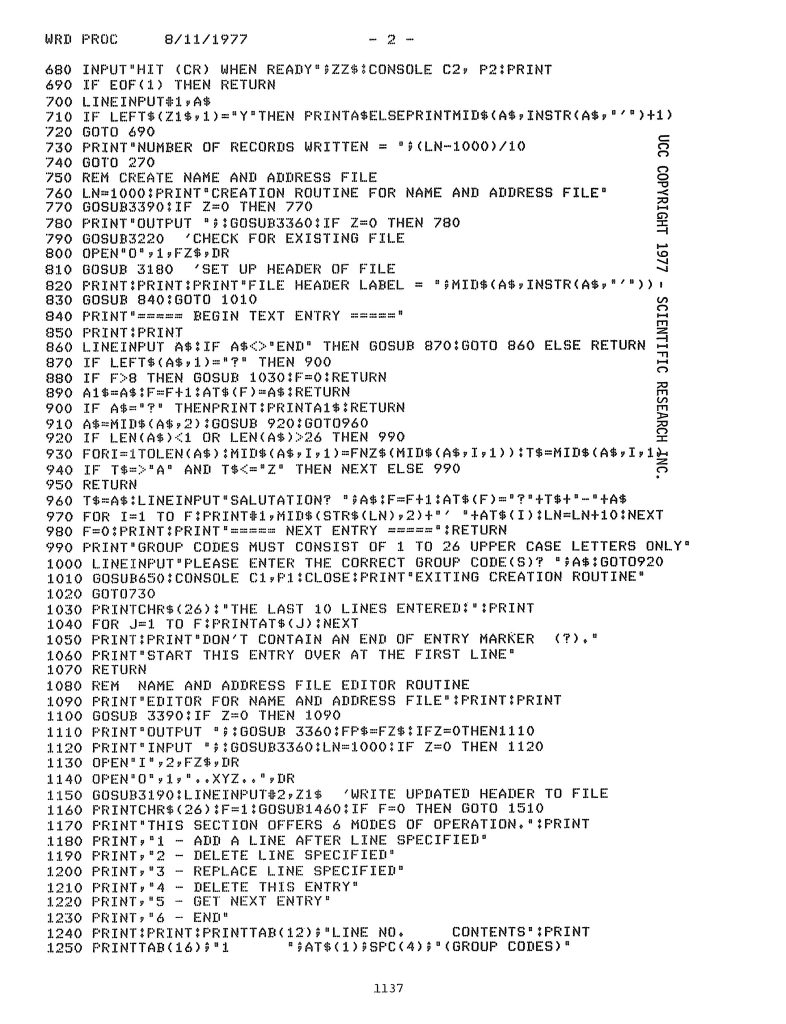
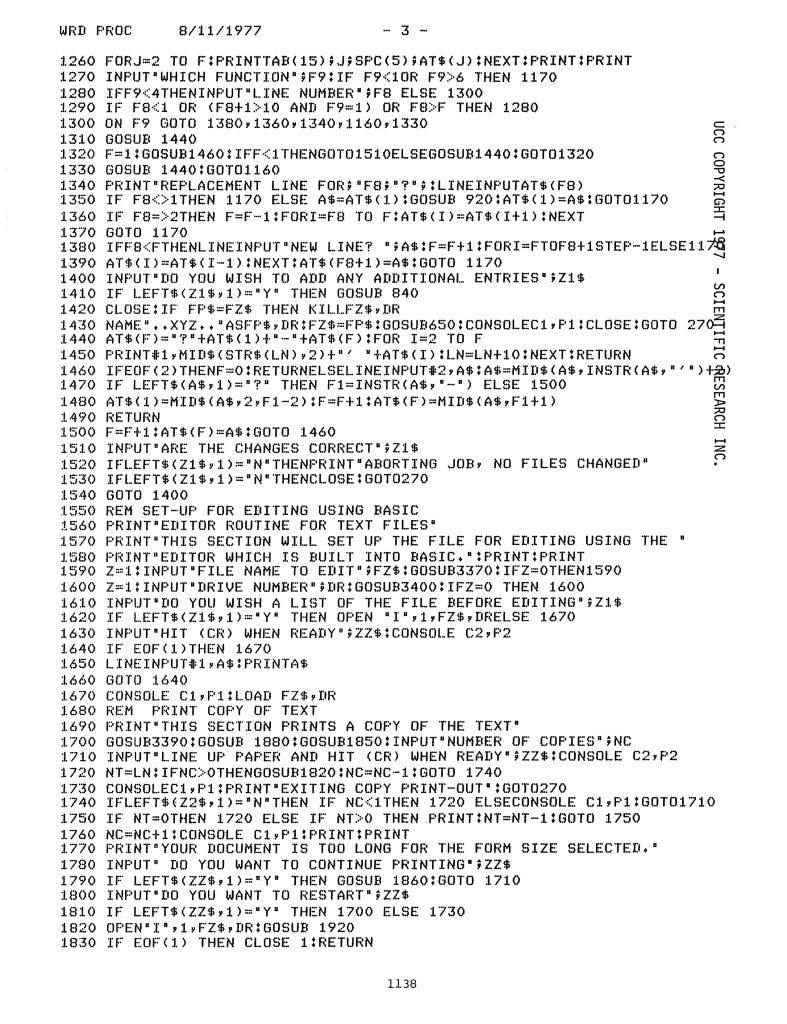
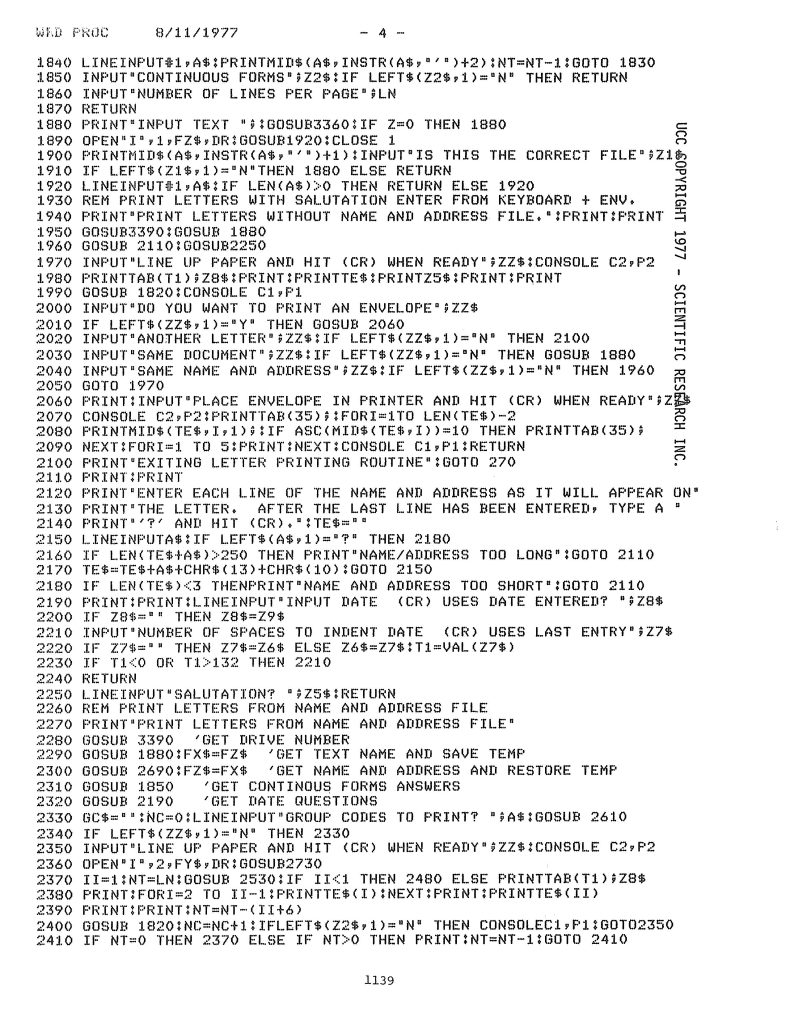
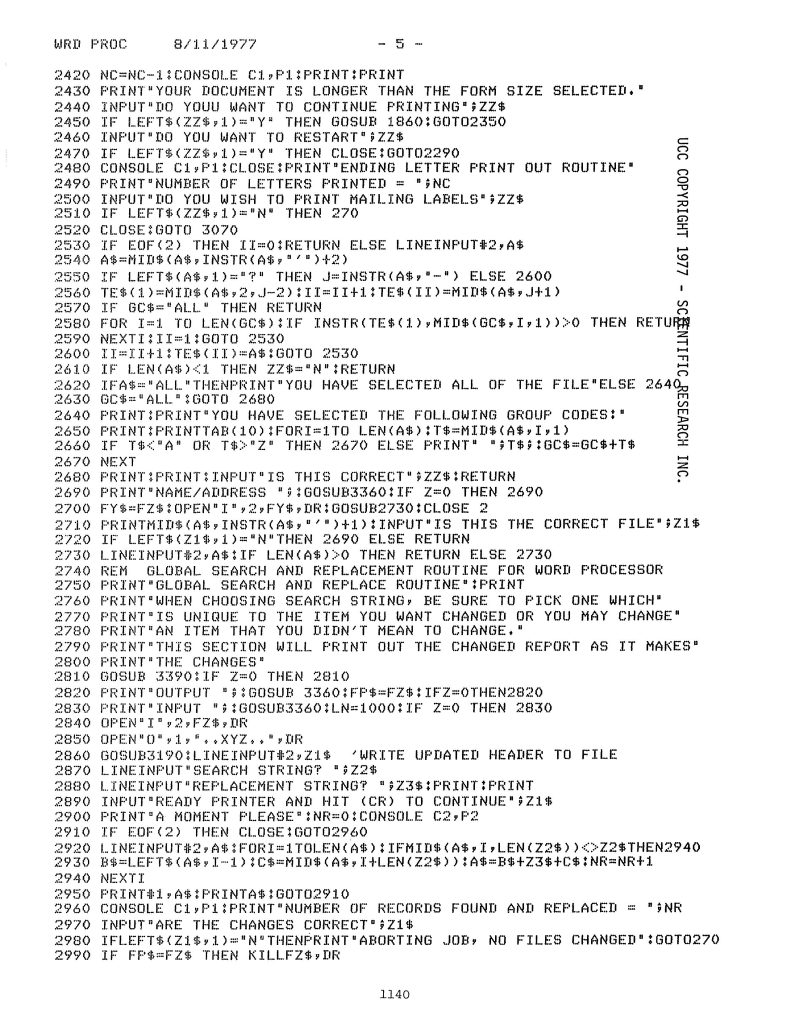
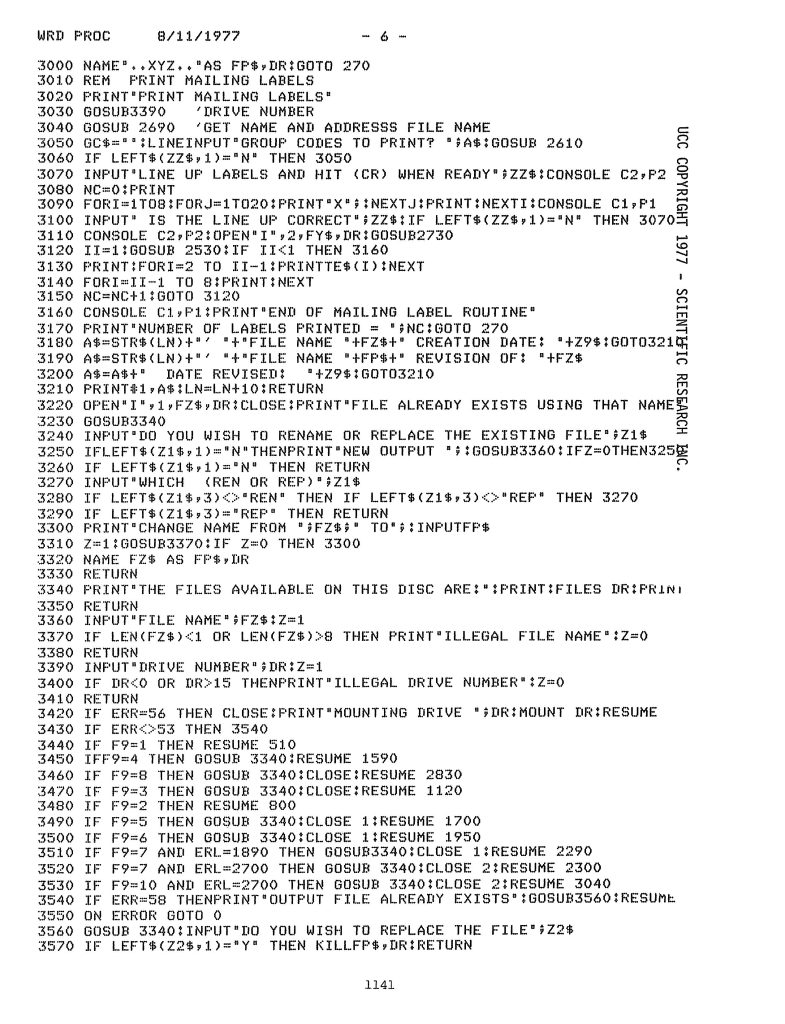
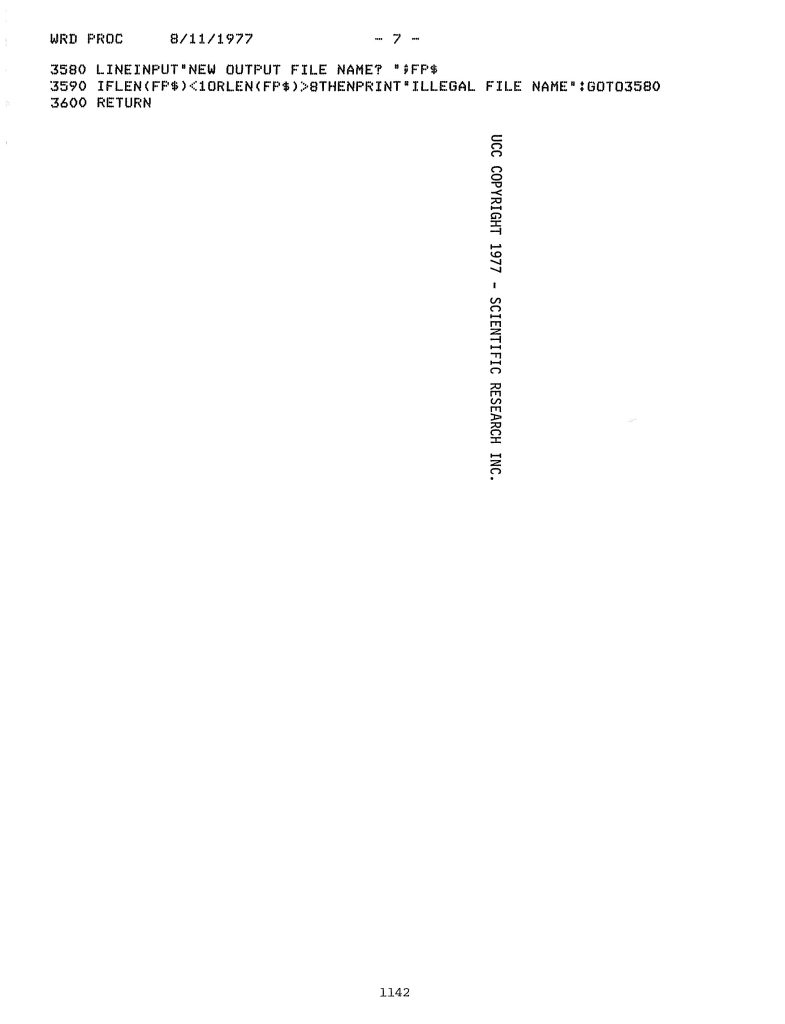
This program is designed to allow owners of micro-computers the capability of rearranging text material and then printing it out in a variety of formats. While this version is not quite as comprehensive as our WWP rev:30 program, it should easily run on most systems with disk extended Basic and 15K Bytes of free user memory for execution.
There are a few statements appearing in this program that may not be in the version of Basic you are using. The first is the Console statement, if your (/) Basic doesn’t have this command then just remove it everywhere it appears in 1 the program, no other conversion is necessary. Line Input and Instr are two more statements that may not be in the version of Basic you are using. The Instr statement may be replaced by a conversion subroutine using the MID$ statement, if necessary. A typical conversion for the Instr statement would a be similar to the subroutine used on line 4075 on page 243 of Volume I. Here F1 is set equal to one (1) and the SST statement would be replaced by the MID$ statement; see appendix B, page 925: Volume V.
This program offers nine major modes of operation with a number of submode operations. Individuals requiring a considerably more comprehensive version, should complete a copy of our software licensing agreement included at the end of this volume and return it with an order or contact us directly to obtain more details.
Following the source code listing for WRDPRO are a series of sample runs which illustrate the usefulness and versatility of the routines contained within this program. It should be noted that this version of WRDPRO rev:1 can only utilize text files that fit entirely into the working memory of the system being used. Therefore, if your Basic requires 20K and you only have 50K Bytes of total memory, then the largest text file you could build and use would only be 15K Bytes long; this would be equivalent to approximately four standard size, single spaced, typed pages of text. While this program does limit the size of your text files to the size of your working memory, it does not limit the number of files you may have, making it quite easy for you to have several files representing separate portions of the total text material.
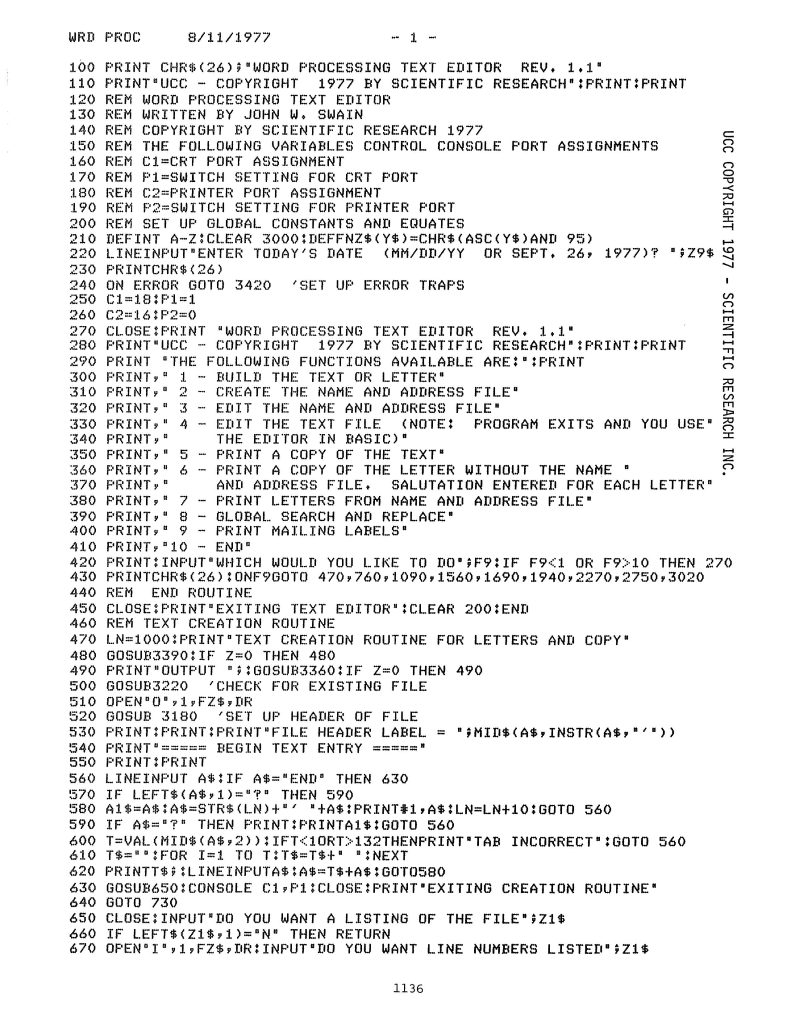
REM WRD PROC    8/11/1977

REM THE PRINCIPAL DIFFERENCE BETWEEN THE INPUT AND LINE INPUT
REM STATMENTS IS THAT LINE INPUT ACCEPTS SPECIAL CHARACTERS (SUCH AS
REM COMMAS) WITHIN A STRING, WITHOUT REQUIRING DOUBLE QUOTATION MARKS,
REM WHILE THE INPUT STATEMENTS REQUIRES DOUBLE QUOTATION MARKS.

100 PRINT CHR$(26);"WORD PROCESSING TEXT EDITOR REV. 1.1"
110 PRINT "UCC - COPYRIGHT 1977 BY SCIENTIFIC RESEARCH":PRINT:PRINT
120 REM WORD PROCESSING TEXT EDITOR
130 REM WRITTEN BY JOHN W. SWAIN
140 REM COPYRIGHT BY SCIENTIFIC RESEARCH 1977
150 REM THE FOLLOWING VARIABLES CONTROL CONSOLE PORT ASSIGNMENTS
160 REM C1=CRT PORT ASSIGNMENT
170 REM P1=SWITCH SETTING FOR CRT PORT
180 REM C2=PRINTER PORT ASSIGNMENT
190 REM P2=SWITCH SETTING FOR PRINTER PORT
200 REM SET UP GLOBAL CONSTANTS AND EQUATES
210 DEFINT A-Z:CLEAR 3000:DEF FN Z$(Y$)=CHR$(ASC(Y$) AND 95)
220 LINE INPUT "ENTER TODAY`S DATE (MM/DD/YY OR SEPT. 26, 1977)? ";Z9$
230 PRINT CHR$(26)
240 ON ERROR GOTO 3420 'SET UP ERROR TRAPS
250 C1=18:P1=1
260 C2=16:P2=0
270 CLOSE:PRINT "WORD PROCESSING TEXT EDITOR REV. 1.1"
280 PRINT "UCC - COPYRIGHT 1977 BY SCIENTIFIC RESEARCH":PRINT:PRINT
290 PRINT "THE FOLLOWING FUNCTIONS AVAILABLE ARE:":PRINT
300 PRINT," 1 - BUILD THE TEXT OR LETTER"
310 PRINT," 2 - CREATE THE NAME AND ADDRESS FILE"
320 PRINT," 3 - EDIT THE NAME AND ADDRESS FILE"
330 PRINT," 4 - EDIT THE TEXT FILE (NOTE: PROGRAM EXITS AND YOU USE"
340 PRINT,"     THE EDITOR IN BASIC)"
350 PRINT," 5 - PRINT A COPY OF THE TEXT"
360 PRINT," 6 - PRINT A COPY OF THE LETTER WITHOUT THE NAME "
370 PRINT,"     AND ADDRESS FILE. SALUTATION ENTERED FOR EACH LETTER"
380 PRINT," 7 - PRINT LETTERS FROM NAME AND ADDRESS FILE"
390 PRINT," 8 - GLOBAL SEARCH AND REPLACE"
400 PRINT," 9 - PRINT MAILING LABELS"
410 PRINT,"10 - END"
420 PRINT:INPUT "WHICH WOULD YOU LIKE TO DO";F9;IF F9<1 OR F9>10 THEN 270
430 PRINT CHR$(26):0N F9 GOTO 470,760,1090,1560,1690,1940,2270,2750,3020
440 REM END ROUTINE
450 CLOSE:PRINT "EXITING TEXT EDITOR":CLEAR 200:END
460 REM TEXT CREATION ROUTINE
470 LN=1000:PRINT "TEXT CREATION ROUTINE FOR LETTERS AND COPY"
480 GOSUB 3390:IF Z=O THEN 480
490 PRINT "OUTPUT ";:GOSUB 3360:IF Z=O THEN 490
500 GOSUB 3220 'CHECK FOR EXISTING FILE
510 OPEN "O",1,FZ$,DR
520 GOSUB 3180 'SET UP HEADER OF FILE
530 PRINT:PRINT:PRINT "FILE HEADER LABEL = ";MID$(A$,INSTR(A$,"`"))
540 PRINT "===== BEGIN TEXT ENTRY ====="
550 PRINT:PRINT
560 LINE INPUT A$:IF A$="END" THEN 630
570 IF LEFT$(A$,1)="?" THEN 590
580 A1$=A$:A$=STR$(LN)+"` "+A$:PRINT #1,A$:LN=LN+10:GOTO 560
590 IF A$="?" THEN PRINT:PRINT A1$ GOTO 560
600 T=VAL<MID$CA$v2>>:IFT<10RT>132THENPRINT·TAB INCORRECT·:GOTO 560
610 T$="":FOR I=1 TO T:T$=T$+" ":NEXT
620 PRINT T$;:LINE INPUT A$:A$=T$+A$:GOTO 580
630 GOSUB 650:CONSOLE C1,P1:CLOSE:PRINT"EXITING CREATION ROUTINE"
640 GOTO 730
650 CLOSE:INPUT "DO YOU WANT A LISTING OF THE FILE";Z1$
660 IF LEFT$(Z1$,1)="N" THEN RETURN
670 OPEN "I",1,FZ$,DR:INPUT "DO YOU WANT LINE NUMBERS LISTED";Z1$
680 INPUT "HIT (CR) WHEN READY";ZZ$;CONSOLE C2, P2:PRINT
690 IF EOF(1) THEN RETURN
700 LINE INPUT #1,A$
710 IF LEFT$(Z1$,1)="Y" THEN PRINT A$ ELSE PRINT MID$(A$,INSTR(A$,"`")+1)
720 GOTO 690
730 PRINT "NUMBER OF RECORDS WRITTEN = ";(LN-1000)/10
740 GOTO 270
750 REM CREATE NAME AND ADDRESS FILE
760 LN=1000:PRINT "CREATION ROUTINE FOR NAME AND ADDRESS FILE"
770 GOSUB 3390:IF Z=0 THEN 770
780 PRINT "OUTPUT ";:GOSUB 3360:IF Z=0 THEN 780
790 GOSUB 3220 'CHECK FOR EXISTING FILE
800 OPEN "O",1,FZ$,DR
810 GOSUB 3180 'SET UP HEADER OF FILE
820 PRINT:PRINT:PRINT "FILE HEADER LABEL = ";MID$(A$,INSTR(A$,"`"))
830 GOSUB 840:GOTO 1010
840 PRINT "===== BEGIN TEXT ENTRY ====="
850 PRINT:PRINT
860 LINE INPUT A$:IF A$<>"END" THEN GOSUB 870:GOTO 860 ELSE RETURN
870 IF LEFT$(A$,1)="?" THEN 900
880 IF F>8 THEN GOSUB 1030:F=0:RETURN
890 A1$=A$:F=F+1:AT$(F)=A$:RETURN
900 IF A$="?" THEN PRINT:PRINT A1$:RETURN
910 A$=MID$(A$,2):GOSUB 920:GOT0 960
920 IF LEN(A$)<1 OR LEN(A$)>26 THEN 990
930 FOR I=1 TO LEN(A$):MID$(A$,I,1)=FNZ$(MID$(A$,I,1)):T$=MID$(A$,I,1)
940 IF T$=>"A" AND T$<="Z" THEN NEXT ELSE 990
950 RETURN
960 T$=A$:LINE INPUT "SALUTATION? ";A$;F=F+1:AT$(F)="?"+T$+"-"+A$
970 FOR I=1 TO F:PRINT #1,MID$(STR$(LN),2)+"` "+AT$(I):LN=LN+10:NEXT
980 F=O:PRINT:PRINT "===== NEXT ENTRY =====":RETURN
990 PRINT "GROUP CODES MUST CONSIST OF 1 TO 26 UPPER CASE LETTERS ONLY"
1000 LINE INPUT "PLEASE ENTER THE CORRECT GROUP CODE(S)? ";A$:GOTO 920
1010 GOSUB 650:CONSOLE C1,P1:CLOSE:PRINT "EXITING CREATION ROUTINE"
1020 GOT0 730
1030 PRINT CHR$(26):"THE LAST 10 LINES ENTERED:":PRINT
1040 FOR J=1 TO F:PRINT AT$(J):NEXT
1050 PRINT:PRINT "DON'T CONTAIN AN END OF ENTRY MARKER  (?)."
1060 PRINT "START THIS ENTRY OVER AT THE FIRST LINE"
1070 RETURN
1080 REM  NAME AND ADDRESS FILE EDITOR ROUTINE
1090 PRINT "EDITOR FOR NAME AND ADDRESS FILE":PRINT:PRINT
1100 GOSUB 3390:IF Z=0 THEN 1090
1110 PRINT "OUTPUT ";:GOSUB 3360:FP$=FZ$:IF Z=0 THEN 1110
1120 PRINT "INPUT ";:GOSUB 3360:LN=1000:IF Z=0 THEN 1120
1130 OPEN "I",2,FZ$,DR
1140 OPEN "O",1,"..XYZ..",DR
1150 GOSUB 3190:LINE INPUT #2,Z1$ 'WRITE UPDATED HEADER TO FILE
1160 PRINT CHR$(26):F=1:GOSUB 1460:IF F=0 THEN GOTO 1510
1170 PRINT "THIS SECTION OFFERS 6 MODES OF OPERATION.":PRINT
1180 PRINT,"1 - ADD A LINE AFTER LINE SPECIFIED"
1190 PRINT,"2 - DELETE LINE SPECIFIED"
1200 PRINT,"3 - REPLACE LINE SPECIFIED"
1210 PRINT,"4 - DELETE THIS ENTRY"
1220 PRINT,"5 - GET NEXT ENTRY"
1230 PRINT,"6 - END"
1240 PRINT:PRINT:PRINT TAB(12);"LINE NO.     CONTENTS":PRINT
1250 PRINT TAB(16);"1      ";AT$(1);SPC(4);"(GROUP CODES)"
1260 FOR J=2 TO F:PRINT TAB(15);J;SPC(5);AT$(J):NEXT:PRINT:PRINT
1270 INPUT "WHICH FUNCTION";F9:IF F9<1 OR F9>6 THEN 1170
1280 IF F9<4 THEN INPUT "LINE NUMBER";F8 ELSE 1300
1290 IF F8<1 OR (F8+1>10 AND F9=1) OR F8>F THEN 1280
1300 ON F9 GOTO 1380,1360,1340,1160,1330
1310 GOSUB 1440
1320 F=1:GOSUB 1460:IF F<1 THEN GOTO 1510 ELSE GOSUB 1440:GOTO 1320
1330 GOSUB 1440:GOTO 1160
1340 PRINT "REPLACEMENT LINE FOR";F8;"?";:LINE INPUT AT$(F8)
1350 IF F8<>1 THEN 1170 ELSE A$=AT$(1):GOSUB 920:AT$(1)=A$:GOTO 1170
1360 IF F8=>2 THEN F=F-1:FOR I=F8 TO F:AT$(I)=AT$(I+1):NEXT
1370 GOTO 1170
1380 IF F8<F THEN LINE INPUT "NEW LINE? ";A$:F=F+1:FOR I=F TO F8+1 STEP -1 ELSE 1170
1390 AT$(I)=AT$(I-1):NEXT:AT$(F8+1)=A$:GOTO 1170
1400 INPUT "DO YOU WISH TO ADD ANY ADDITIONAL ENTRIES";Z1$
1410 IF LEFT$(Z1$,1)="Y" THEN GOSUB 840
1420 CLOSE:IF FP$=FZ$ THEN KILL FZ$,DR
1430 NAME "..XYZ.." AS FP$,DR:FZ$=FP$:GOSUB 650:CONSOLE C1,P1:CLOSE:GOTO 270
1440 AT$(F)="?"+AT$(1)+"-"+AT$(F):FOR I=2 TO F
1450 PRINT #1,MID$(STR$(LN),2)+"` "+AT$(I):LN=LN+10:NEXT:RETURN
1460 IF EOF(2) THEN F=0:RETURN ELSE LINE INPUT #2,A$:A$=MID$(A$,INSTR(A$,"`")+2
1470 IF LEFT$(A$,1)="?" THEN F1=INSTR(A$,"-") ELSE 1500
1480 AT$(1)=MID$(A$,2,F1-2):F=F+1:AT$(F)=MID$(A$,F1+1)
1490 RETURN
1500 F=F+1:AT$(F)=A$:GOTO 1460
1510 INPUT "ARE THE CHANGES CORRECT";Z1$
1520 IF LEFT$(Z1$,1)="N" THEN PRINT "ABORTING JOB, NO FILES CHANGED"
1530 IF LEFT$(Z1$,1)="N" THEN CLOSE:GOTO 270
1540 GOTO 1400
1550 REM SET-UP FOR EDITING USING BASIC
1560 PRINT "EDITOR ROUTINE FOR TEXT FILES"
1570 PRINT "THIS SECTION WILL SET UP THE FILE FOR EDITING USING THE "
1580 PRINT "EDITOR WHICH IS BUILT INTO BASIC.":PRINT:PRINT
1590 Z=1:INPUT "FILE NAME TO EDIT";FZ$:GOSUB 3370:IF Z=0 THEN 1590
1600 Z=1:INPUT "DRIVE NUMBER";DR:GOSUB 3400:IF Z=0 THEN 1600
1610 INPUT "DO YOU WISH A LIST OF THE FILE BEFORE EDITING";Z1$
1620 IF LEFT$(Z1$,1)-"Y" THEN OPEN "I",1,FZ$,DR ELSE 1670
1630 INPUT "HIT (CR) WHEN READY";ZZ$:CONSOLE C2,P2
1640 IF EOF(1) THEN 1670
1650 LINE INPUT #1,A$:PRINT A$
1660 GOTO 1640
1670 CONSOLE C1,P1:LOAD FZ$,DR
1680 REM PRINT COPY OF TEXT
1690 PRINT "THIS SECTION PRINTS A COPY OF THE TEXT"
1700 GOSUB 3390:GOSUB 1880:GOSUB 1850:INPUT "NUMBER OF COPIES";NC
1710 INPUT "LINE UP PAPER AND HIT (CR) WHEN READY";ZZ$:CONSOLE C2,P2
1720 NT=LN:IF NC>O THEN GOSUB 1820:NC=NC-1:GOTO 1740
1730 CONSOLE C1,P1:PRINT "EXITING COPY PRINT-OUT":GOTO 270
1740 IF LEFT$(Z2$,1)="N" THEN IF NC<1 THEN 1720 ELSE CONSOLE C1,P1:GOTO 1710
1750 IF NT=0 THEN 1720 ELSE IF NT>O THEN PRINT:NT=NT-1:GOTO 1750
1760 NC=NC+1:CONSOLE C1,P1:PRINT:PRINT
1770 PRINT "YOUR DOCUMENT IS TOO LONG FOR THE FORM SIZE SELECTED."
1780 INPUT " DO YOU WANT TO CONTINUE PRINTING";ZZ$
1790 IF LEFT$(ZZ$,1)="Y" THEN GOSUB 1860:GOTO 1710
1800 INPUT "DO YOU WANT TO RESTART";ZZ$
1810 IF LEFT$(ZZ$,1)="Y" THEN 1700 ELSE 1730
1820 OPEN "I",1,FZ$,DR:GOSUB 1920
1830 IF EOF(1) THEN CLOSE 1:RETURN
1840 LINE INPUT #1,A$:PRINT MID$(A$,INSTR(A$,"`")+2):NT=NT-1:GOTO 1830
1850 INPUT "CONTINUOUS FORMS";Z2$:IF LEFT$(Z2$,1)="N" THEN RETURN
1860 INPUT "NUMBER OF LINES PER PAGE";LN
1870 RETURN
1880 PRINT "INPUT TEXT ";:GOSUB 3360:IF Z=0 THEN 1880
1890 OPEN "I",1,FZ$,DR:GOSUB 1920:CLOSE 1
1900 PRINT MID$(A$,INSTR(A$,"`")+1):INPUT "IS THIS THE CORRECT FILE";Z1$
1910 IF LEFT$(Z1$,1)="N" THEN 1880 ELSE RETURN
1920 LINE INPUT #1,A$:IF LEN(A$)>O THEN RETURN ELSE 1920
1930 REM PRINT LETTERS WITH SALUTATION ENTER FROM KEYBOARD + ENV.
1940 PRINT "PRINT LETTERS WITHOUT NAME AND ADDRESS FILE.":PRINT:PRINT
1950 GOSUB 3390:GOSUB 1880
1960 GOSUB 2110:GOSUB 2250
1970 INPUT "LINE UP PAPER AND HIT (CR) WHEN READY";ZZ$:CONSOLE C2,P2
1980 PRINT TAB(T1);Z8$:PRINT:PRINT TE$:PRINT Z5$:PRINT:PRINT
1990 GOSUB 1820:CONSOLE C1,P1
2000 INPUT "DO YOU WANT TO PRINT AN ENVELOPE";ZZ$
2010 IF LEFT$(ZZ$,1)="Y" THEN GOSUB 2060
2020 INPUT "ANOJHER LETTER";ZZ$:IF LEFT$(ZZ$,1)="N" THEN 2100
2030 INPUT "SAME DOCUMENT";ZZ$:IF LEFT$(ZZ$,1)="N" THEN GOSUB 1880
2040 INPUT "SAME NAME AND ADDRESS";ZZ$:IF LEFT$(ZZ$,1)="N" THEN 1960
2050 GOTO 1970
2060 PRINT:INPUT "PLACE ENVELOPE IN PRINTER AND HIT (CR) WHEN READY";ZZ$
2070 CONSOLE C2,P2:PRINT TAB(35);:FOR I=1 TO LEN(TE$)-2
2080 PRINT MID$(TE$,I,1);:IF ASC(MID$(TE$,I))=10 THEN PRINT TAB(35);
2090 NEXT:FOR I=1 TO 5:PRINT:NEXT:CONSOLE C1,P1:RETURN
2100 PRINT "EXITING LETTER PRINTING ROUTINE":GOTO 270
2110 PRINT:PRINT
2120 PRINT "ENTER EACH LINE OF THE NAME AND ADDRESS AS IT WILL APPEAR ON"
2130 PRINT "THE LETTER. AFTER THE LAST LINE HAS BEEN ENTERED, TYPE A "
2140 PRINT "`?` AND HIT (CR).":TE$=""
2150 LINE INPUT A$:IF LEFT$(A$,1)="?" THEN 2180
2160 IF LEN(TE$+A$)>250 THEN PRINT "NAME/ADDRESS TOO LONG":GOTO 2110
2170 TE$=TE$+A$+CHR$(13)+CHR$(10):GOTO 2150
2180 IF LEN(TE$)<3 THEN PRINT "NAME AND ADDRESS TOO SHORT":GOTO 2110
2190 PRINT:PRINT:LINE INPUT "INPUT DATE (CR) USES DATE ENTERED? ";Z8$
2200 IF Z8$="" THEN Z8$=Z9$
2210 INPUT "NUMBER OF SPACES TO INDENT DATE  (CR) USES LAST ENTRY";Z7$
2220 IF Z7$="" THEN Z7$=Z6$ ELSE Z6$=Z7$:T1=VAL(Z7$)
2230 IF T1<O OR T1>132 THEN 2210
2240 RETURN
2250 LINE INPUT "SALUTATION? ";Z5$:RETURN
2260 REM PRINT LETTERS FROM NAME AND ADDRESS FILE
2270 PRINT "PRINT LETTERS FROM NAME AND ADDRESS FILE"
2280 GOSUB 3390  'GET DRIVE NUMBER
2290 GOSUB 1880:FX$=FZ$ 'GET TEXT NAME AND SAVE TEMP
2300 GOSUB 2690:FZ$=FX$ 'GET NAME AND ADDRESS AND RESTORE TEMP
2310 GOSUB 1850   'GET CONTINOUS FORMS ANSWERS
2320 GOSUB 2190   'GET DATE QUESTIONS
2330 GC$="":NC=O:LINE INPUT "GROUP CODES TO PRINT? ";A$:GOSUB 2610
2340 IF LEFT$(ZZ$,1)="N" THEN 2330
2350 INPUT "LINE UP PAPER AND HIT (CR) WHEN READY";ZZ$:CONSOLE C2,P2
2360 OPEN "I",2,FY$,DR:GOSUB 2730
2370 II=1:NT=LN:GOSUB 2530:IF II<1 THEN 2480 ELSE PRINT TAB(T1);Z8$
2380 PRINT:FOR I=2 TO II-1:PRINT TE$(I):NEXT:PRINT:PRINT TE$(II)
2390 PRINT:PRINT:NT=NT-(II+6)
2400 GOSUB 1820:NC=NC+1:IF LEFT$(Z2$,1)="N" THEN CONSOLE C1,P1:GOTO 2350
2410 IF NT=0 THEN 2370 ELSE IF NT>0 THEN PRINT:NT=NT-1:GOTO 2410
2420 NC=NC-1:CONSOLE C1,P1:PRINT:PRINT
2430 PRINT "YOUR DOCUMENT IS LONGER THAN THE FORM SIZE SELECTED."
2440 INPUT "DO YOU WANT TO CONTINUE PRINTING";ZZ$
2450 IF LEFT$(ZZ$,1)="Y" THEN GOSUB 1860:GOTO 2350
2460 INPUT "DO YOU WANT TO RESTART";ZZ$
2470 IF LEFT$(ZZ$,1)="Y" THEN CLOSE:GOTO 2290
2480 CONSOLE C1,P1:CLOSE:PRINT "ENDING LETTER PRINT OUT ROUTINE"
2490 PRINT "NUMBER OF LETTERS PRINTED = ";NC
2500 INPUT "DO YOU WISH TO PRINT MAILING LABELS";ZZ$
2510 IF LEFT$(ZZ$,1)="N" THEN 270
2520 CLOSE:GOTO 3070
2530 IF EOF(2) THEN II=0:RETURN ELSE LINE INPUT #2,A$
2540 A$=MID$(A$,INSTR(A$,"`")+2)
2550 IF LEFT$(A$,1)="?" THEN J=INSTR(A$,"-") ELSE 2600
2560 TE$(1)=MID$(A$,2,J-2):II=II+1:TE$(II)=MID$(A$,J+1)
2570 IF GC#="ALL" THEN RETURN
2580 FOR I=1 TO LEN(GC$):IF INSTR(TE$(1),MID$(GC$,I,1))>O THEN RETURN
2590 NEXT I:II=1:GOTO 2530
2600 II=II+1:TE$(II)=A$:GOTO 2530
2610 IF LEN(A$)<1 THEN ZZ$="N":RETURN
2620 IF A$="ALL" THEN PRINT "YOU HAVE SELECTED ALL OF THE FILE" ELSE 2640
2630 GC$="ALL":GOTO 2680
2640 PRINT:PRINT "YOU HAVE SELECTED THE FOLLOWING GROUP CODES:"
2650 PRINT:PRINT TAB(10):FOR I=1 TO LEN(A$):T$=MID$(A$,I,1)
2660 IF T$<"A" OR T$>"Z" THEN 2670 ELSE PRINT " ";T$;:GC$=GC$+T$
2670 NEXT
2680 PRINT:PRINT:INPUT "IS THIS CORRECT";ZZ$:RETURN
2690 PRINT "NAME/ADDRESS ";:GOSUB 3360:IF Z=0 THEN 2690
2700 FY$=FZ$:OPEN "I",2,FY$,DR:GOSUB 2730:CLOSE 2
2710 PRINT MID$(A$,INSTR(A$,"`")+1):INPUT "IS THIS THE CORRECT FILE";Z1$
2720 IF LEFT$(Z1$,1)="N" THEN 2690 ELSE RETURN
2730 LINE INPUT #2,A$:IF LEN(A$)>O THEN RETURN ELSE 2730
2740 REM GLOBAL SEARCH AND REPLACEMENT ROUTINE FOR WORD PROCESSOR
2750 PRINT "GLOBAL SEARCH AND REPLACE ROUTINE":PRINT
2760 PRINT "WHEN CHOOSING SEARCH STRING, BE SURE TO PICK ONE WHICH"
2770 PRINT "IS UNIQUE TO THE ITEM YOU WANT CHANGED OR YOU MAY CHANGE"
2780 PRINT "AN ITEM THAT YOU DIDN'T MEAN TO CHANGE."
2790 PRINT "THIS SECTION WILL PRINT OUT THE CHANGED REPORT AS IT MAKES"
2800 PRINT "THE CHANGES"
2810 GOSUB 3390:IF Z=0 THEN 2810
2820 PRINT "OUTPUT ";:GOSUB 3360:FP$=FZ$:IF Z=0 THEN 2820
2830 PRINT "INPUT ";:GOSUB 3360:LN=1000:IF Z=0 THEN 2830
2840 OPEN "I",2,FZ$,DR
2850 OPEN "O",1,"..XYZ..",DR
2860 GOSUB 3190:LINE INPUT #2,Z1$ 'WRITE UPDATED HEADER TO FILE
2870 LINE INPUT "SEARCH STRING? ";Z2$
2880 LINE INPUT "REPLACEMENT STRING? ";Z3$:PRINT:PRINT
2890 INPUT "READY PRINTER AND HIT (CR) TO CONTINUE";Z1$
2900 PRINT "A MOMENT PLEASE":NR=0:CONSOLE C2,P2
2910 IF EOF(2) THEN CLOSE:GOTO 2960
2920 LINE INPUT #2,A$:FOR I=1 TO LEN(A$):IF MID$(A$,I,LEN(Z2$))<>Z2$ THEN 2940
2930 B$=LEFT$(A$,I-1):C$=MID$(A$,I+LEN(Z2$)):A$=B$+Z3$+C$:NR=NR+1
2940 NEXT I
2950 PRINT #1,A$:PRINT A$:GOTO 2910
2960 CONSOLE C1,P1:PRINT "NUMBER OF RECORDS FOUND AND REPLACED = ";NR
2970 INPUT "ARE THE CHANGES CORRECT";Z1$
2980 IF LEFT$(Z1$,1)= "N" THEN PRINT "ABORTING JOB, NO FILES CHANGED":GOTO 270
2990 IF FP$=FZ$ THEN KILL FZ$,DR
3000 NAME "..XYZ.." AS FP$,DR:GOTO 270
3010 REM PRINT MAILING LABELS
3020 PRINT "PRINT MAILING LABELS"
3030 GOSUB 3390   'DRIVE NUMBER
3040 GOSUB 2690   'GET NAME AND ADDRESSS FILE NAME
3050 GC$="":LINE INPUT "GROUP CODES TO PRINT? ";A$:GOSUB 2610
3060 IF LEFT$(ZZ$,1)="N" THEN 3050
3070 INPUT "LINE UP LABELS AND HIT (CR) WHEN READY";ZZ$:CONSOLE C2,P2
3080 NC=O:PRINT
3090 FOR I=1 TO 8:FOR J=1 TO 20:PRINT "X";NEXT J:PRINT:NEXT I:CONSOLE C1,P1
3100 INPUT " IS THE LINE UP CORRECT";ZZ$:IF LEFT$(ZZ$,1)="N" THEN 3070
3110 CONSOLE C2,P2:PPEN "I",2,FY$,DR:GOSUB 2730
3120 II=11:GOSUB 2530:IF II<1 THEN 3160
3130 PRINT:FOR I=2 TO II-1:PRINT TE$(I):NEXT
3140 FOR I=II-1 TO 8:PRINT:NEXT
3150 NC=NC+1:GOTO 3120
3160 CONSOLE C1,P1:PRINT "END OF MAILING LABEL ROUTINE"
3170 PRINT "NUMBER OF LABELS PRINTED = ";NC:GOTO 270
3180 AS=STR$(LN)+"` "+"FILE NAME "+FZ$+" CREATION DATE: "+Z9$:GOTO 3210
3190 AS=STR$(LN)+"` "+"FILE NAME "+FP$+" REVISION OF: "+FZ$
3200 A$=A$+"  DATE REVISED:  "+Z9$:GOTO 3210
3210 PRINT #1,A$:LN=LN+10:RETURN
3220 OPEN "I",1,FZ$,DR:CLOSE:PRINT "FILE ALREADY EXISTS USING THAT NAME"
3230 GOSUB 3340
3240 INPUT "DO YOU WISH TO RENAME OR REPLACE THE EXISTING FILE";Z1$
3250 IF LEFT$(Z1$,1)="N" THEN PRINT "NEW OUTPUT ";:GOSUB 3360:IF Z=0 THEN 3250
3260 IF LEFT$(Z1$,1)="N" THEN RETURN
3270 INPUT "WHICH  (REN OR REP)";Z1$
3280 IF LEFT$(Z1$,3)<>"REN" THEN IF LEFT$(Z1$,3)<>"REP" THEN 3270
3290 IF LEFT$(Z1$,3)="REP" THEN RETURN
3300 PRINT "CHANGE NAME FROM ";FZ$;" TO";:INPUT FP$
3310 Z=1:GOSUB 3370:IF Z=0 THEN 3300
3320 NAME FZ$ AS FP$,DR
3330 RETURN
3340 PRINT "THE FILES AVAILABLE ON THIS DISC ARE:":PRINT:FILES DR:PRINT
3350 RETURN
3360 INPUT "FILE NAME";FZ$:Z=1
3370 IF LEN(FZ$)<1 OR LEN(FZ$)>8 THEN PRINT "ILLEGAL FILE NAME":Z=0
3380 RETURN
3390 INPUT "DRIVE NUMBER";DR:Z=1
3400 IF DR<O OR DR>15 THEN PRINT "ILLEGAL DRIVE NUMBER":Z=0
3410 RETURN
3420 IF ERR=56 THEN CLOSE:PRINT "MOUNTING DRIVE ";DR:MOUNT DR:RESUME
3430 IF ERR<>53 THEN 3540
3440 IF F9=1 THEN RESUME 510
3450 IF F9=4 THEN GOSUB 3340:RESUME 1590
3460 IF F9=8 THEN GOSUB 3340:CLOSE:RESUME 2830
3470 IF F9=3 THEN GOSUB 3340:CLOSE:RESUME 1120
3480 IF F9=2 THEN RESUME 800
3490 IF F9=5 THEN GOSUB 3340:CLOSE 1:RESUME 1700
3500 IF F9=6 THEN GOSUB 3340:CLOSE 1:RESUME 1950
3510 IF F9=7 AND ERL=1890 THEN GOSUB 3340:CLOSE 1:RESUME 2290
3520 IF F9=7 AND ERL=2700 THEN GOSUB 3340:CLOSE 2:RESUME 2300
3530 IF F9=10 AND ERL=2700 THEN GOSUB 3340:CLOSE 2:RESUME 3040
3540 IF ERR=58 THEN PRINT "OUTPUT FILE ALREADY EXISTS":GOSUB 3560:RESUME
3550 ON ERROR GOTO 0
3560 GOSUB 3340:INPUT "DO YOU WISH TO REPLACE THE FILE";Z2$
3570 IF LEFT$(Z2$,1)="Y" THEN KILL FP$,DR:RETURN
3580 LINE INPUT "NEW OUTPUT FILE NAME? ";FP$
3590 IF LEN(FP$)<1 OR LEN(FP$)>8 THEN PRINT "ILLEGAL FILE NAME":GOTO 3580
3600 RETURN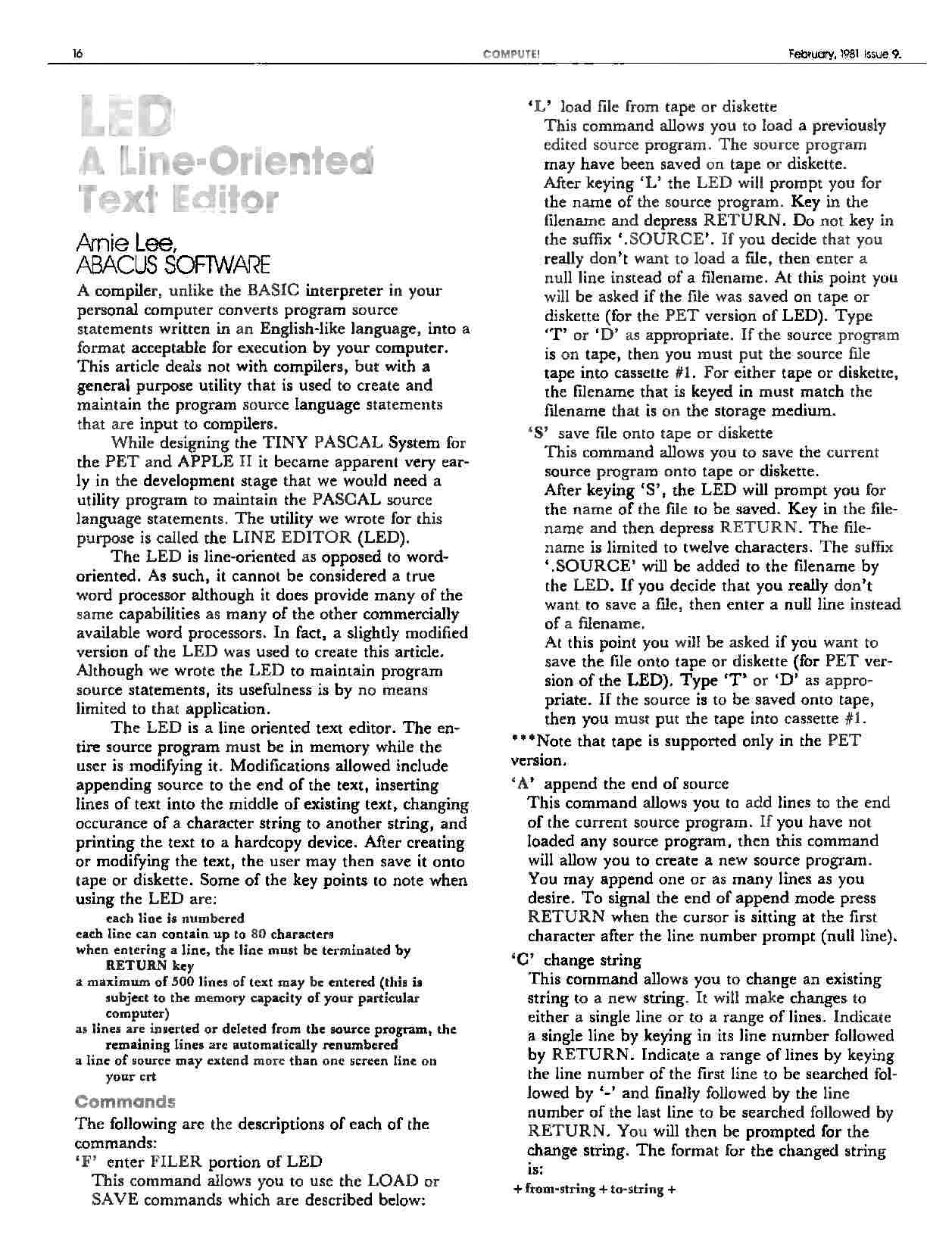
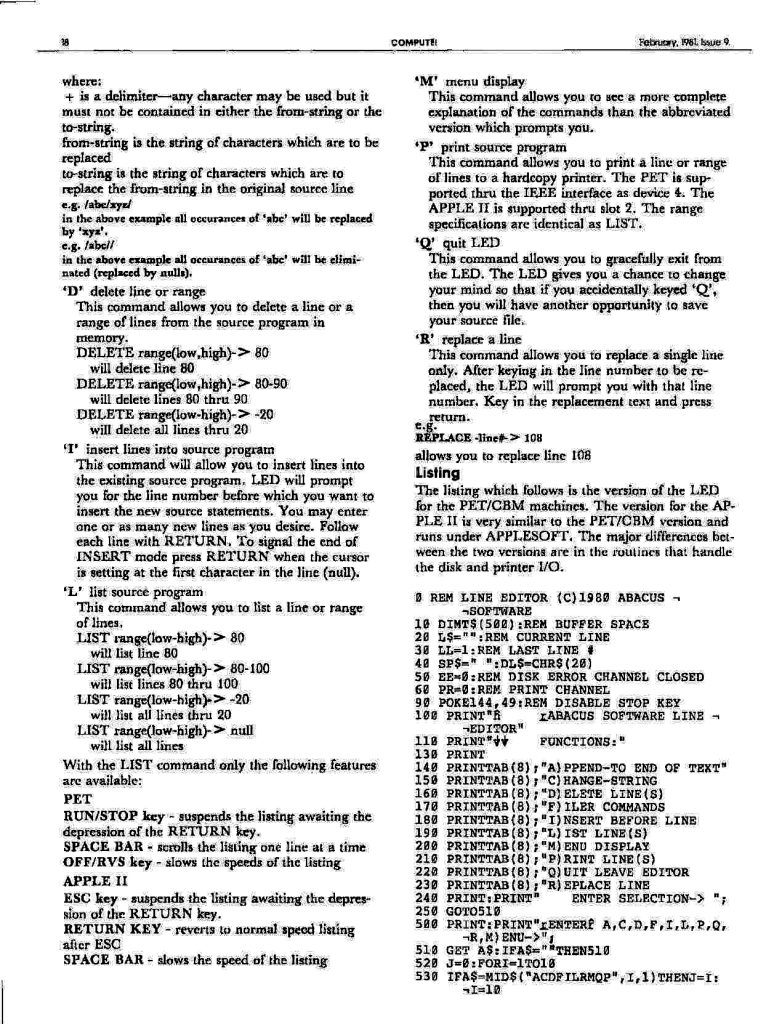
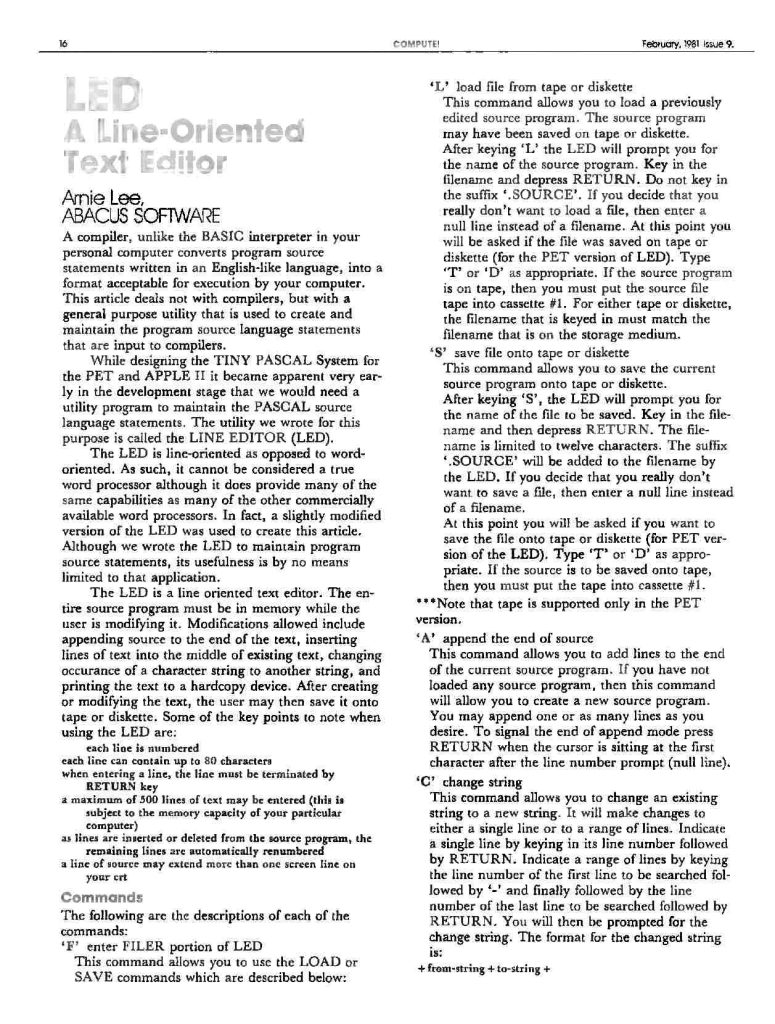
The LED is line-oriented as opposed to word-oriented. As such, it cannot be considered a true word processor although it does provide many of the same capabilities as many of the other commercially available word processors. In fact, a slightly modified version of the LED was used to create this article. Although we wrote the LED to maintain program source statements, its usefulness is by no means limited to that application.
The LED is a line oriented text editor. The entire source program must be in memory while the user is modifying it. Modifications allowed include appending source to the end of the text, inserting lines of text into the middle of existing text, changing occurrence of a character string to another string, and printing the text to a hard copy device. After creating or modifying the text, the user may then save it onto tape or diskette. Some of the key points to note when using the LED are:
RETURN key;The following arc the descriptions of each of the commands:
This command allows you to use the LOAD or SAVE commands which arc described below:
This command allows you to load a previously edited source program. The source program may have been saved on tape or diskette. After keying ‘L’ the LED will prompt you for the name of the source program. Key in the filename and depress RETURN. Do not key in the suffix .SOURCE. If you decide that you really don’t want to load a file, then enter a null line instead of a filename. At this point you will be asked if the file was saved on tape or diskette (for the PET version of LED). Type ‘T’ or ‘D’ as appropriate. If the source program is on tape, then you must put the source file tape into cassette #1. For either tape or diskette, the filename that is keyed in must match the filename that is on the storage medium.
This command allows you to save the current source program onto tape or diskette. After keying ‘S’, the LED will prompt you for the name of the file to be saved. Key in the file-name and then depress RETURN. The file-name is limited to twelve characters. The suffix .SOURCE will be added to the filename by the LED. If you decide that you really don’t want to save a file, then enter a null line instead of a filename.
At this point you will be asked if you want to save the file onto tape or diskette (for PET version of the LED). Type ‘T’ or ‘D’ as appropriate. If the source is to be saved onto tape, then you must put the tape into cassette #1.
*** Note that tape is supported only in the PET version.
This command allows you to add lines to the end of the current source program. If you have not loaded any source program, then this command will allow you to create a new source program. You may append one or as many lines as you desire. To signal the end of append mode press RETURN when the cursor is sitting at the first character after the line number prompt (null line).
This command allows you to change an existing string to a new string. It will make changes to either a single line or to a range of lines. Indicate a single line by keying in its line number followed by RETURN. Indicate a range of lines by keying the line number of the first line to be searched followed by ‘-’ and finally followed by the line number of the last line to be searched followed by RETURN. You will then be prompted for the change siring. The format for the changed string is:
+ from-string + to-string +
where:
+ is a delimiter — any character may be used but it must not be contained in either the from-string or the to-string.
from-string is the string of characters which are to be replaced
to-string is the string of characters which are to replace the from-string in the original source line
e.g. /abc/xyz/ in the above example all occurrences of abc will be replaced by xyz.
e.g. /abc// in the above example all occurrences of ‘abc’ will be eliminated (replaced by nulls).
This command allows you to delete a line or a range of lines from the source program in memory.
DELETE RANGE(LOW,HIGH)-> 80 will delete line 80
DELETE RANGE(LOW,HIGH)-> 80-90
will delete lines 80 thru 90
DELETE RANGE(LOW-HIGH)-> -20
will delete all lines thru 20
‘I’ insert lines into source program
This command will allow you to insert lines into the existing source program. LED will prompt you for the line number before which you want to insert the new source statements. You may enter one or as many new lines as you desire. Follow each line with RETURN. To signal the end of INSERT mode press RETURN when the cursor is setting at the first character in the line (null).
‘L’ list source program
This command allows you to list a line or range of lines.
LIST RANGE(LOW-HIGH)-> 80
will list line 80
LIST RANGE(LOW-HIGH)-> 80-100
will list lines 80 thru 100
LIST RANGE(LOW-HIGH)-> -20
will list all lines thru 20
LIST RANGE(LOW-HIGH)-> NULL
will list all lines
With the LIST command only the following features are available:
RUN/STOP key – suspends the listing awaiting the depression of the RETURN key.
SPACE BAR – scrolls the listing one line at a time
OFF/RVS key – slows the speeds of the listing
ESC key – suspends the listing awaiting the depression of the RETURN key.
RETURN key – reverts to normal speed listing after ESC
SPACE BAR – slows the speed of the listing
This command allows you to sec a more complete explanation of the commands than the abbreviated version which prompts you,
This command allows you to print a line or range of lines to a hard copy printer. The PET is supported thru the IEEE interface as device 4. The APPLE II is supported thru slot 2. The range specifications are identical as LIST.
This command allows you to gracefully exit from the LED. The LED gives you a chance to change your mind so that if you accidentally keyed Q, then you will have another opportunity to save your source file.
This command allows you to replace a single line only. After keying in the line number to be replaced, the LED will prompt you with that line number. Key in the replacement text and press return.
e.g.
REPLACE -LINE#-> 108
allows you to replace line 108.
The listing which follows is the version of the LED for the PET/CBM machines. The version for the APPLE II is very similar to the PET/CBM version and runs under APPLESOFT. The major differences between the two versions are in the routines that handle the disk and printer I/O.
0 REM LINE EDITOR (c)1980 ABACUS SOFTWARE
10 DIM T$(500):REM BUFFER SPACE
20 L$="":REM CURRENT LINE
30 LL=1:REM LAST LINE #
40 SP$=" ":DL$=CHR$(20)
50 EE=0:REM DISK ERROR CHANNEL CLOSED
60 PR=0: REM PRINT CHANNEL
90 POKE 144,49:REM DISABLE STOP KEY
100 PRINT "       ABACUS SOFTWARE LINE EDITOR"
110 PRINT "      FUNCTIONS:"
130 PRINT
140 PRINT TAB(8);"A)PPEND-TO END OF TEXT"
150 PRINT TAB(8);"C)HANGE-STRING"
160 PRINT TAB(8);"D)ELETE LINE(S)"
170 PRINT TAB(8);"F)ILER COMMANDS"
180 PRINT TAB(8);"I)NSERT BEFORE LINE"
190 PRINT TAB(8);"L)IST LINE(S)"
200 PRINT TAB(8);"M)ENU DISPLAY"
210 PRINT TAB(8);"P)RINT LINE(S)"
220 PRINT TAB(8);"Q)UIT LEAVE EDITOR"
230 PRINT TAB(8);"R)EPLACE LINE"
240 PRINT:PRINT "    ENTER SELECTION-> ";
250 GOTO 510
500 PRINT:PRINT "ENTER A,C,D,F,I,L,P,Q,R,M)ENU->";
510 GET A$:IF A$="" THEN 510
520 J=0:FOR I=1 TO 10
530 IF A$=MID$("ACDFILRMQP",I,1) THEN J=I:I=10
540 NEXT I
550 PRINT A$
560 IF J=0 THEN 500
570 ON J GOTO 1000,2000,3000,4000,5000,6000,7000,100,8000,9000
1000 PRINT
1005 PRINT "APPEND TO END OF TEXT"
1010 PRINT:PRINT LL ">";
1020 GOSUB 10000:REM GO READ LINE
1030 IF LEN(L$)=0 THEN 500
1040 T$(LL)=L$
1050 LL=LL+1
1060 GOTO 1010
2000 REM CHANGE STRING
2010 PRINT:PRINT "CHANGE";:GOSUB 16000:REM GET RANGE
2020 IF HI=0 THEN 500
2025 PRINT "CHANGE STRING->";:GOSUB 10000:REM GET STRING
2030 L=LEN(L$)
2040 IF L=0 THEN 500
2050 IF L<4 THEN 2000
2060 DM$=LEFT$(L$,1):REM DELIMITER
2070 IF RIGHT$(L$,1)<>DM$ THEN 2000
2080 J=0: FOR I=2 TO L-1
2090     IF MID$(L$,I,1)=DM$ THEN J=I
2100 NEXT I
2110 IF J=0 THEN 2000
2120 IF J=2 THEN 2000
2130 FR$=MID$(L$,2,J-2)
2140 IF J+1=L THEN TS$="":GOTO 2160
2150 TS$=MID$(L$,J+1,L-J-1)
2160 F=LEN(FR$)
2170 FOR I=LO TO HI
2180     T=LEN(T$(I)):S=1:NL$=""
2190     FOR J=1 TO T-F+1
2200         IF MID$(T$(I),J,F)<>FR$ THEN 2230
2210         NL$=NL$+MID$(T$(I),S,J-S)+TS$
2220         S=J+F:J=S-1
2230     NEXT J
2240     IF S<>1 THEN NL$=NL$+RIGHT$(T$(I),T=S+1):T$(I)=NL$
2250 NEXT I
2260 GOTO 500
3000 REM DELETE LINES(S)
3005 PRINT:PRINT "DELETE ";:GOSUB 16000:REM GET RANGE
3010 IF NOT DF THEN 3015:REM NOT DEFAULT ON ENTIRE FILE
3011 PRINT "DELETE ENTIRE FILE? ";
3012 GET A$:IF A$="" THEN 3012
3013 PRINT A$:IF A$="N" THEN 500
3014 IF A$<>"Y" THEN 3011
3015 IF HI>LL-1 THEN 500
3020 IF HI=LL-1 THEN LL=LO:GOTO 500
3030 J=HI-LO+1
3040 FOR I=LO TO LL-J-1
3050     T$(I)=T$(I+J)
3060 NEXT I
3070 LL=LL-(HI-LO)-1
3080 GOTO 500
4000 REM FILER
4010 PRINT "FILER ENTER L)OAD OR S)AVE-> ";
4020 GET A$:IF A$="" THEN 4020
4030 IF A$<>"L" AND A$<>"S" THEN PRINT:GOTO 4000
4040 PRINT A$:M$=A$
4050 PRINT "ENTER FILENAME-> ";
4070 GOSUB 10000
4075 IF LEN(L$)=0 THEN 500
4076 IF LEN(L$)>12 THEN 4050
4080 FI$=L$
4090 PRINT "ENTER D)ISK OR T)APE-> ";
4100 GET A$:IF A$="" THEN 4100
4110 PRINT A$
4120 IF A$<>"D" AND A$<>"T" THEN 4090
4130 IF A$="D" THEN 4160:REM DISK ROUTINES
4140 IF M$="L" THEN 4400
4150 GOTO 4200
4160 DR$="":IF LEFT$(FI$,2)<>"0:" AND LEFT$(FI$,2)<>"1:" THEN DR$="0:"
4170 GOTO 4600
4200 REM TAPE SAVE
4210 IF LL=1 THEN PRINT "NO FILE TO SAVE":GOTO 500
4220 OPEN 2,1,2,FI$+".SOURCE"
4230 FOR I=1 TO LL-1
4230     FOR J=1 TO LEN(T$(I))
4250         PRINT# 2,MID$(T$(I),J,1);
4260	 NEXT J
4270     PRINT# 2,CHR$(255);
4280 NEXT I
4290 CLOSE 2
4300 PRINT SPC(6);FI$;" SAVED"
4310 GOTO 500
4400 REM TAPE LOAD
4410 OPEN 2,1,0,FI$+".SOURCE"
4430 IF=L0:REM LINE COUNT
4440 LL=LL+1:T$(LL)=""
4450 GET# 2,A$
4460 IF ST=64 THEN 4500:REM END OF FILE
4465 IF ST<>0 THEN PRINT "*** LOAD ERROR ***":GOTO 500
4470 IF A$=CHR$(255) THEN 4440:REM END OF LINE
4480 T$(LL)=T$(LL)+A$
4490 GOTO 4450
4500 CLOSE 2
4510 PRINT SPC(6);FI$;" LOADED"
4520 LL+LL+1
4530 GOTO 500
4600 REM DISK SAVE
4610 IF M$="L" THEN 4800
4620 IF LL=1 THEN PRINT "NO FILE TO SAVE":GOTO 500
4630 FL$="@0"+DR$+FI$+".SOURCE,S,W"
4640 OPEN 2,8,2,FL$
4650 GOSUB 20000:REM ERROR CHECK
4655 IF E1<>0 THEN 500
4660 FOR I=1 TO LL-1
4670     FOR J=1 TO LEN(T$(I))
4680         PRINT# 2,MID$(T$(I),J,1);
4690     NEXT J
4700     PRINT# 2,CHR$(255);
4710 NEXT I
4720 CLOSE 2
4730 PRINT SPC(6);FI$;" SAVED"
4740 GOTO 500
4800 REM DISK LOAD
4810 FL$=DR$+FI$+".SOURCE,S,R"
4820 OPEN 2,8,2,FL$
4830 GOSUB 20000:REM ERROR CHECK
4835 IF E1<>0 THEN 500
4840 LL=0:REM LINE COUNT
4850 LL=LL+1:T$(LL)=""
4860 GET# 2,A$
4870 IF ST=64 THEN 4500: REM END OF FILE
4880 IF ST<>0 THEN GOSUB 20000:GOTO 500
4890 IF A$=CHR$(255) THEN 4850:REM END OF LINE
4900 T$(LL)=T$(LL)+A$
4910 GOTO 4860
4920 CLOSE 2
4930 PRINT SPC(6);FI$;" LOADED"
4940 LL=LL+1
4950 GOTO 500
5000 REM INSERT LINE
5010 PRINT:PRINT "INSERT BEFORE ";:GOSUB 17000:REM GET LINE #
5015 IF LO>LL OR LO<1 THEN 5000
5020 PRINT:PRINT LO;">";
5030 GOSUB 10000:REM READ LINE
5040 IF LEN(L$)=0 THEN 500
5050 LL=LL+1
5060 FOR I=LL TO LO STEP -1
5070     T$(LO)=L$
5080 NEXT I
5090 T$(LO)=L$
5100 LO=LO+1
5110 GOTO 5020
6000 REM LIST LINES
6010 PRINT:PRINT "LIST ";:GOSUB 16000:REM GET RANGE
6020 IF HI=0 THEN 500
6030 SS$="N":PRINT:FOR I=LO TO HI:REM PERFORM LIST
6040 PRINT I;">";T$(I)
6050 GET A$:OF A$=CHR$(18) THEN FOR J=1 TO 1024:NEXT J
6060 IF A$<>CHR$(3) THEN 6110
6070 SS$="Y"
6080 GET A$:IF A$=CHR$(13) THEN SS$="N":GOTO 6110
6090 IF A$<>CHR$(32) THEN 6070
6100 GOTO 6120
6110 IF SS$="Y" THEN 6070
6120 NEXT I
6130 GOTO 500
7000 REM REPLACE LINE
7010 PRINT:PRINT "REPLACE ";:GOSUB 17000:REM GET LINE #
7020 IF LO>=LL OR LO<1 THEN 7000
7030 PRINT:PRINT LO;">";
7040 GOSUB 10000:REM READ LINE
7050 IF LEN(L$)=0 THEN 500
7060 T$(LO)=L$
7070 GOTO 500
8000 REM QUIT
8010 PRINT:PRINT "     LEAVE EDITOR-ARE YOU SURE? ";
8020 GET A$:IF A$="" THEN 8020
8030 PRINT A$
8040 IF A$<>"Y" AND A$<>"N" THEN 8000
8050 IF A$="N" THEN 500
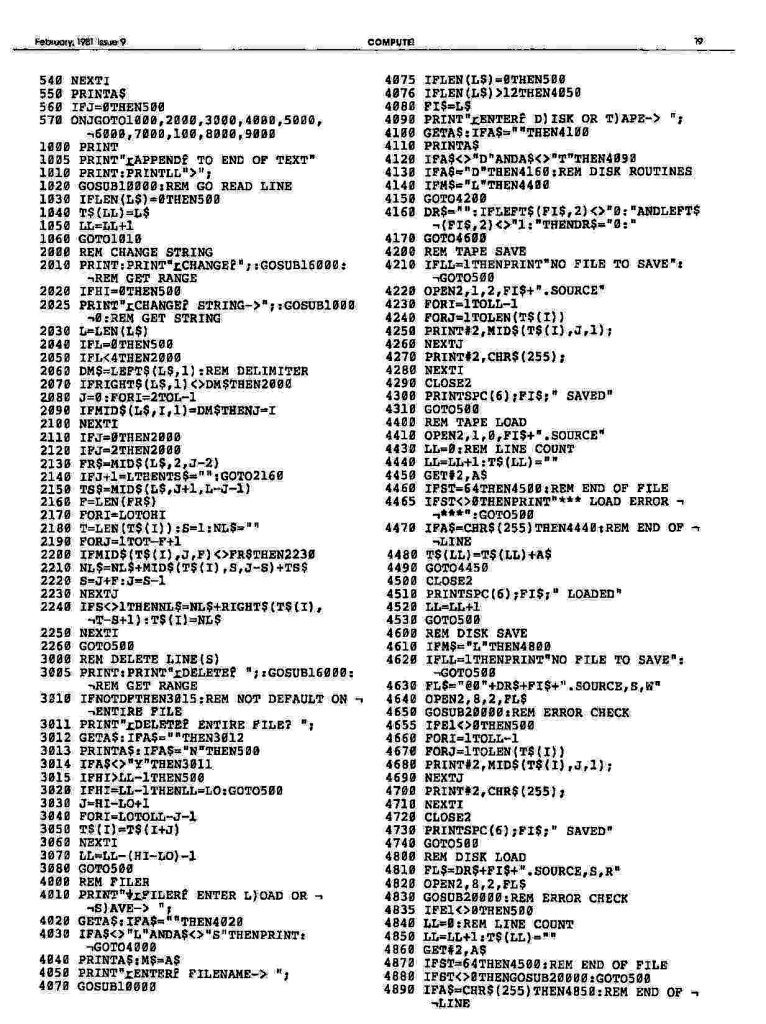
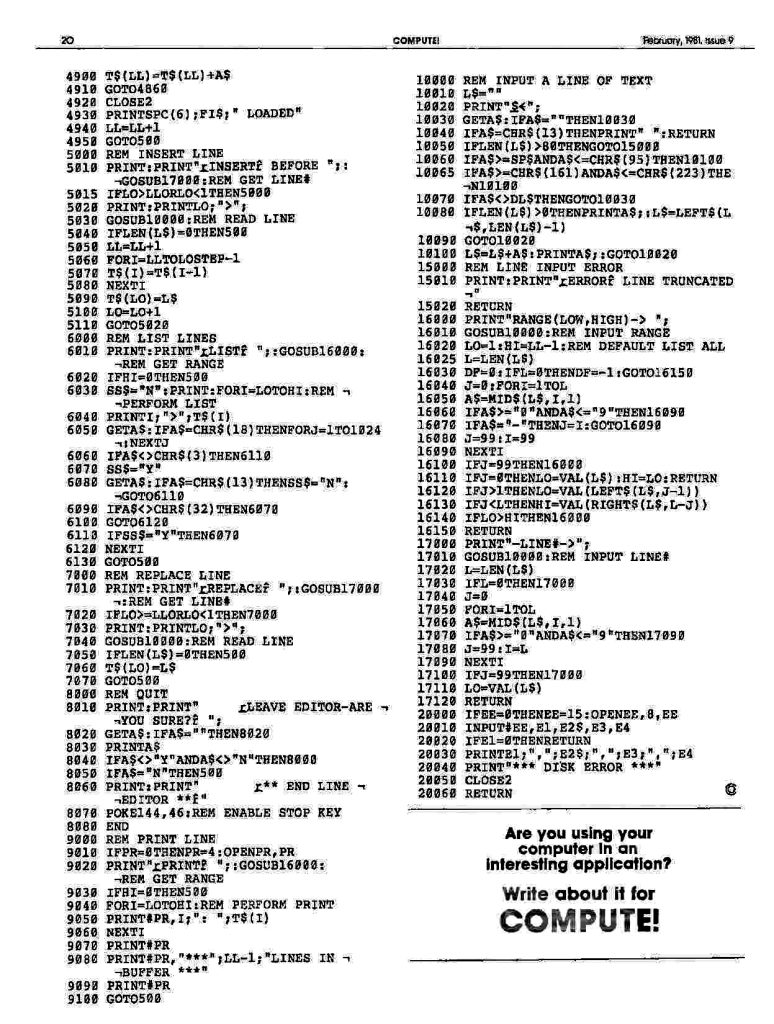
8060 PRINT:PRINT "           ** END LINE EDITOR **"
8070 POKE 144,46:REM ENABLE STOP KEY
8080 END
9000 REM PRINT LINE
9010 IF PR=0 THEN PR=4 OPEN PR,PR
9020 PRINT "PRINT ";:GOSUB 16000:REM GET RANGE
9030 IF HI=0 THEN 500
9040 FOR I=LO TO HI:REM PERFORM PRINT
9050     PRINT# PR,I;": ";T$(I)
9060 NEXT I
9070 PRINT# PR
9080 PRINT# PR,"***";LL-1;"LINES IN BUFFER ***"
9090 PRINT #PR
9100 GOTO 500
10000 REM INPUT A LINE OF TEXT
10010 L$=""
10020 PRINT "$<-";
10030 GET A$:IF A$="" THEN 10030
10040 IF A$=CHR$(13) THEN PRINT " ":RETURN
10050 IF LEN(L$)>80 THEN GOTO 15000
10060 IF A$>=SP$ AND A$<=CHR$(95) THEN 10100
10065 IF A$>=CHR$(161) AND A$<=CHR$(223) THEN 10100
10070 IF A$<>DL$ THEN GOTO 10030
10080 IF LEN(L$)>0 THEN PRINT A$;:L$=LEFT$(L$,LEN(L$)-1)
10090 GOTO 10020
10100 L$=L$+A$:PRINT A$;:GOTO 10020
15000 REM LINE INPUT ERROR
15010 PRINT:PRINT "ERROR LINE TRUNCATED"
15020 RETURN
16000 PRINT "RANGE(LOW,HIGH)-> ";
16010 GOSUB 10000:REM INPUT RANGE
16020 LO=1:HI=LL-1:REM DEFAULT LIST ALL
16025 L=LEN(L$)
16030 DF=0:IF L=0 THEN DF=-1:GOTO 16150
16040 J=0:FOR I=1 TO L
16050 A$=MID$(L$,I,1)
16060 IF A$>="0" AND A$<="9" THEN 16090
16070 IF A$="-" THEN J=I:GOTO 16090
16080 J=99:I=99
16090 NEXT I
16100 IF J=99 THEN 16000
16110 IF J=0 THEN LO=VAL(L$):HI=LO:RETURN
16120 IF J>1 THEN LO=VAL(LEFT$(L$,J-1))
16130 IF J<L THEN HI=VAL(RIGHT$(L$,L-J))
16140 IF LO>HI THEN 16000
16150 RETURN
17000 PRINT "-LINE#->";
17010 GOSUB 10000:REM INPUT LINE#
17020 L=LEN(L$)
17030 IF L=0 THEN 17000
17040 J=0
17050 FOR I=1 TO L
17060     A$=MID$(L$,I,1)
17070     IF A$>="0" AND A$<="9" THEN 17090
17080     J=99:I=L
17090 NEXT I
17100 IF J=99 THEN 17000
17110 LO=VAL(L$)
17120 RETURN
20000 IF EE=0 THEN EE=15:OPEN EE,8,EE
20010 INPUT# EE,E1,E2$,E3,E4
20020 IF E1=0 THEN RETURN
20030 PRINT E1;",";E2$;",";E3:",";E4
20040 PRINT "*** DISK ERROR ***"
20050 CLOSE 2
20060 RETURN
This mini word processor for the VIC lets you cuter, edit, and save text to tape. It works with the VIC 1515 printer and 3K memory expansion.
If you are at all like me, the minute you saw the VIC-20 sitting there on the showroom table flashing its upper-lowercase mode, you smiled to yourself and said what a wonderful text storage and manipulation device it would make. Wonderful in this context means inexpensive, and Commodore promised us no less in its literature.
This program is a miniature word processor. It will allow the user to input text, edit it (with certain limitations), and save it to tape. The text may be printed on any line length specified, though it will not right justify. The program uses a word wrapping scheme to minimize the VIC’s limited display size and is meant to be used with the VIC 1515 printer and a 3K memory expansion.
The program is menu driven, and we will discuss the options in detail. New mode is used for entering text. It is also the mode in which the for matting features are selected. Centering is done by pressing the up-arrow (next to the restore key) at the beginning of the line that is to be centered. Remember to use the carriage return at the end of the line, and note that the line may not exceed the line length you intend to print.
The second function is an inset line length. This is selected by pressing the first bracket (shifted colon) at the start of the text to be inset. All text before the next return character will be printed on the alternate line length, which will be specified during printing. Line numbering is something that I use frequently. It is selected with the second bracket, and the line will be printed with a number (numbered sequentially by the computer) before and after the line. Examples of all the formatting options are represented in the demo text.
Backspacing in the New mode may only be done with the DEL key, and may only continue to the first character of the line on which the cursor rests. Any further DELeting will result in an Illegal Quantity error. If a boo-boo is in an earlier line, it must be corrected in the edit mode. All keys re peat, and the pound symbol (next to CLR HOME) is used to return to the menu. Once the menu is chosen, no further text may be entered in the New mode. (This is something the user could change.)
A final note: text entry becomes progressively slower as memory fills, and subsequent printing is also adversely affected by large quantities (relatively speaking) of text. So, although the low memory warning should keep you from over-typing the machine’s capacity, it is best to save the text and then continue when the word-wrap starts to slow down.
Text entered in the New mode can be reviewed and modified in the Edit mode. The mode has three options: Forward, Correct, and Return to Main Menu. The Forward option scrolls through the text one VIC screen line at a time. To make changes in entered text, use the Correct option. You will be given the prompt “error:”, at which point you enter the characters you wish to change as they appear in the text. End your entry with the up-arrow (t) key, not the RETURN key. The next prompt is “correction:”. Enter the text as you wish it to appear in the corrected version. Again follow your input with the up-arrow key rather than RETURN. The computer will then search the text for the “error” and replace it with the “correction.” If the search characters are not found in the text, the program will provide an error message.
The save mode is straightforward in operation: simply press the S key and RETURN and the text will be stored under the title you entered in the New mode. Load is just like it. If you include a file name, the cassette drive will search for that file; otherwise it will load the first file it comes to. The Load and Print mode is for files too long to be contained in memory and is fairly automatic. You simply set the formatting in the print mode, and let the computer do the rest.
The Print mode is also straightforward. First it asks for the normal line length. This may be any value up to 80, but between 40 and 70 are recommended. Next you are asked for the inset line length. Again, this should be between 40 and 70. Next you are asked for s for single or d for double spacing. Finally, the computer asks for the number at which it will begin the sequential line numbering. This may be set at any value, but usually will be one.
Obviously, this program will not meet every one’s writing needs. I am looking forward to further memory expansion which will allow me to implement further editing functions, as well as longer text entry. And you may wish to delete functions which you will not use and add others. That is the beauty of a word processor written in BASIC.
Before we consider the program in detail, a few comments about operation will be in order here. First, the cursor does not function as well as it should. I am searching for a cure. In the mean time, if you find it more distracting than helpful, you may get rid of it by deleting POKE 204,0 from line 120. Also, from time to time, errors will hap pen which will cause the machine to default to BASIC. This is no cause for alarm. A few moments studying the program listing and a GOTO in the immediate mode will get you out of all but the worst spots. If in doubt, GOTO 51 (the menu).
Since I have included no documentation in the body of the program, I will list the various parts of it here. You will want to keep this handy for reference, since every REM you add will cost you valuable memory space.
Line 42 is initial housekeeping, setting variables and DIMing the text string array.
Lines 51-67 are the menu.
Lines 100-280 are the text entry and word wrapping routine, including the delete routine in line 200.
Lines 3000-3350 are the string search and replace, the “Edit Mode”.
Lines 3800-4710 are the print routine. Lines 4060-4095 are for getting a string of printing length. Lines 4200-4240 are used in the centering function. 4300-4710 are for tidying up the print strings and sending them to the printer.
Lines 5000-5080 are the load routine.
Lines 6000-6080 are for saving text.
Lines 7000-7009 are for the page numbering function.
A$ is the actual text string (1 to 200).
C$ is the get character string in the new mode.
C4$ is the error string in the edit mode.
C5$ is the correction string in the edit mode.
C6$ is the right remainder of the string being searched for the error in the edit mode.
DE$ is the string of the variable SL.
J$ is the get character string for the correction string in edit mode.
M$ is the string for the mode selection in the menu.
P$ is the print string.
T1$ is the leftover from P$ after searching for a space at the end of the line.
W$ is the get string in the edit mode.
T2$ is the working string of AS in the print mode.
X$ is the working character in getting an 80-character line for PS.
Z$ is the get string for the load mode.
LA is the normal line length.
LB is the inset line length.
LC is the line count.
PC is the page count.
SL is the line numbering counter.
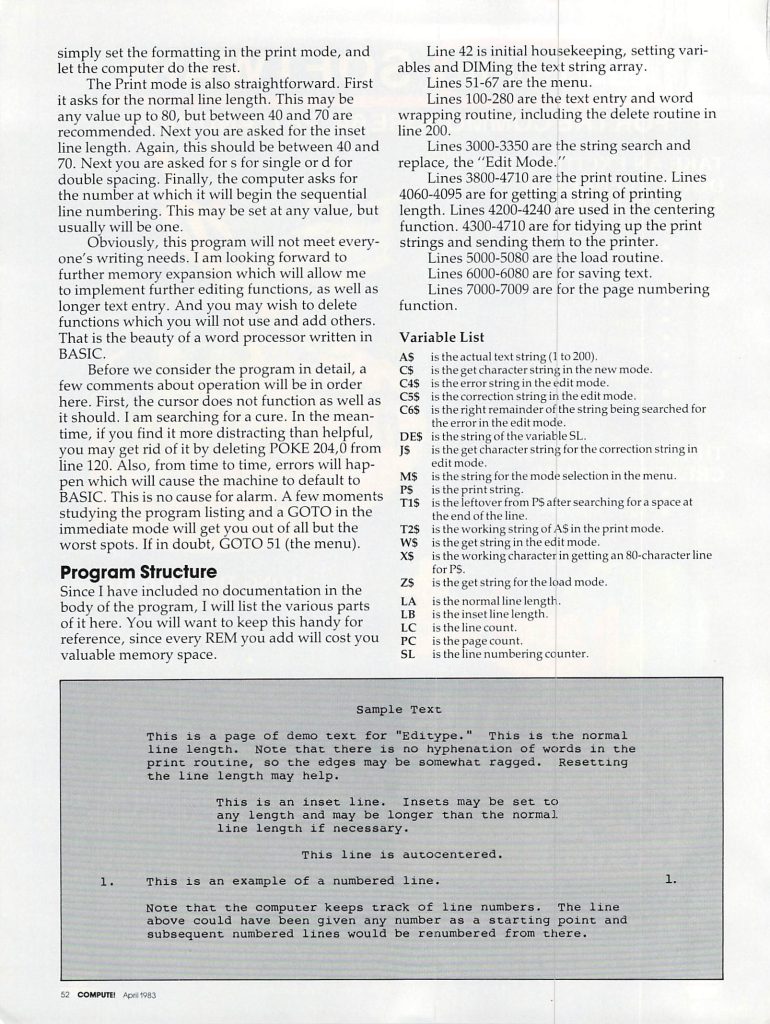
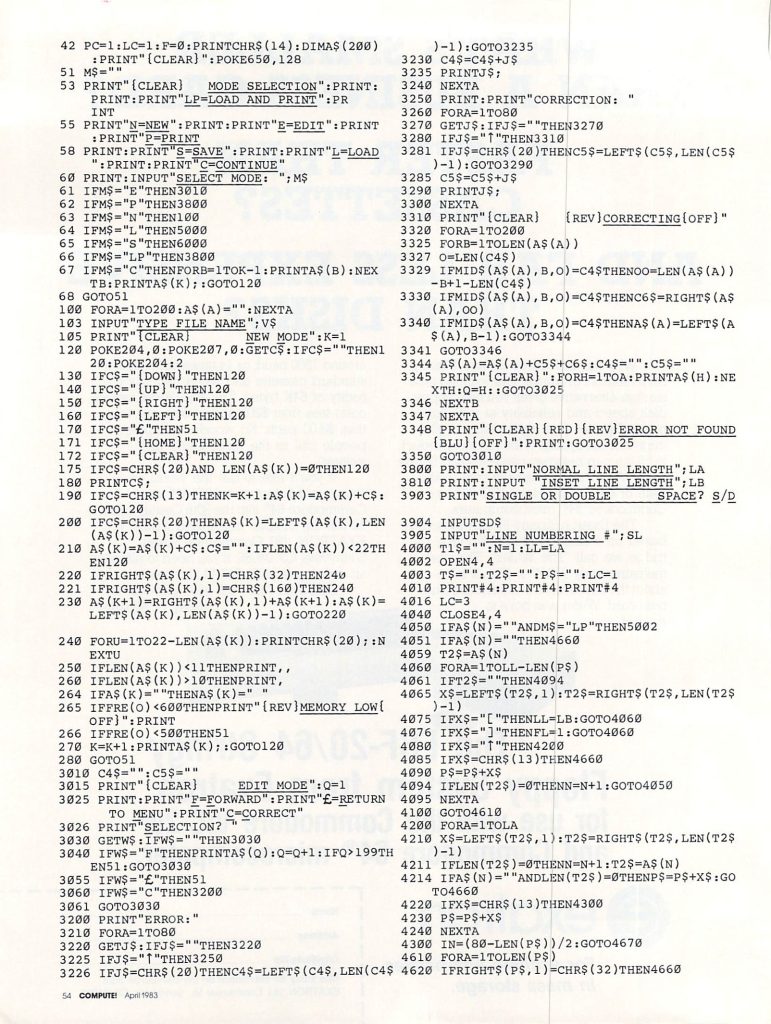
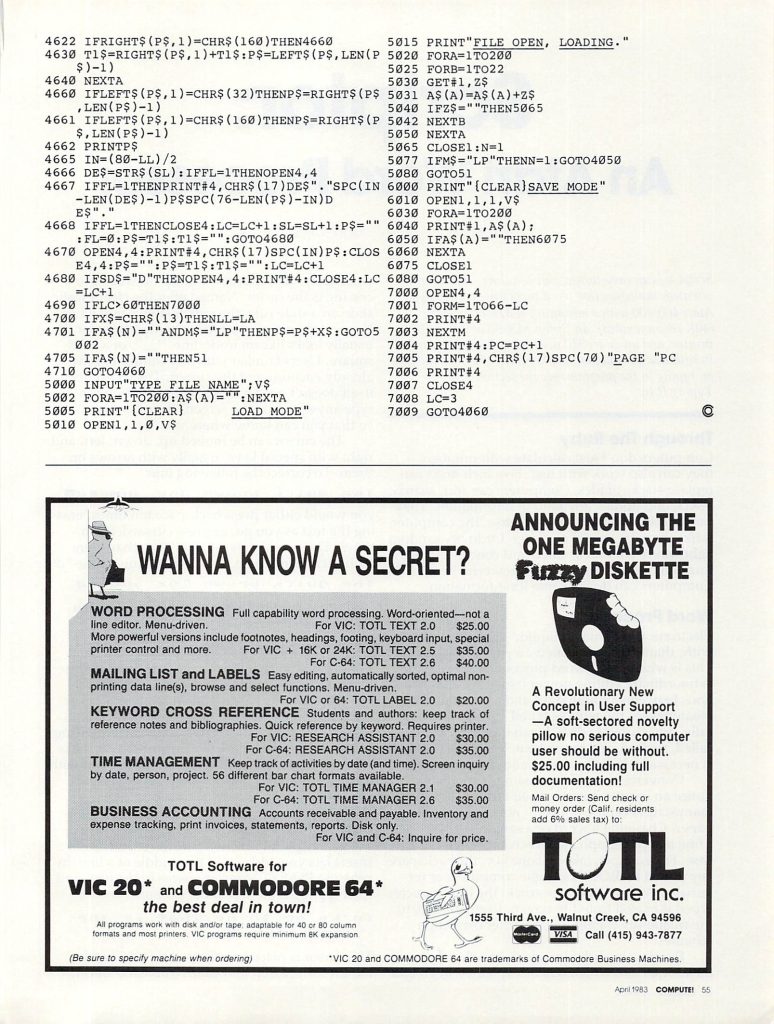
42 PC=1:LC=1:F=0:PRINT CHR$(14): DIM A$(200):PRINT "{CLEAR}":POKE 650,128
51 M$=""
53 PRINT "{CLEAR}   MODE SELECTION":PRINT:PRINT:PRINT"LP=LOAD AND PRINT":PRINT
55 PRINT "N=NEW":PRINT:PRINT"E=EDIT":PRINT:PRINT"P=PRINT"
58 PRINT:PRINT "S=SAVE":PRINT:PRINT "L=LOAD":PRINT:PRINT "C=CONTINUE"
60 PRINT:INPUT "SELECT MODE: "; M$
61 IF M$="E" THEN 3010
62 IF M$="P" THEN 3800
63 IF M$="N" THEN 100
64 IF M$="L" THEN 5000
65 IF M$="S" THEN 6000
66 IF M$="LP" THEN 3800
67 IF M$="C" THEN FOR B=1 TO K-1:PRINT A$(B):NEXT B PRINT A$(K);:GOTO 120
68 GOTO 51
100 FOR A=1 TO 200:A$(A)="":NEXT A
103 INPUT "TYPE FILE NAME";V$
105 PRINT "{CLEAR}       NEW MODE":K=1
120 POKE 204,0:POKE 207,0:GET C$:IF C$="" THEN 120:POKE 204:2
130 IF C$="{DOWN}" THEN 120
140 IF C$="{UP}" THEN 120
150 IF C$="{RIGHT}"  THEN 120
160 IF C$="{LEFT}"  THEN 120
170 IF C$="@" THEN 51
171 IF C$="{HOME}" THEN 120
172 IF C$="{CLEAR}" THEN 120
175 IF C$=CHR$(20) AND LEN(A$(K))=0 THEN 120
180 PRINT C$;
190 IF C$=CHR$(13) THEN K=K+1:A$(K)=A$(K)+C$:GOTO 120
200 IF C$=CHR$(20) THEN A$(K)=LEFT$(A$(K),LEN(A$(K))-1):GOTO 120
210 A$(K)=A$(K)+C$:C$="":IF LEN(A$(K))<22 THEN 120
220 IF RIGHT$(A$(K),1)=CHR$(32) THEN 240
221 IF RIGHT$(A$(K),1)=CHR$(160) THEN 240
230 A$(K+1)=RIGHT$(A$(K),1)+A$(K+1):A$(K)=LEFT$(A$(K),LEN(A$(K))-1):GOTO 220
240 FOR U=1 TO 22-LEN(A$(K)):PRINT CHR$(20);:NEXT U
250 IF LEN(A$(K))<11 THEN PRINT,,
260 IF LEN(A$(K))>10 THEN PRINT,
264 IF A$(K)="" THEN A$(K)=" "
265 IF FRE(O)<600 THEN PRINT "{REV}MEMORY LOW{OFF}":PRINT
266 IF FRE(O)<500 THEN 51
270 K=K=1:PRINT A$(K);:GOTO 120
280 GOTO 51
3010 C4$="":C5$=""
3015 PRINT "{CLEAR}     EDIT MODE":Q=1
3025 PRINT:PRINT "F=FORWARD":PRINT "@=RETURN TO MENU":PRINT "C=CORRECT"
3016 PRINT "SELECTION? "
3030 GET W$:IF W$="" THEN 3030
3040 IF W$="F" THEN PRINT A$(Q):Q=Q+1:IF Q>199 THEN 51:GOTO 3030
3055 IF W$="@" THEN 51
3066 IF W$="C" THEN 3200
3061 GOTO 3030
3200 PRINT "ERROR:"
3210 FOR A=1 TO 80
3220     GET J$:IF J$="" THEN 3220
3225     IF J$="{UP}" THEN 3250
3226     IF J$=CHR$(20) THEN C4$=LEFT$(C4$,LEN(C4$)-1):GOTO 3235
3230     C4$=C$+J$
3235     PRINT J$
3240 NEXT A
3250 PRINT:PRINT "CORRECTION: "
3260 FOR A=1 TO 80
3270     GET J$:IF J$="" THEN 3270
3280     IF J$="{UP}" THEN 3310
3281     IF J$=CHR$(20) THEN C5$=LEFT$(C5$,LEN(C5$)-1):GOTO 3290
3285     C5$=C5$+J$
3290     PRINT J$;
3300 NEXT A
3310 PRINT "{CLEAR}   {REV}CORRECTING{OFF}"
3320 FOR A=1 TO 200
3325     FOR B=1 TO LEN (A$(A))
3327         O=LEN(C4$)
3329         IF MID$(A$(A),B,O)=C4$ THEN OO=LEN(A$(A))-B+1-LEN(C4$)
3330         IF MID$(A$(A),B,O)=C4$ THEN C6$=RIGHT$(A$(A),OO)
3340         IF MID$(A$(A),B,O)=C4$ THEN A$(A)=LEFT$(A$(A),B-1):GOTO 3344
3341         GOTO 3346
3344         A$(A)=A$(A)+C5$+C6$:C4$="":C5$=""
3345         PRINT "{CLEAR}":FOR H=1 TO A:PRINT A$(H):NEXT H:Q=H::GOTO 3025
3346     NEXT B
3347 NEXT A
3348 PRINT "{CLEAR}{RED}{REV}ERROR NOT FOUND{BLU}{OFF}":PRINT:GOTO 3025
3350 GOTO 3010
3800 PRINT:INPUT "NORMAL LINE LENGTH"; LA
3810 PRINT:INPUT "INSET LINE LENGTH"; LB
3903 PRINT "SINGLE OR DOUBLE      SPACE? S/D"
3904 INPUT SD$
3905 INPUT "LINE NUMBERING #"; SL
4000 T1$="":N=1:LL=LA
4002 OPEN 4,4
4003 T$="":T2$="":P$="":LC=1
4010 PRINT #4:PRINT #4:PRINT #4
4016 LC=3
4040 CLOSE 4,4
4050 IF A$(N)="" AND M$="LP" THEN 5002
4051 IF A$(N)="" THEN 4600
4059 T2$=A$(N)
4060 FOR A=1 TO LL-LEN(P$)
4061     T2$="" THEN 4094
4065     X$=LEFT$(T2$,1):T2$=RIGHT$(T2$,LEN(T2$)-1)
4075     IF X$="[" THEN LL=LB:GOTO 4060
4076     IF X$="]" THEN FL=1:GOTO 4060
4080     IF X$="{UP}" THEN 4200
4085     IF X$=CHR$(13) THEN 4660
4090     P$=P$+X$
4094     IF LEN(T2$)=0 THEN N=N+1:GOTO 4050
4095 NEXT A
4100 GOTO 4610
4200 FOR A=1 TO LA
4210     X$=LEFT$(T2$,1):T2$=RIGHT$(T2$,LEN(T2$)-1)
4211     IF LEN(T2$)=0 THEN N=N+1:T2$=A$(N)
4214     IF A$(N)="" AND LEN (T2$)=0 THEN P$=X$:GOTO 4660
4220     IF X$=CHR$(13) THEN 4300
4230     P$=P$+X$
4240 NEXT A
4300 IN=(80-LEN(P$))/2:GOTO 4670
4620 IF RIGHT$(P$,1)=CHR$(32) THEN 4660
4622 IF RIGHT$(P$,1)=CHR$(160) THEN 4660
4630 T1$=RIGHT$(P$,1)+T1$:P$=LEFT$(P$,LEN(P$)-1)
4640 NEXT A
4660 IF LEFT$(P$,1)=CHR$(32) THEN P$=RIGHT(P$,LEN(P$)-1)
4661 IF LEFT$(P$,1)=CHR$(160) THEN P$=RIGHT$(P$,LEN(P$)-1)
4662 PRINT P$
4665 IN=(80-LL)/2
4666 DE$=STR$(SL):IF FL=1 THEN OPEN 4,4
4667 IF FL=1 THEN PRINT #4,CHR$(17)DE$"."SPC(IN-LEN(DE$)-1)P$SPC(75-LEN(P$)-IN)DE$"."
4668 IF FL=1 THEN CLOSE 4:LC=LC+1:SL=SL+1:P$="":FL=0:P$=T1$:T1$="":GOTO 4680
4670 OPEN 4,4:PRINT #4,CHR$(17)SPC(IN)P$:CLOSE 4,4:P$="":P$=T1$:T1$="":LC=LC+1
4680 IF SD$="D" THEN OPEN 4,4:PRINT #4:CLOSE 4:LC=LC+1
4690 IF LC>60 THEN 7000
4700 IF X$=CHR$(13) THEN LL=LA
4701 IF A$(N)="" AND M$="LP" THEN P$=P$+X$:GOTO 5002
4705 IF A$(N) "" THEN 51
4710 GOTO 4060
5000 INPUT "TYPE FILE NAME"; V$
5002 FOR A=1 TO 200:A$(A)="":NEXT A
5005 PRINT "{CLEAR}      LOAD MODE"
5010 OPEN 1,1,0,V$
5015 PRINT "FILE OPEN, LOADING."
5020 FOR A=1 TO 200
5025     FOR B=1 TO 22
5030         GET #1,Z$
5031         A$(A)=A$(A)+Z$
5040         IF Z$="" THEN 5065
5042     NEXT B
5050 NEXT A
5065 CLOSE 1:N=1
5070 IF M$="LP" THEN N=1:GOTO 4050
5080 GOTO 51
6000 PRINT "{CLEAR}SAVE MODE"
6010 OPEN 1,1,1,V$
6030 FOR A=1 TO 200
6040     PRINT #1,A$(A);
6050     IF A$(A)="" THEN 6075
6060 NEXT A
6075 CLOSE 1
6080 GOTO 51
7000 OPEN 4,4
7001 FOR M=1 TO 66-LC
7002     PRINT #4
7003 NEXT M
7004 PRINT #4:PC=PC+1
7005 PRINT #4,CHR$(17)SPC(70)"PAGE "PC
7006 PRINT #4
7007 CLOSE 4
7008 LC=3
7009 GOTO 4060
This version for the BBC Micro.
10 GOSUB 610
20 COLOUR 3+128:CLS
30 LET BG=2:LET FG=1:LET T=0:LET L=3:LET LW=W-3:GOSUB 280
40 COLOUR 2+128:COLOUR 0
50 PRINT TAB(1,1);"LEVEL GENERATOR";
60 PRINT TAB(1,2);"THIS IS LEVEL:";LE;
70 PRINT TAB(1,3);"PRESS H FOR HELP"
80 LET BG=3:LET FG=2:LET T=5:LET L=15:LET LW=15:GOSUB 280
90 LET X=1:LET Y=1
100 LET I$=INKEY$(0)
110 IF I$="H" THEN GOSUB 360
120 IF I$="A" AND Y>1 THEN LET Y=Y-1
130 IF I$="Z" AND Y<15 THEN LET Y=Y+1
140 IF I$="N" AND X>1 THEN LET X=X-1
150 IF I$="M" AND X<15 THEN LET X=X+1
160 IF I$>"/" AND I$<":" THEN GOSUB 230
170 COLOUR 3+128:COLOUR 0
180 PRINT TAB(X,Y+5);CHR$(OS);
190 PRINT TAB(X,Y+5);CHR$(R(X,Y));
200 IF I$="S" AND IX>0 THEN GOSUB 450:GOTO 20
210 IF I$<>"F" THEN GOTO 100
220 STOP
230 LET I=VAL(I$)
240 IF I=9 THEN LET I=8+RND(3)
250 IF I=5 THEN LET IX=X:LET IY=Y
260 LET R(X,Y)=C0+I
270 RETURN
280 PRINT TAB(0,T);
290 COLOUR FG+128:PRINT LEFT$(B$,LW+2)
300 COLOUR BG+128:COLOUR FG
310 FOR I=1 TO L
320     PRINT TAB(0);CHR$(OS);LEFT$(B$,LW);CHR$(OS)
330 NEXT I
340 COLOUR FG+128:PRINT LEFT$(B$,LW+2);
350 RETURN
360 COLOUR 128+1:COLOUR 3
370 FOR H=1 TO 10
380     PRINT TAB(1,4);H$(H);:GOSUB 430
390     PRINT TAB(1,4);LEFT$(B$,W-2);
400 NEXT H
410 COLOUR 3
420 RETURN
430 LET G$=INKEY$(0):IF G$="" THEN GOTO 430
440 RETURN
450 PRINT TAB(1,4);"ONE MOMENT PLEASE.";
460 LET S$=""
470 FOR J=1 TO 15
480     FOR K=1 TO 15
490         LET S$=S$+CHR$(R(K,J))
500     NEXT K
510 NEXT J
520 LET S$=S$+CHR$(IX+OS):LET S$=S$+CHR$(IY+OS)
530 LET S$=S$+CHR$(LE+OS)
540 PRINT TAB(1,4);"ANY KEY TO SAVE  ";:GOSUB 430
550 LET S=OPENOUT "LEVEL"
560 PRINT#S,S$
570 CLOSE#S
580 PRINT TAB(1,4);LEFT$(B$,W)
590 LET LE=LE+1:GOSUB 700
600 RETURN
610 DIM R(15,15),H$(10)
620 GOSUB 790
630 DATA "PRESS ANY KEY","TO MOVE A Z N M","1 WALL   2 VASE"
640 DATA "3 CHEST 4 * IDOL *","5 WAY IN  6 EXIT","7 TRAP","8 SAFE PLACE"
650 DATA "9 GUARD","0 TO ERASE","S TO SAVE"
660 LET LE=1
670 FOR I=1 TO 10
680     READ H$(I)
690 NEXT I:GOSUB 810
700 FOR J=1 TO 15
710     FOR K=1 TO 15
720         LET R(J,K)=C0
730     NEXT K
740 NEXT J
750 LET IX=0:LET IY=0
760 LET B$="":FOR I=1 TO W:LET B$=B$+" ":NEXT I
770 RETURN
790 OS=224:C0=OS+6:W=20
795 MODE 5:VDU 23,0,8202;0;0;0;
800 RETURN
810 REM READ THE CHARACTERS
820 VDU 23,224:FOR I=0 TO 7:READ A:VDU A:NEXT I
830 FOR I=0 TO 11:VDU 23,230+I
840     FOR J=0 TO 7:READ A:VDU A:NEXT J
850 NEXT I:RETURN
1000 DATA 255,255,255,255,255,255,255,255
1010 DATA 0,0,0,0,0,0,0,0
1020 DATA 85,170,85,170,85,170,85,170
1030 DATA 0,60,24,60,126,126,126,60
1040 DATA 0,56,100,114,95,73,41,31
1050 DATA 20,42,20,20,93,93,62,99
1060 DATA 60,126,255,255,255,253,255,255
1070 DATA 60,102,195,129,129,129,133,129
1080 DATA 129,66,36,0,0,36,66,129
1090 DATA 0,60,66,66,66,66,60,0
1100 DATA 76,158,170,190,84,30,37,88
1110 DATA 0,56,84,124,56,44,68,102
1120 DATA 0,8,28,42,127,85,65,34
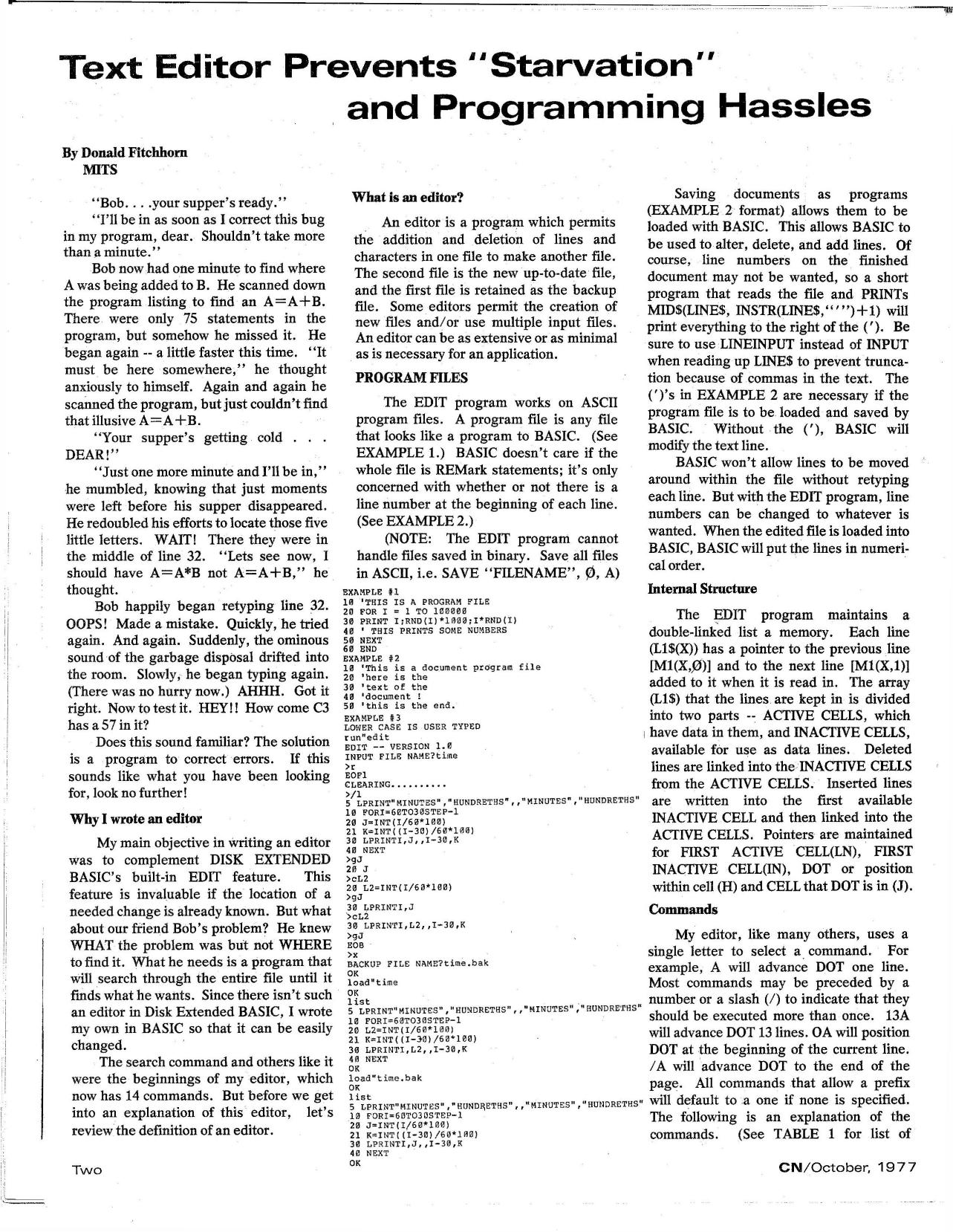
My main objective in writing an editor was to complement DISK EXTENDED BASIC’s built-in EDIT feature. This feature is invaluable if the location of a needed change is already known. But what about our friend Bob’s problem? He knew WHAT the problem was but not WHERE to find it. What he needs is a program that will search through the entire file until it finds what he wants. Since there isn’t such an editor in Disk Extended BASIC, I wrote my own in BASIC so that it can be easily changed.
The search command and others like it where the beginnings of my editor, which now has 14 commands. But before we get into an explanation of this editor, let’s review the definition of an editor.
An editor is a program which permits the addition and deletion of lines and characters in one file to make another file. The second file is the new up-to-date file, and the first file is retained as the backup file. Some editors permit the creation of new files and/or use multiple input files. An editor can be as extensive or as minimal as is necessary for an application.
The EDIT program works on ASCII program files. A program file is any file that looks like a program to BASIC. (see EXAMPLE 1.) BASIC doesn’t care if the whole file is REMark statements; it’s only concerned with whether or not there is a line number at the beginning of each line. (See EXAMPLE 2.)
(NOTE: The EDIT program cannot handle files saved in binary. Save all files in ASCII, i.e. SAVE "FILENAME", 0, A)
EXAMPLE #1
10 'THIS IS A PROGRAM FILE
20 FOR I = 1 TO 100000
30 PRINT I;RND(I)*1000;I*RND(I)
40 ' THIS PRINTS SOME NUMBERS
50 NEXT
60 END
EXAMPLE #2
10 'This is a document program file
20 'here is the
30 'text of the
40 'document !
50 'this is the end.
EXAMPLE #3
LOWER CASE IS USER TYPED

run"edit
EDIT -- VERSION 1.0
INPUT FILE NAME?time
>r
EOF1
CLEARING..........
>/1
5 LPRINT"MINUTES","HUNDREDTHS",,"MINUTES","HUNDREDTHS"
10 FORI=6TO30STEP-1
20 J=INT(I/60*100)
21 K=INT((I/30)/60*100)
30 LPRINTI,J,,I-30,K
40 NEXT
>gJ
20 J
>cL2
30 L2=INT(I/60*100)
>gJ
30 LPRINTI,J
>cL2
30 LPRINTI,L2,,I-30,K
>gJ
EOB
>x
BACKUP FILE NAME?time.bak
OK
load"time
OK
list
5 LPRINT"MINUTES","HUNDREDTHS",,"MINUTES","HUNDREDTHS"
10 FOR I=60TO30STEP-1
20 J=INT(I/60*100)
21 K=INT((I-30)/60*100)
30 LPRINTI,J,,I-30,K
40 NEXT
OK
Saving documents as programs (EXAMPLE 2 format) allows them to be loaded with BASIC. This allows BASIC to be used to alter, delete, and add lines. Of course, line numbers on the finished document may not be wanted, so a short program that reads the file and PRINTs MID$(LINE$, INSTR(LINE$,"'")+1 will print everything to the right of the (‘). Be sure to use LINE INPUT instead of INPUT when reading up LINE$ to prevent truncation because of commas in the text. The (‘)’s in EXAMPLE 2 are necessary if the program file is to be loaded and saved by BASIC. Without the (‘), BASIC will modify the text line.
BASIC won’t allow lines to be moved around within the file without retyping each line. But with the EDIT program, line numbers can be changed to whatever is wanted. When the edited file is loaded into BASIC, BASIC will put the lines in numerical order.
The EDIT program maintains a double-linked list in memory. Each line (L1$(X)) has a pointer to the previous line [M1(X,0)] and to the next line [M1(X,1)] added to it when it is read in. The array (L1$) that the lines are kept in is divided into two parts — ACTIVE CELLS, which have data in them, and INACTIVE CELLS, available for use as data lines. Deleted lines are linked into the INACTIVE CELLS from the ACTIVE CELLS. Inserted lines are written into the first available INACTIVE CELL and then linked into the ACTIVE CELLS. Pointers are maintained for FIRST ACTIVE CELL (LN), FIRST INACTIVE CELL (IN), DOT or position within cell (H) and CELL that DOT is in (J).
My editor, like many others, uses a single letter to select a command. For example, A will advance DOT one line. Most commands may be preceded by a number or a slash (/) to indicate that hey should be executed more than once. 13A will advance DOT 13 lines. OA will position DOT at the beginning of the current line. /A will advance DOT to the end of the page. All commands that allow a prefix will default to one if none is specified. The following is an explanation of the commands. (See TABLE 1 for a list of commands in alphabetical order. See TABLE 2 for a list divided into four main groups).
TABLE #1

                    |-------OPERATES ON --------|--- ALLOWED ---|
COMMAND DESCRIPTION | LINE | CHAR | DOT  | FILE | 0 | # |-# | / |
--------------------|------|------|------|------|---|---|---|---|
   A    ADVANCE     |      |      |  *   |      | * | * | * | * |
--------------------|------|------|------|------|---|---|---|---|
   B    BEGINNING   |      |      |  *   |      |   |   |   |   |
--------------------|------|------|------|------|---|---|---|---|
   C    CHANGE      |      |  *   |      |      |   |   |   |   |
--------------------|------|------|------|------|---|---|---|---|
   D    DELETE      |      |  *   |      |      |   | * |   |   |
--------------------|------|------|------|------|---|---|---|---|
   E    END         |      |      |  *   |      |   |   |   |   |
--------------------|------|------|------|------|---|---|---|---|
   G    GET         |      |  *   |      |      |   | * |   |   |
--------------------|------|------|------|------|---|---|---|---|
   I    INSERT      |  *   |  *   |      |      |   |   |   |   |
--------------------|------|------|------|------|---|---|---|---|
   J    JUMP        |      |      |  *   |      | * | * | * |   |
--------------------|------|------|------|------|---|---|---|---|
   K    KILL        |  *   |      |      |      |   | * |   | * |
--------------------|------|------|------|------|---|---|---|---|
   L    LIST        |  *   |      |      |      |   | * |   | * |
--------------------|------|------|------|------|---|---|---|---|
   N    NEXT        |      |      |      |  *   |   |   |   |   |
--------------------|------|------|------|------|---|---|---|---|
   R    READ        |      |      |      |  *   |   |   |   |   |
--------------------|------|------|------|------|---|---|---|---|
   V    VERIFY      |  *   |      |      |      |   |   |   |   |
--------------------|------|------|------|------|---|---|---|---|
   X    EXIT        |      |      |      |  *   |   |   |   |   |
--------------------|------|------|------|------|---|---|---|---|
TABLE #2
COMMANDS THAT AFFECT LINES
I - Inserts lines until, backslash (\) is entered.
K - Kills entire line. #K & /K are legal.
L - Lists entire line. #L & /L are legal.
V - Prints the current line up to DOT.
    (Verify's the position of DOT).

COMMANDS THAT AFFECT CHARACTERS
C - Changes last character string gotten with G command to
    something else. Use: Ghere
                         Cthere
    will change here to there.
D - Delete a character. #D legal.
G - Get string. Searches for occurrence of string.
    Use: 3Gstuff
    Finds third occurrrence of stuff. #G legal.
I - Insert characters at DOT. Use: Iabcde
    Will insert abcde in current line at DOT.

COMMANDS THAT MOVE DOT
A - Moves DOT forward or back the number of lines
    specified. 0A, #A, -#A, /A(same as E) legal.
B - Moves DOT to beginning of page .
E - Moves DOT to end of page. (same as /A)
J - Moves DOT forward or back the number of characters
    specified. 0J, #J, -#J legal.

COMMANDS THAT READ AND WRITE THE FILE
N - Writes out current page and reads in next page.
R - Read in a new page.
X - Writes out current page then reads and writes until
    end of file. Closes and renames files.
The commands in EDIT are broken up into four groups, as shown in TABLE 2. The use of these commands will be explained in that order.
The commands that affect lines will work on one line at a time. Or, in the case of K & L, they may be preceded by a number or slash (/) to indicate that they are to be performed on several succeeding lines. TO begin insertion of lines, type I <return> and then the lines to insert. To tell EDIT that the last line to be inserted has been entered, type backslash ().
Of the commands that affect characters I & C cannot have a # prefix. #D deletes # characters to the right of DOT. G & C work together to allow getting a string and then changing it to something else. G moved DOT ahead of the Nth occurrence of the string. Then C can be used to change the nth occurrence to a new string. It works like C, except instead of changing one string for another, it inserts a new string ahead of DOT.
The commands that move DOT are A, B, E, and J. B & E require no other specifiers. They simply move DOT to the beginning or end of the current page. A & J move DOT forward or back a specified number of lines or characters.
The commands N, R, and X read and write the files. R reads the input file until EOF, until it has read 50 lines, or 2000 characters. It then clears and resets the INACTIVE CELLS. N writes out the current page and then executes and R (reads in the next page). X does a series of N’s until the input file is EOF. Then it closes the files and renames them by giving the input file a backup name and the output file the input file’s old name.
The best way to learn to use EDIT is to load it in and try a few commands. (See EXAMPLE 3). Once you get the hang of it, the power and versatility will be well worth the time it took t type it in.
All of the above is really wonderful isn’t it? But this program is not without its limitations.
I will leave these up to the reader because they are easy to make. For example, suppose a command is needed to exit the program gracefully without making any changes. Follow these steps:
10 '                 == WRITTEN BY D. L. FITCHHORN ==
15 '                =   *****  ****   *****  *****   =
20 '               =    *      *   *    *      *      =
25 '              =     ***    *   *    *      *       =
30 '               =    *      *   *    *      *      =
35 '                =   *****  ****     *      *     =
40 '                 ==   PROGRAMMER - MITS, INC   ==
45 '
50 DEFINT A-Z
55 CLEAR 15000
60 DIM L1$(100),L2$(13),M1(100,1):FOR I=0 TO 13:READ L2$(I):NEXT
65 DATA
   A - ADVANCE,B - BEGINNING,C - CHANGE,D - DELETE,E - END,G - GET,I - INSERT,
   J - JUMP, K - KILL,L -LIST,N = NEXT,R - READ,V - VERIFY,X - EXIT
70 PRINT "EDIT -- VERSION 1.0":PRINT
75 LINE INPUT "INPUT FILE NAME?"; N1$
80 OPEN "I",1,N1$
85 N2$="EDIT.TMP"
90 OPEN "O",2,N2$:PRINT #2,""
95 I=1:J=1:H=1
100 '---------------------------------------------------------INPUT COMMAND
105 K=0
110 IF A$="" THEN FOR Q9=1 TO 5:PRINT CHR$(7);:NEXT:LINE INPUT ">"; A$
115 A=0:J1=1:U=0:T=1
120 IF A$="" THEN 105 ELSE I9=INSTR(A$,"\\"):IF I9<>0 THEN S$=LEFT$(A$,I9-1):
    A$=MID$(A$,I9+1) ELSE S$=A$:A$=""
125 SS=ASC(S$)
130 IF 64<SS THEN IF 96<SS THEN SS=SS-32:GOTO 170 ELSE GOTO 170
135 T=VAL(S$)
140 S=LEN(STR$(T))
145 IF T=0 THEN IF LEFT$(S$,1)="/" THEN T=400
150 S$=MID$(S$,S)
155 IF T<0 THEN S$=MID$(S$,2)
160 GOTO 125
165 '             .A  .B  .C  .D  .E  <F> .G  <H> .I  .J  .K  .L  <M>
170 ON SS-64 GOTO 195,235,245,265,280,180,290,180,320,360,385,425,180,
                  445,180,180,180,465,180,180,180,515,180,525,180,180
175 '             .N  <O> <P> <Q> .R  <S> <T> <U> .V  <W> .X  <Y> <Z>
180 FOR N=0 TO 12:PRINT L2$(N):NEXT:GOTO 105
185 '
190 '-----------------------------------------------------------A COMMAND
195 H=1:IF T=0 THEN GOTO 105 ELSE IF T<0 THEN J1=-1
200 FOR I3=0 TO T-J1 STEP J1
205     IF M1(J,0)=0 AND J1=-1 THEN GOTO 105
210     IF M1(J,1)=-1 AND J1=1 THEN J=M1(J,0):GOTO 105
215     IF J1=1 THEN J=M1(J,1) ELSE J=M1(J,0)
220 NEXT
225 GOTO 105
230 '-----------------------------------------------------------B COMMAND
235 J=LN:H=1:GOTO 105
240 '-----------------------------------------------------------C COMMAND
245 S$=MID$(S$,2):IF K=0 THEN S=LEN(S$):K=H
250 IF K=1 THEN L1$(J)=S$+MID$(L1$(J),K+S) ELSE L1$(J)=LEFT$(L1$(J),K-1)+
    S$+MID$(L1$(J),K+S)
255 PRINT L1$(J):H=K+LEN(S$):GOTO 105
260 '-----------------------------------------------------------D COMMAND
265 IF H=1 THEN L1$(J)=MID$(L1$(J),H+T):
    ELSE L1$(J)=LEFT$(L1$(J),H-1)+MID$(L1$(J),H+T)
270 GOTO 105
275 '-----------------------------------------------------------E COMMAND
280 IF M1(J,1)=-1 THEN H=1:GOTO 105 ELSE J=M1(J,1):GOTO 280
285 '-----------------------------------------------------------G COMMAND
290 S$=MID$(S$,2):S=LEN(S$):IF S=0 THEN GOTO 105
295 K=INSTR(H,L1$(J),S$):IF K=0 THEN IF M1(J,1)=-1
    THEN PRINT "EOB":A$="":GOTO 105 ELSE J=M1(J,1):H=1:GOTO 295
300 U=U+1:IF U<T THEN H=K+S:GOTO 295
305 PRINT LEFT$(L1$(J),K+S-1):H=K
310 GOTO 110
315 '-----------------------------------------------------------I COMMAND
320 IF MID$(S$,2)<>"" THEN 345 ELSE I2=J:IF J=LN THEN LN=IN
325 LINE INPUT L1$(IN):IF L1$(IN)"\\" THEN 105
330 I3=M1(IN,1):M1(IN,1)=I2
335 M1(IN,0)=M1(I2,0):M1(I2,0)=IN:I4=M1(IN,0)
340 M1(I4,1)=IN:IN=I3:M1(I3,0)=0:GOTO 325
345 IF H1=1 THEN L1$(J)=MID$(S$,2)+L1$(J)
    ELSE L1$(J)=LEFT$(L1$(J),H-1)+MID$(S$,2)+MID$(L1$(J),H)
350 H=H+LEN(S$):GOTO 105
355 '-----------------------------------------------------------J COMMAND
360 IF T=0 THEN H=1:GOTO 105
365 H=H+T:IF H<1 THEN H=1
370 IF H>LEN(L1$(J)) THEN H=LEN(L1$(J))
375 GOTO 105
380 '-----------------------------------------------------------K COMMAND
385 H=1:I2=J:I3=M1(J,0):FOR J1=1 TO T
390 IF M1(J,1)=-1 THEN GOTO 410
395 I4=M1(J,1):L1$(J)="":M1(I4,0)=I3
400 M1(IN,0)=J:M1(J,0)=0:M1(J,1)=IN:IN=J
405 J=I4:NEXT
410 IF I2=LN THEN LN=J ELSE M1(I3,1)=J
415 GOTO 105
420 '-----------------------------------------------------------L COMMAND
425 I2=J:FOR J1=1 TO T
430 PRINT L1$(I2):IF M1(I2,1)=-1 THEN GOTO 105 ELSE I2=M1(I2,1):NEXT
435 GOTO 105
440 '-----------------------------------------------------------N COMMAND
445 I2=LN
450 IF M1(I2,1)=-1 THEN GOTO 465 ELSE PRINT #2,L1$(I2):I2=M1(I2,1)
455 GOTO 450
460 '-----------------------------------------------------------R COMMAND
465 J=1:A#=0:LN=1:I=1:FE=0:GOSUB 470:GOTO 105
470 IF EOF(1) THEN PRINT "EOF1":I=I-1:FE=1:GOTO 495
475 LINE INPUT #1,L$:IF L$="" THEN GOTO 470
480 A#=A#+LEN(L$)
485 L1$(I)=L$:M1(I,0)=I-1:IF I=1 THEN 490 ELSE M1(I-1,1)=I
490 IF I=50 OR A#>2000 THEN GOTO 495 ELSE I=I+1:GOTO 470
495 M1(I,1)=I+1:I=I+1:L1$(I)="END OF BUFFER":M1(I,0)=I-1:M1(I,1)=-1:H=1:IN=I+1
500 FOR I2=IN TO 100:M1(I2,1)=I2+1:M1(I2,0)=I2-1:NEXT
505 M1(IN,0)=0:M1(I2-1,1)=-1:RETURN
510 '-----------------------------------------------------------V COMMAND
515 PRINT LEFT$(L1$(J),H):GOTO 105
520 '-----------------------------------------------------------X COMMAND
525 I2=LN
530 IF M1(I2,1)=-1 THEN GOTO 535 ELSE PRINT #2,L1$(I2):I2=M1(I2,1):GOTO 530
535 IF FE=0 THEN I=1:A#=0:GOSUB 470 GOTO 525
540 CLOSE:ON ERROR GOTO 555:LINE INPUT "BACKUP FILE NAME?";N3$:KILL N3$
545 NAME N1$ AS N3$
550 NAME N2$ AS N1$: CLEAR 200:END
555 IF ERR = 53 THEN GOTO 545: ELSE:ON ERROR GOTO 0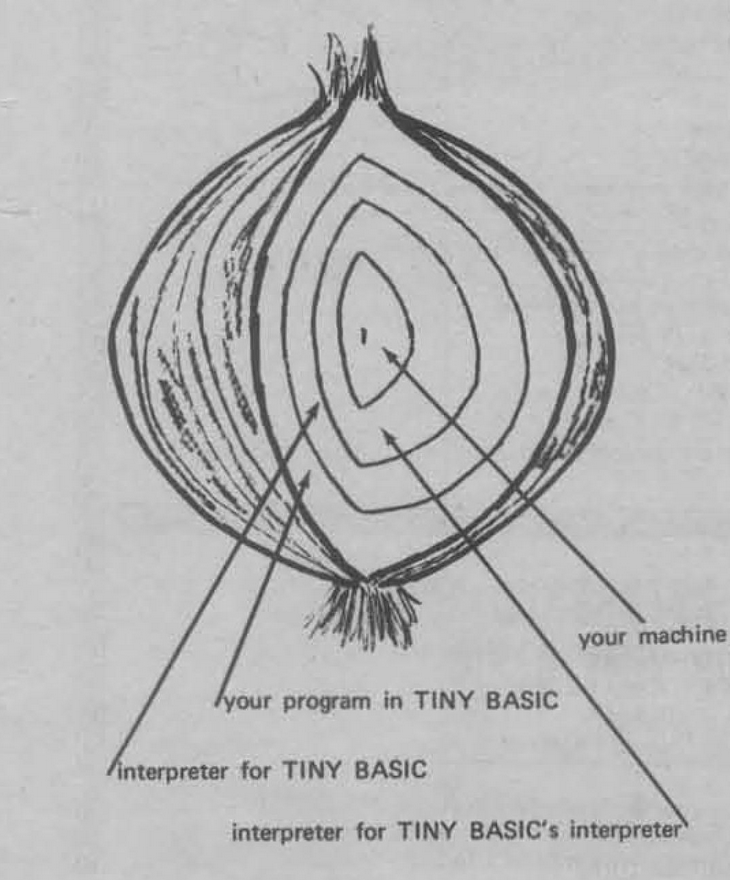
Dennis Allison, Happy Lady, & friends
September 1975
Please see: https://archive.org/details/1975-09-peoples-computer-company/
A lot of people have just gotten into having their own computer. Often they don’t know too much about software and particularly systems software, but would like to be able to program in something other than machine language. The TINY BASIC project is aimed at you if you are one of these people. Our goals are very limited— to provide a minimal BASIC-like language for writing simple programs. Later we may make it more complicated, but now the name of the game is keep it simple. That translates to a limited language (no floating point, no sines and cosines, no arrays, etc, I and even this is a pretty difficult undertaking.
Originally we had planned to limit ourselves to the 8080, but with a variety of new machines appearing at very low prices, we have decided to try to make a portable TINY BASIC system even at the cost of some efficiency. Most of the language processor will be written in a pseudo language which is good for writing interpreters like TINY BASIC. This pseudo language (which interprets TINY BASIC) will then itself be implemented interpretively.
To implement TINY BASIC on a new machine, one simply writes a simple interpreter for this pseudo language end not a whole interpreter for TINY BASIC.
We’d like this to be a participatory design project. This sequence of design notes follows the project which we are doing here at PCC. There may well be errors in content and concept. If you’re making a BASIC along with us, we’d appreciate your help and your corrections.
Incidentally, were we building a production interpreter or compiler, we would probably structure the whole system quite differently. We chose this scheme because it is easy for people to change without access to specialized tools like parser generator programs.
There isn’t much to it. TINY BASIC looks like BASIC but all variables are integers. There are no functions yet (we plan to add RND, TAB, and some others later). Statement numbers must be between 1 and 255 so we can store them in a single byte. LIST only works on the whole program. There is no FOR-NEXT statement. We’ve tried to simplify the language to the point where it will fit into a very small memory so impecunious, tyros can use the system.
The language design was done in consultation with the PCC Dragon. We asked him what he had to have to write a useful program, then we took some of it away. Some other things (computed GOTO labels, for example) come free with our proposed implementation and might be useful.
The boxes shown define the language. The guide gives a quick reference to what we will include. The formal grammar defines exactly what is a legal TINY BASIC statement. The grammar is important because our interpreter design will be based upon it.
A SIMPLE TINY BASIC PROGRAM

100  PRINT  "POWERS”
110  INPUT  N
120  PRINT  N*N,  N*N*N
130  IF  N<>0  THEN  GOTO  110
140 END All the variables in TINY BASIC: the control information as to which statement is presently being executed and how the next statement is to be found, the return addresses of active GOSUBS — all this information constitutes the state of the TINY BASIC interpreter.
There are several procedures which act upon this state. One procedure knows how to execute any TINY BASIC statement. Given the starting point in memory of a TINY BASIC statement, it will execute it changing the state of the machine as required. For example,
100 LET S = A+6 (CR)would change the value of S to the sum of the contents of the variable A and the integer 6, and sets the next line counter to whatever line follows 100, if the line exists.
A second procedure really controls the interpretation process by telling the line interpreter what to do. When TINY BASIC is loaded, this control routine performs some initialization, and then attempts to read a lint of information from the console. The characters typed in are saved in a buffer LBUF. It first checks to see if there is a leading line number. If there is, it incorporates the line into the program by first deleting the line with the same line number (if it is present) then inserting the new line if it is of nonzero length. If there is no line number present, it attempts to execute the line directly. With this strategy, all possible commands, even LIST end CLEAR and RUN are possible inside programs. Suicidal programs are also certainly possible.
When you write a program in TINY BASIC there is an abstract machine which is necessary to execute it. If you had a compiler it would make in the machine language of your computer a program which emulates that abstract machine for your program. An interpreter implements the abstract machine for the entire language and rather than translating the program once to machine code it translates it dynamically as needed. Interpreters are programs and as such have theirs as abstract machines. One can find a better instruction set than that of any general purpose computer for writing a particular interpreter. Then one can write an interpreter to interpret the instructions of the interpreter which is interpreting the TINY BASIC program. And if your machine is microprogrammed (like PACE), the machine which is interpreting the interpreter interpreting the interpreter interpreting BASIC is in fact interpreted.
TINY BASIC GRAMMAR
The things in bold face stand for themselves. The names in lower case represent classes of things. “::=” is read “is defined as”. The asterisk denotes zero or more occurrences of the object to its immediate left. Parenthesis group objects, ∅ is the empty set. | denotes the alternative (the exclusive-or).
| line | ::= | number statement (CR) | statement (CR) |
| statement | ::= | PRINT expr-list |
| IF expression relop expression THEN statement | ||
| GOTO expression | ||
| INPUT var-list | ||
| LET var = expression | ||
| GOSUB expression | ||
| RETURN | ||
| CLEAR | ||
| LIST | ||
| RUN | ||
| END | ||
| expr-list | ::= | (string | expression) ( , (string | expression) * ) |
| var-list | ::= | var ( , var) * |
| expression | ::= | (+ | – | ∅ ) term ( (+ | – ) term) * |
| term | ::= | factor ( ( * | / ) factor ) * |
| factor | ::= | var | number | ( expression ) |
| var | ::= | A | B | C … | Y | Z |
| number | ::= | digit digit * |
| digit | ::= | 0 | 1 | 2 … | 8 | 9 |
| relop | ::= | < ( > | = | ∅ ) | > ( < | = | ∅ ) | = |
A BREAK from the console will interrupt execution of the program.
CLEAR delete all lines end data RUN run program
LIST list program
+ - * /< > = >= <= <>A...Z (26 only) All arithmetic is modulo 215 (± 32762)
PRINT  X, Y, Z
PRINT  "A  STRING"
PRINT "THE  ANSWER  IS"
INPUT  X
INPUT X, Y, Z LET X=3
LET X= -3 + 5 * Y GOTO X+10
GOTO 35
GOSUB X+35
GOSUB 50
RETURN
IF X>Y THEN GOTO 30 This multilayered, onion-like approach gains two things: the interpreter for the interpreter is smaller and simpler to write than an interpreter for all of TINY BASIC, so the resultant system is fairly portable. Secondly, since the major part of the TINY BASIC is programmed in a highly memory efficient, tailored instruction set, the interpreted TINY BASIC will be smaller than direct coding would allow. The cost is in execution speed, but there is not such a thing as a free lunch.
The TINY BASIC program is stored, except for line numbers, just as it is entered from the console. In some BASIC interpreters, the program is translated into an intermediate form which speeds execution and saves space. In the TINY BASIC environment, the code necessary to provide the transformation would easily exceed the space saved.
When a line is read in from the console device, it is saved in a 72-byte array called LBUF (Line BUFfer). At the same time, a pointer, CP, is maintained to indicate the next available space in LBUF. Indexing is, of course, from zero.
Delete the leading blanks. If the string matches the BASIC line, advance the cursor over the matched string and execute the next IL instruction, If the match fails, continue at the IL instruction labeled lbl.
The TINY BASIC program is stored as an array called PGM in order of increasing line numbers. A pointer, PGP, indicates the first free place in the array. PGP=0 indicates an empty program; PGP must be less than the dimension of the array PGM, The PGM array must be reorganized when new lines are added, tines replaced, or lines ere deleted.
Insertion and deletion are carried on simultaneously. When a new line is to be entered, the PGM array searches for a line with a line number greater than or equal to that of the new line.Notice that lines begin at PGM (0) and at PGM (j+1) for every j such that PGM (j) = [carriage return]. If the line numbers are equal, then the length of the existing line is computed. A space equal to the length of the new line is created by moving all lines with line numbers greater than that of the line being inserted up or down as appropriate. The empty line is handled as a special case in that no insertion is made.
There are two places that errors can occur, if they occur in the TINY BASIC system, they must be captured and action taken to preserve the system. If the error occurs in the TINY BASIC program entered by the user, the system should report the error and allow the user to fix their problem. An error in TINY BASIC can result from a badly formed statement, an illegal action (attempt to divide by zero, for example), or the exhaustion of some resource such as memory space. In any case, the desired response is some kind of error message. We plan to provide a message of the form:
! mmm AT nnn where mmm is the error number and nnn is the line number at which it occurs. For direct statements, the form will be:
! mmm since there is no line number.
Some error indications we know we will need are:
The execution routine is written in the interpretive language, IL. It consists of a sequence of instructions which may call subroutines written in IL, or invoke special instructions which are really subroutines written in machine language. Two different things are going on at the same time. The routines must determine if the TINY BASIC line is a legal one and determine its form according to the grammar; secondly, it must call appropriate action routines to execute the line. Consider the TINY BASIC statement:
GOTO 100At the start of the line, the interpreter looks for BASIC key words {LET, GO. IF, RETURN, etc.) In this case, it finds GO, and then finds TO. By this time it knows that it has found a GOTO statement. It then calls the routine EXPR to obtain the destination line number of the GOTO. The expression routine calls a whole bunch of other routines, eventually leaving the number 100 (the value of the expression) in a special place, the top of the arithmetic expression stack. Since everything is legal, the XFER operator is invoked to arrange for the execution of line 100 (if it exists) as the next line to be executed.
Each TINY BASIC statement is handled similarly. Some procedural section of an IL program corresponds to tests for the statement structure and acts to execute the statement.
There are a number of different considerations in the TINY BASIC design which fall in this general category. The problem is to make efficient use of the bits available to store information without loosing out by requiring a too complex decoding scheme.
In a number of places we have to indicate the end of a string of characters (or else we have to provide for its length somewhere). Commonly, one uses a special character (NUL = 00H for example) to indicate the end. This costs one byte per string but is easy to check, A better way depends upon the fact that ASCII code does not use the high order bit; normally It is used for parity on transmission. We can use it to indicate the end (that is, last character) of a string. When we process the characters we must AND the character with 07FH to scrub off the flag bit.
The interpreter opcodes can be encoded into a single byte. Operations fall into two distinct classes–those which call machine language subroutines, and those which either call or transfer within the IL language itself, The diagram indicates one encoding scheme. The CALL operations have been subsumed into the IL instruction set. Addressing is shown to be relative to PC for IL operations. Given the current IL program size, this seems adequate. If it is not, the address could be used to index an array with the ML class instructions.
TST lbl,'string'Delete leading blanks.
If string matches the BASIC line, advance cursor over the matched string and execute the next IL instruction. If a match fails, execute the It instruction at the labeled lbl.
CALL lblExecute the IL subroutine starting at lbl. Save the IL address following the CALL on the control stack.
RTNReturn to the IL location specified by the top of the control stack.
DONEReport a syntax error if after deletion leading blanks the cursor is not positioned to read a carriage return.
JMP lblContinue execution of IL at the label specified.
PRSPrint characters from the BASIC text up to but not including the closing quote mark. If a (CR) is found in the program text, report an error. Move the cursor to the point following the closing quote.
PRNPrint number obtained by popping the top of the expression stack.
SPCInsert spaces to move the print head to next zone,
NLINEOutput CRLF to Printer.
NXTIf the present mode is direct (line number zero), then return to line collection. Otherwise, select the next sequential line and begin interpretation.
XFERTest value at the top of the AE stack to be within range. If not, report an error. If so, attempt to position cursor at that line. If it exists, begin interpretation there; if not report an error.
SAVPlace present line number on SBRSTK. Report overflow as error.
RSTRReplace current line number with value on SBRSTK, If stack is empty, report error,
CMPRCompare AESTK(SP), the top of the stack, with AESTK (SP – 2) as per the relation indicated by AESTK(SP – 1). Delete all from stack. If condition specified did not match, then perform NXT action.
INNUMRead a number from the terminal and push its value onto the AESTK.
FINReturn to the line collect routine.
ERRReport syntax error and return to line collect routine.
ADDReplace top two elements of AESTK by their sum.
SUBReplace top two elements of AESTK by their difference.
NEGReplace top of AESTK with its negative.
MULReplace top two elements of AESTK by their product
DIVReplace top two elements of AESTK by their quotient
STOREPlace the value at the top of the AESTK into the variable designated by the index specified by the value immediately below it. Delete both from the stack.
TSTV lblTest for variable (i.e. letter) if present. Place its index value onto the AESTK and continue execution at next suggested location. Otherwise, continue at lbl.
TSTN lblTest for number. If present, place Its value onto the AESTK and continue execution at next suggested location. Otherwise, continue at lbl.
INDReplace top of stack by variable value if indexes.
LSTList the contents of the program area.
INITPerforms global initialization
Clears program area, empties GOSUB stack, etc.
GETLINEInput a line to LBUF.
TSTL lblAfter editing leading blanks, look for a line number. Report error if invalid; transfer to lbl if not present.
INSRTInsert line after deleting any line with same line number.
XINITPerform initialization for each stated execution.
Empties AEXP stack.
This program in IL will execute a TINY BASIC statement. The operators TST, TSTV, TSTN, and PRS all use a cursor to find characteristics of the TINY BASIC line. Other operations (NXT, XPER) move the cursor so it points to another TINY BASIC line.
START:    INIT                     ; INITIALIZE
          NLINE                    ; WRITE  CR/LF
CO:       GETLINE                  ; WRITE PROMPT & GET A  LINE
          TSTL      XEC            ; TEST  FOR  LINE  NUMBER
          INSRT                    ; INSERT IT (MAY BE DELETE)
          JMP       CO
STMT: XINIT ; INITIALIZE FOR EXECUTIONSTMT: TST S1,'LET' ; IS STATEMENT A LET?
TSTV S16 ; YES. PLACE VAR ADDRESS ON AESTK.
CALL EXPR ; PLACE EXPR VALUE ON AESTK.
DONE ; REPORT ERROR IF (CR) NOT NEXT.
STORE ; STORE RESULT.
NXT ; AND SEQUENCE TO NEXT.
S1: TST S3,'GO' ; GOTO OR GOSUB?
TST S2,'TO' ; YES ...TO OR ...SUB.
CALL EXPR ; GET LABEL.
DONE ; ERROR IF (CR) NOT NEXT.
XPER ; SET UP AND JUMP.
S2: TST S14,'SUB' ; ERROR IF NO MATCH.
CALL EXPR ; GET DESTINATION.
DONE ; ERROR IF (CR) NOT NEXT.
SAV ; SAVE RETURN LINE.
XFER ; AND JUMP.
S3: TST S8,'PRINT' ; PRINT.
S4: TST S7,'"' ; TEST FOR QUOTE.
PRS ; PRINT STRING.
S5: TST S6,',' ; IS THERE MORE?
SPC ; SPACE TO NEXT ZONE.
JMP S4 ; YES. JUMP BACK.
S6: DONE ; NO, ERROR IF NO (CR).
NLINE
NXT
S7: CALL EXPR ; GET EXPR VALUE.
PRN ; PRINT IT.
JMP S5 ; IS THERE MORE?
S8: TST S9,'IF' ; IF STATEMENT.
CALL EXPR ; GET EXPRESSION.
CALL RELOP ; DETERMINE OPR AND PUT ON STK.
CALL EXPR ; GET EXPRESSION.
CMPR ; PERFORM COMPARISON-PERFORMS NEXT IF FALSE.
JMP STMT ; GET NEXT STATEMENT.
S9: TST S12,'INPUT' ; INPUT STATEMENT.
S10: CALL VAR ; GET VAR ADDRESS.
INNUM ; MOVE NUMBER FROM TTY TO AESTK.
STORE ; STORE IT.
TST S11,',' ; IS THERE MORE?
JMP S10 ; YES.
S11: DONE ; MUST BE (CR).
NXT ; SEQUENCE TO NEXT.
S12: TST S13,'RETURN' ; RETURN STATEMENT.
DONE ; MUST BE (CR).
RSTR ; RESTORE LINE NUMBER OF CALL.
NXT ; SEQUENCE TO NEXT STATEMENT.
S13: TST S14,'END'
FIN
S14: TST S15,'LIST' ; LIST COMMAND.
DONE
LST
NXT
S15: TST S16,'RUN' ; RUN COMMAND.
DONE
NXT
S16: TST S17,'CLEAR' ; CLEAR COMMAND.
DONE
JMP START
S17: ERR ; SYNTAX ERROR.
EXPR: TST E0,'-' ; TEST FOR UNARY -.
CALL TERM ; GET VALUE.
NEG ; NEGATE IT.
JMP E1 ; LOOK FOR MORE.
E0: TST E1,'+' ; TEST FOR UNARY +.
CALL TERM ; LEADING TERM.
E1: TST E2,'+'
CALL TERM ; SUM TERM.
ADD
JMP E1
E2: TST E3,'-' ; ANY MORE?
CALL TERM ; DIFFERENCE TERM.
SUB
JMP E3
E3: T2: RTN ; ANY MORE?
TERM: CALL FACT
T0: TST T1,'*'
CALL FACT ; PRODUCT FACTOR
MPY
JMP T0
T1: TST T2,'/' ; ANY MORE?
CALL FACT ; QUOTIENT FACTOR.
DIV
JMP T0
FACT: TSTV F0 ; VARIABLE.
IND ; YES, GET THE VALUE.
RTN
F0: TSTN F1 ; NUMBER, GET ITS VALUE.
RTN
F1: TST F2,'(' ; PARENTHESIZED EXPR.
CALL EXPR
TST F2,')' ; MATCHING PARENTHESIS.
RTN
F2: ERR ; ERROR.
RELOP: TST R0,'='
LIT 0 ; =
RTN
R0: TST R4,'<'
TST R1,'='
LIT 2 ; <=
RTN
R1: TST R3,'>'
LIT 3 ; <>
RTN
R3: LIT 1 ; <
RTN
R4: TST S17,'>'
TST R5,'='
LIT 5 ; >=
RTN
R5: TST R6,'<'
LIT 3 ; <>
R6: LIT 4 ; >
RTN This isn’t everything one needs to make a TINY BASIC. It’s just a beginning and nothing is tested yet. We’ll have more next issue. In the meantime, we welcome your comments, ideas, letters, and corrections.
The original purpose of this project was to design and then construct computers that would be able to survive a societal collapse.
After working on the project, it became apparent that the point of the project should not be to imagine a hypothetical future, but to engage practically with the problems of the present.
The entire computing stack of the modern era is large, confusing, and unsafe. People would rather excuse themselves from having to learn about it. Who can blame them?
The first aim of the project is to be exceedingly cost effective: “if the oppressed cannot access some technology, then it is not revolutionary”.
The second aim of the project is the promotion of digital literacy. Digital literacy should promote a joyful user experience that is non-exploitative. It should also foster a sense of community–“no-one is an island”.
To this end, the scope of the people’s permacomputer project was deliberately limited to programs around or just over 100 lines. Definitely not more than 200.
The project therefore decided to investigate BASIC as the paradigmatic human-computer interface for the permacomputer.
For the application towards which it was targeted, the investigation the project has done so far into BASIC has been fruitful, and even quite surprising–the 70s/80s hobby computing scene was far richer and more creative than the project previously assumed: not less than five (5) different text editors in BASIC were unearthed!